When you decide to put a website online, you will run into two terms: domain and hosting. You need both to have a working website, yet they do completely different jobs.
A domain is your website’s address. It is the name people type into their browser to find you, like yourname.com or yourbusiness.ug. Without it, nobody knows where to look for you.
You register a domain through a company called a registrar, and you pay for the right to use that name for a set period, usually a year.
Hosting, on the other hand, is the storage space where your website’s files live. Every image, every piece of text, and every line of code that makes your site work has to sit on a computer connected to the internet, called a server.
When you buy hosting, you are renting space on that server. The hosting provider makes sure the server stays on and that your files are delivered to anyone who visits your domain.
You can own a domain without hosting, but your site will not be live. You can have hosting without a domain, but nobody will be able to find your site easily. They work as a pair, and once you see how each one functions, the whole setup makes sense.
Differences at a glance:
| Feature | Domain | Hosting |
| What it is | Your website’s address (e.g., yourname.com) | The storage space where your site’s files live |
| Purpose | Helps visitors find you | Stores and serves your website |
| Cost | USh 29,450.00/year for .com | USh 8,905.00 /month |
| Bought from | Domain registrar | Hosting provider |
| Needed? | Yes, to be found | Yes, to be online |
Difference Between a Domain and Hosting
1) Purpose
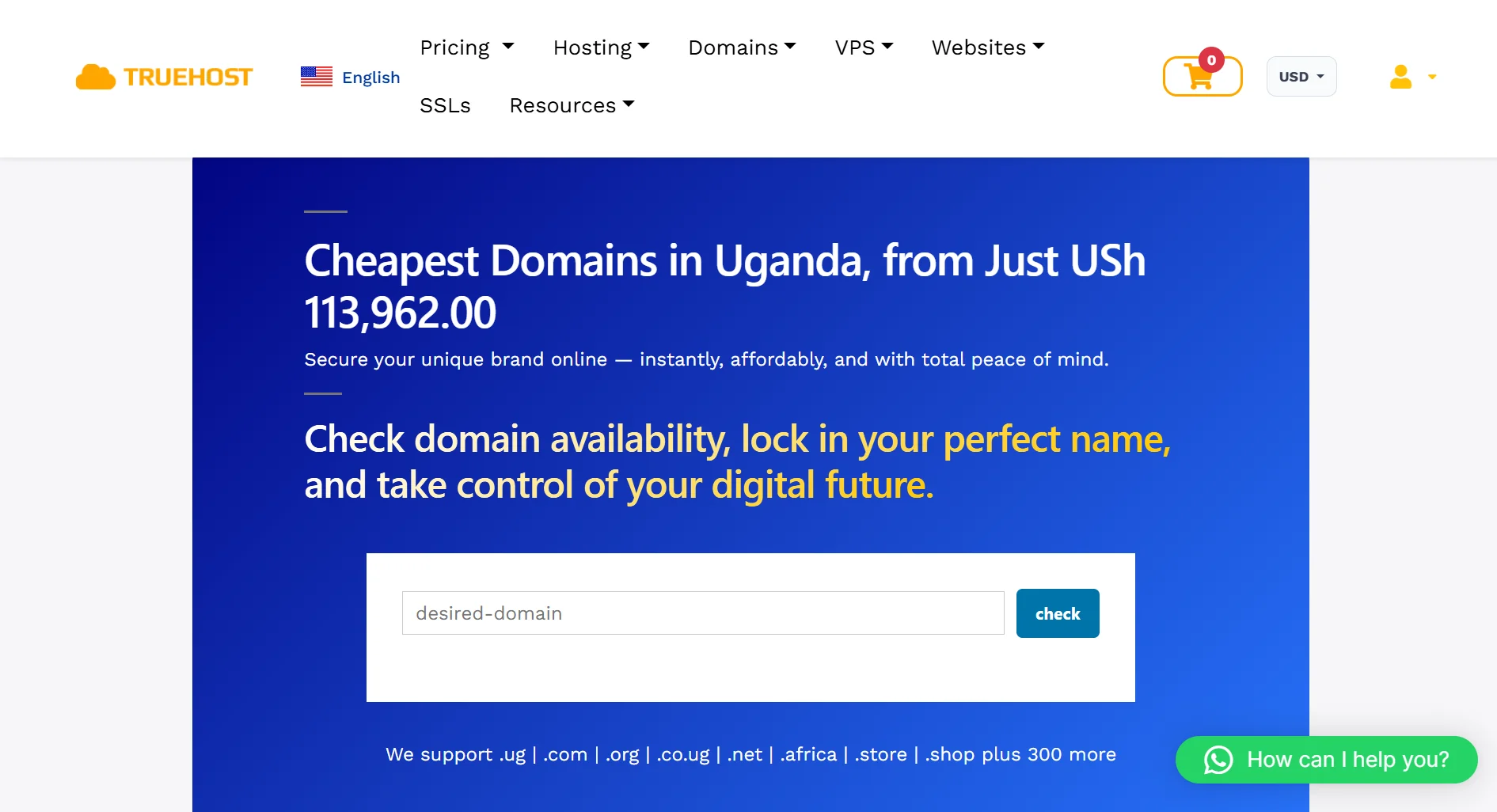
A domain is purely for identification and navigation. It is the unique, human-readable label that points to your site.
It saves people from having to remember a string of numbers, which is an IP address.
Your domain is what you put on business cards, what you print on flyers, and what you tell someone when they ask where to find you online. It is your identity on the internet, and no two domains are exactly alike.
Once someone registers a name, it is taken, which is why you sometimes have to get creative with spelling or choose a different extension if your first choice is gone.
Hosting serves a completely different purpose: it is the physical infrastructure. It is the server, the hard drive space, and the bandwidth that hold your content and send it out to the world when someone requests it.
Hosting does not care what your site is called. Its job is to keep your files safe, keep the server running, and make sure your pages load quickly and correctly when a visitor arrives.
Without hosting, your domain would just be a name pointing to nothing.
2) How It Works
When someone types your domain into their browser, a system called DNS (Domain Name System) comes in. It acts like a phone book, translating your domain name into the IP address of the server where your site is hosted.
The domain is the signpost that points the way. The hosting is the destination.
Once the browser reaches the correct server via that IP address, the hosting server processes the request and sends your website’s files back to the visitor’s screen.
This whole process happens in milliseconds, and most visitors never think about it, but it’s why your domain and hosting have to be connected properly.
If the DNS records are wrong, the domain will point to the wrong server, and your site will not load even though both the domain and hosting are active and paid for.
3) Where to Get One
You buy a domain from a domain registrar. These accredited companies manage name reservations. Examples include Truehost, GoDaddy, and Namecheap.
The registrar is the only place where you can officially claim a name and register it in the global database. You buy hosting from a web hosting provider, which is a company that owns and maintains servers.

Some companies do both, but they are separate services with separate accounts and separate renewal dates. Truehost, Bluehost, and SiteGround are examples of hosting providers.
When you buy from the same company, the setup is usually smoother because they can connect the two for you or give you clear instructions that match their systems.
4) Cost
Domain pricing depends entirely on the extension, which is called the TLD. A standard .com usually costs a set yearly fee, while country-code domains like .ug have their own pricing.
At Truehost, for instance, a .com domain costs USh 29,450.00 per year, and a .ug domain costs USh 113,962.00.
Premium domains, which are short or use common words, can cost much more because demand is high.
Hosting costs depend on the plan you choose and the resources it includes. The cheapest starter hosting at Truehost is USh 8,905.00 per month.
Domain fees are usually paid annually, while hosting can be billed monthly or annually, with annual plans often working out cheaper.
One thing to watch: the first-year price for a domain is often lower than the renewal price, so check both before you commit. The same goes for hosting, where promotional rates may go up after the first term.
5) Features
A domain registration typically comes with basic DNS management tools so you can point the name to a server.
It may also include domain privacy protection, which hides your personal contact information from public databases so spammers and scammers cannot find you.
Some registrars throw in email forwarding, which lets you send mail from your domain to another address. These features are useful but limited.
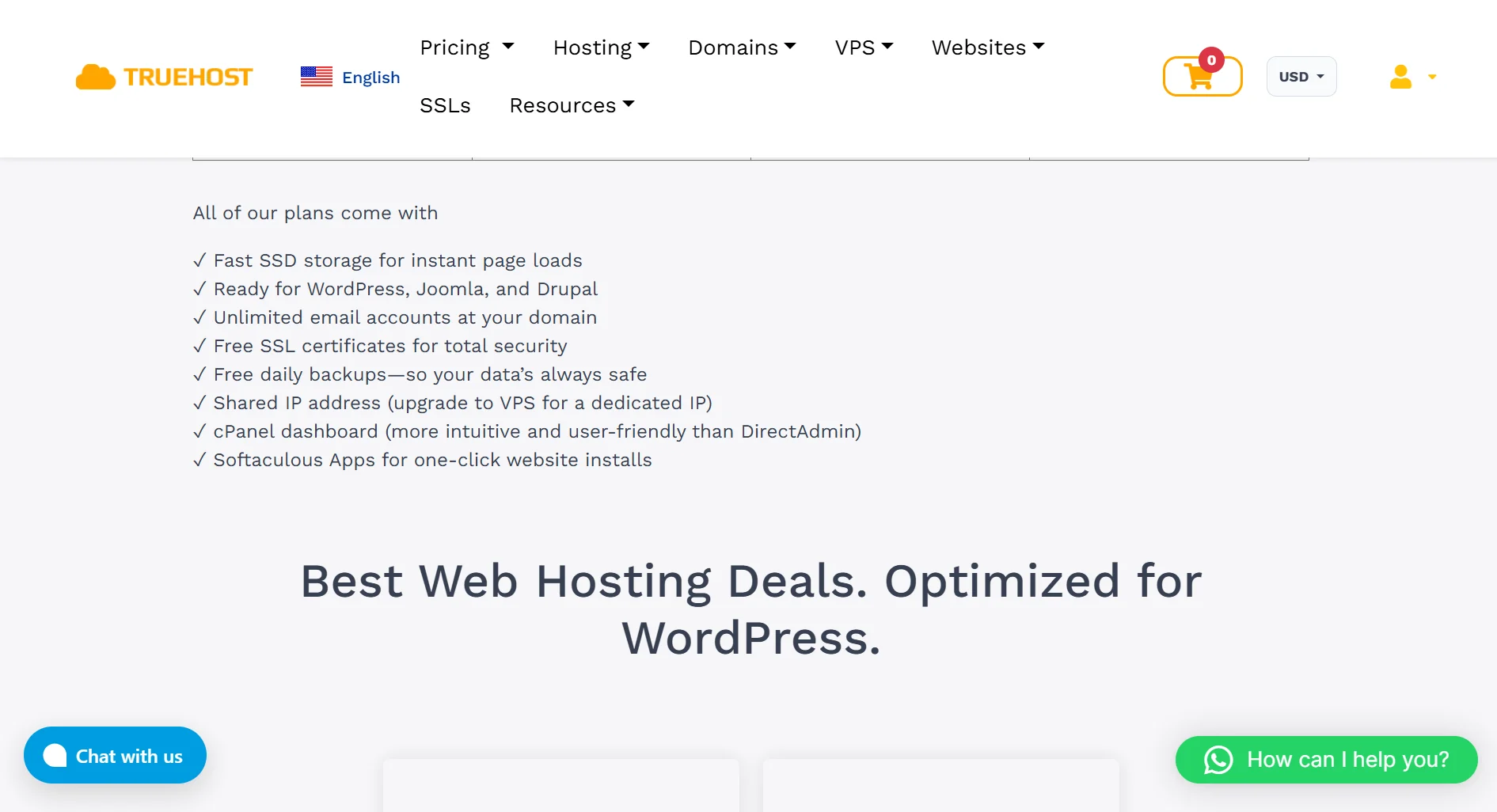
Hosting is feature-heavy by comparison. It includes server storage, the bandwidth to handle visitors, security features like SSL certificates and firewalls, email accounts tied to your domain, and technical support to help you when things break.
You also get tools like one-click WordPress installers, daily backups, and a control panel where you manage everything.
6) Set Up
Setting up a domain is quick. You search for a name, check availability, pay, and it is yours. The whole process can take a few minutes.
The technical part comes later when you connect it to your hosting.
Setting up hosting is more involved. You choose a plan, create an account, and then either upload your website files or install a content management system like WordPress.
You also have to configure the connection between your domain and your hosting, which usually involves updating nameservers.
Incase you’re migrating from another host, Truehost offers free migration if you are moving an existing site, which saves you from doing the technical work yourself.
7) Management
You manage your domain through the registrar’s dashboard. The main task is making sure it does not expire. You renew it annually or for multiple years at once to keep ownership.
If you let it lapse, you lose the name, and someone else can buy it. You also manage DNS records here if you need to point the domain to a new host or add verification records for services like Google Workspace.
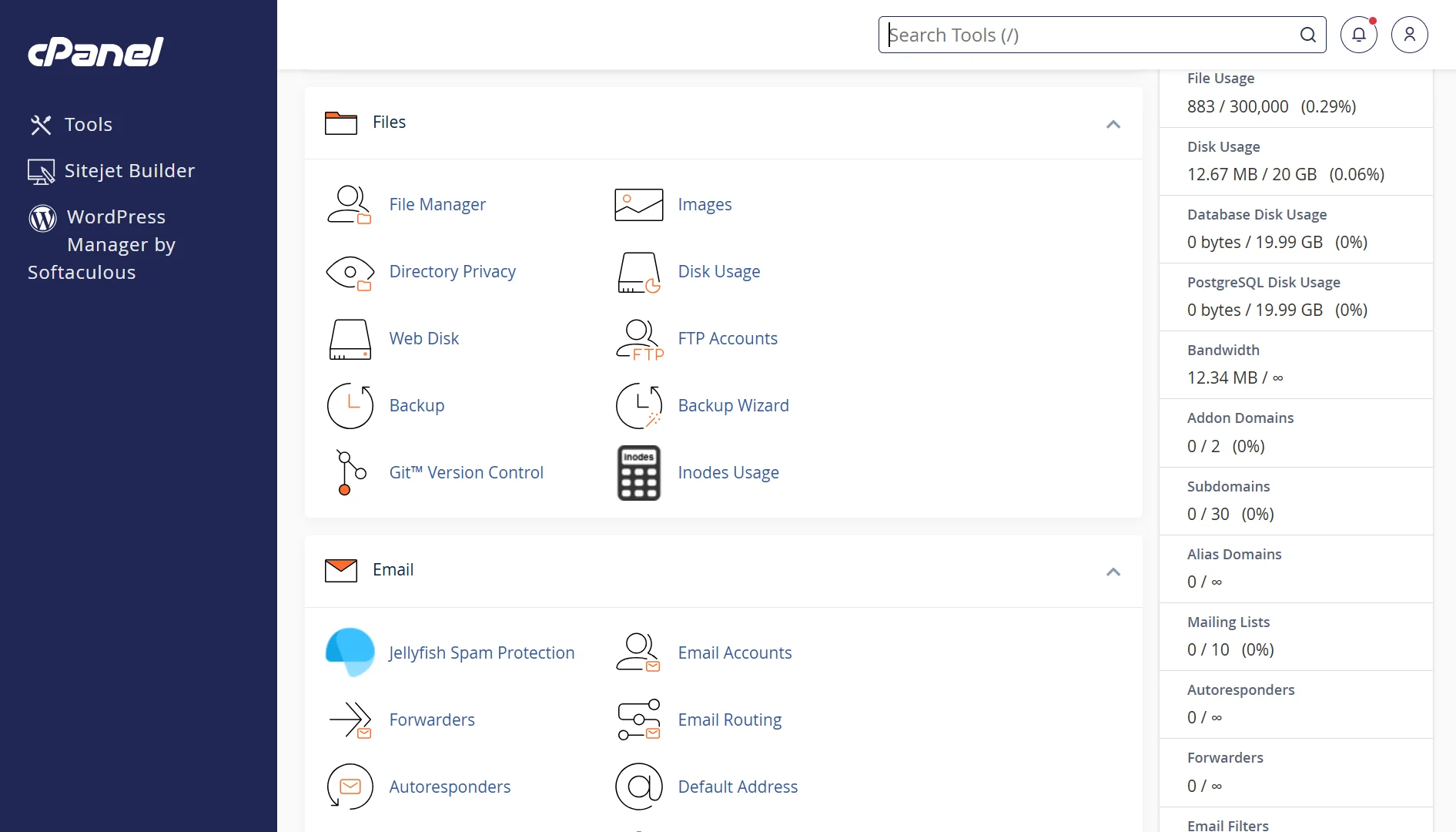
You manage your hosting through a control panel, like cPanel. This is where you handle files, create email addresses, manage databases, and check your resource usage.
Hosting requires ongoing maintenance to keep software updated and security tight. Your host usually handles server-level maintenance, but you are responsible for keeping your own site and its plugins up to date.
8) Types
Domains come in different flavors. Generic top-level domains include .com, .org, and .net. They aren’t tied to any country and are widely recognized.
Country-code top-level domains are specific to a country, like .ug for Uganda or .uk for the United Kingdom.
There are also newer extensions like .shop, .blog, and .tech, which can be useful if your preferred name is taken on the traditional extensions.
Hosting comes in different structures. Shared hosting puts your site on a server with many others to keep costs low, which is fine for small sites. VPS hosting gives you a virtual slice of a server with more power and control.

Dedicated hosting gives you an entire server to yourself.
Cloud hosting spreads resources across multiple servers for reliability, and WordPress hosting is optimized specifically for WordPress sites with caching and security tuned for that platform.
You choose hosting depending on your expected traffic and how much control you need.
How Do They Work Together?
The domain itself does not contain your website. It only holds records that tell the internet where to look.
When you set up your site, you configure your domain’s DNS records to point to the IP address of your hosting server. This crucial link connects the name to the machine.
Once the domain points to the right server, the hosting takes over. When a visitor arrives, the server reads the request, finds the correct files, and sends them back.
Hosting makes your website visible and functional. Without it, the domain would just point to an empty space.
You cannot have a live website with only one of these. A domain without hosting is like having a street address for a plot of land with no house built.
Visitors arrive and find nothing. Hosting without a domain is like having a house in the middle of nowhere with no address. People might stumble upon it, but they cannot find it on purpose.
The technical connection happens through nameservers. Your hosting provider gives you nameserver addresses, like ns1.truehost.com.
You log into your domain registrar’s dashboard and enter those nameservers for your domain. This tells the global DNS system that your hosting provider manages your domain, and from that point on, the two services are linked.
Changes can take a few hours to propagate across the internet, so do not panic if your site does not appear immediately after you make the change.
Difference Between a Domain and Hosting FAQs
Can I own a domain without hosting?
Yes. You can register a domain and simply hold onto it without pointing it to any website. People do this to reserve a brand name for the future or to protect it from someone else taking it. However, if someone types that domain into their browser, they’ll see either an error page or a placeholder from the registrar. The site is not live until you add hosting.
Are hosting and domain the same?
No. They are completely separate products with separate bills and separate management dashboards. The domain is the name, and the hosting is the server space. You can buy them from the same company for convenience, or from different companies and connect them yourself.
How to get a domain name and hosting?
First, decide on a name and check its availability with a domain registrar. Buy it and complete the registration. Next, choose a hosting plan from a hosting provider. Once both are purchased, log in to your domain registrar’s dashboard and update the nameservers to point to your hosting provider. After the changes propagate, your site will be live.
Does buying a domain include hosting?
Usually, no. They are separate purchases. Some hosting providers throw in a free domain for the first year as a promotion, but the domain is still a separate item that will need to be renewed at its own price later. Always check the renewal costs for both the domain and the hosting plan separately before you commit.
How do I connect my domain to my hosting?
You do this by changing the nameservers on your domain. Your hosting provider will give you the correct nameserver addresses. You log into the account where you bought your domain, find the DNS settings, and replace the existing nameservers with the ones from your host. It can take a few hours for the change to take effect everywhere.
Get Started With Truehost Domain and Hosting
If you are ready to get your site online, we can help you with both pieces of the puzzle. At Truehost, we offer domains and hosting designed to work together without the headache.
You can secure your address with a .com for USh 29,450.00 or grab a local identity with a .ug domain for USh 113,962.00.
For hosting, you can start small with our Starter plan at USh 8,905.00 per month, which is perfect for a first site, a portfolio, or a blog.
If you need more room to grow, the Pro plan at USh 3,740.10 per month gives you more power for a business site.
And if you are running an agency or a busy online store, the Unlimited plan at USh 52,296.10 per month gives you the resources to handle serious traffic.
Every plan includes the essentials: free SSL certificates to keep your visitors’ data secure, daily backups so you don’t lose your work, and cPanel for straightforward site management.
We also give you unlimited email accounts so you can have a professional address like [email protected]. If you ever get stuck, our support team is here to help you get unstuck.
You can register your domain and pick your hosting plan in the same place, which means fewer accounts to manage and a simpler setup. Once you have both, point the domain to the hosting and you are online.
