You have a domain name; you want it to load a website, send and receive email, and maybe prove to Google that you own it. All of that happens through DNS records.
DNS records are the instructions stored in your domain’s DNS zone file. They tell the internet what to do when someone types your domain into a browser or sends an email to your address.
They are like a set of rules that answer specific questions: Where is the website hosted? Which server handles the mail? Who is the authority for this domain?
Knowing the common record types is important because at some point you will need to change one. You might move to a new host, set up a business email, or verify your domain with a third-party service.
When that moment comes, you need to know which record to edit. Change the wrong one and your site goes down or your email stops working. Change the right one and everything runs smoothly.
7 Common DNS Record Types In Detail
| Record | Purpose |
| A | Maps a domain to an IPv4 address |
| AAAA | Maps a domain to an IPv6 address |
| CNAME | Aliases one domain name to another |
| MX | Directs email to a mail server |
| TXT | Holds text data (verification, SPF, etc.) |
| NS | Specifies authoritative name servers |
| SOA | Holds admin info about the zone |
1) A Record
An A record maps a domain name to an IPv4 address. This is the most basic and essential DNS record. Without it, a browser cannot find the server where your website lives.
When someone types your domain into their browser, the DNS resolver looks up the A record to get the IP address, then connects to that address to load your site.
If your A record is wrong or missing, visitors see an error instead of your website.
A common use case is pointing example.com to your web host’s IPv4 address, like 192.0.2.1.
Your hosting provider gives you this address, and you enter it in your DNS settings.
2) AAAA Record
An AAAA record does the same job as an A record, but for IPv6 addresses. It maps your domain to an IPv6 address instead of an IPv4 one.
So, IPv4 addresses are running out. IPv6 is the newer system with a much larger pool of addresses.
If your site only has an A record, visitors on IPv6-only networks cannot reach it. Adding an AAAA record makes your site accessible to both types of visitors and prepares your domain for the future.
You would typically add an AAAA record alongside your existing A record. Your host provides the IPv6 address, and you add it just like an A record.
3) CNAME Record
A CNAME record creates an alias. It points one domain name to another domain name, rather than to an IP address.
This is useful when you want a subdomain to point to your main domain without hardcoding an IP address. For example, you might point www.example.com to example.com.
If your server’s IP address changes later, you only update the A record for example.com. The CNAME for www follows automatically because it points to the name, not the number.
CNAMEs are also handy for pointing subdomains to third-party services.
If you run a store on a platform that gives you a specific hostname, you can create a CNAME for shop.example.com that points to that hostname. The service handles the rest.
4) MX Record
An MX record directs email for your domain to the correct mail server. Without an MX record, email sent to your domain has nowhere to go. It simply will not be delivered.
MX records include a priority value. Lower numbers mean higher priority.
If you list multiple mail servers, email tries the lowest-priority number first and falls back to higher numbers if the first server is unavailable. This gives you a backup path for your email.

For instance, when routing [email protected] to a service like Google Workspace or Microsoft 365, you add the MX records that the email provider gives you, and they handle the delivery.
5) TXT Record
A TXT record holds text data. That is intentionally vague because TXT records serve several different purposes.
Originally they were just for human-readable notes, but today they do important security and verification work.
The most common use is email security. SPF records, which list the servers allowed to send email for your domain, are TXT records. DKIM and DMARC, which help prevent spoofing and phishing, also rely on TXT records.
Without these, your emails are more likely to land in spam or be forged by someone else.
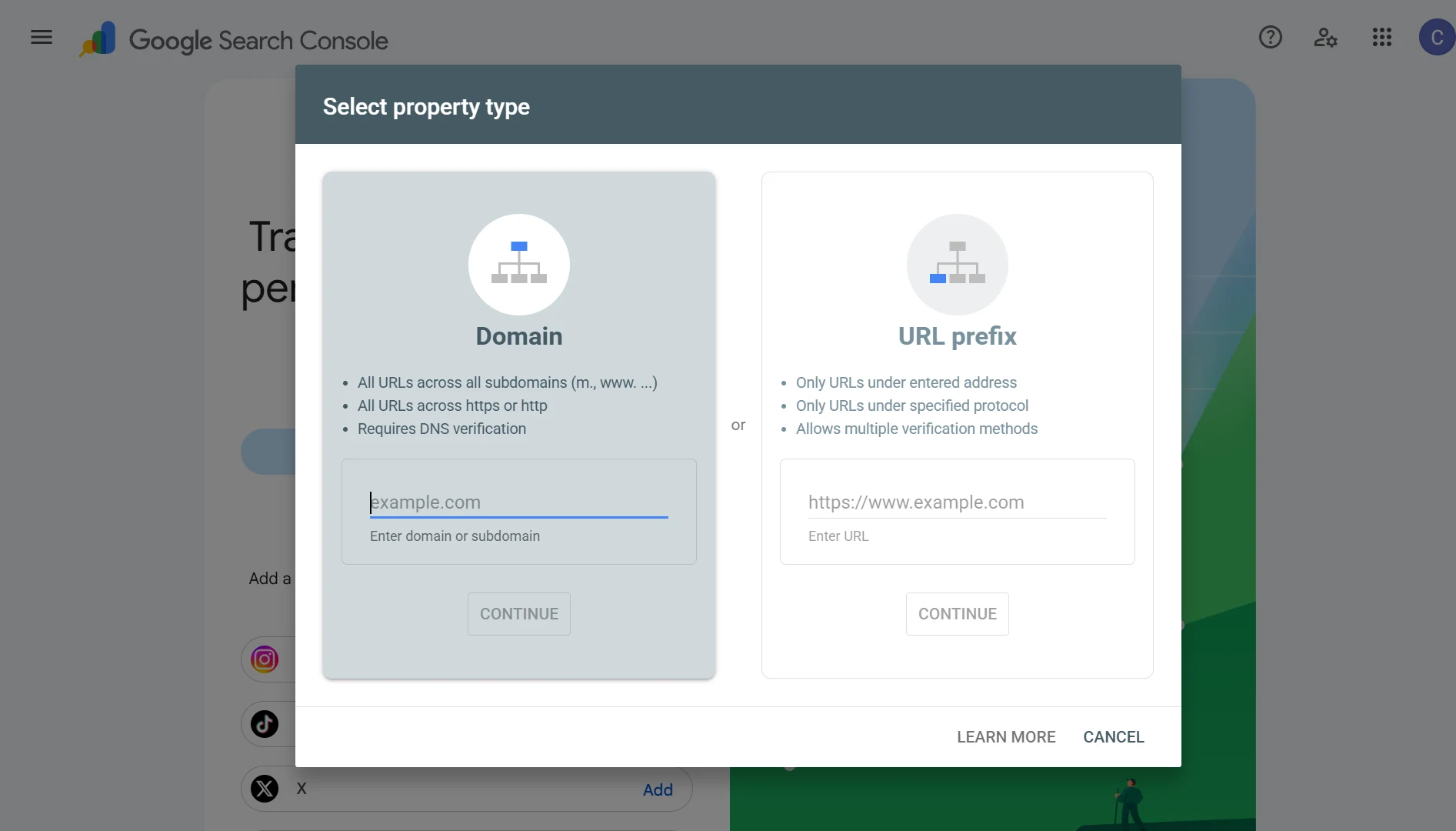
TXT records are also used for domain verification. When you sign up for a service like Google Search Console or Microsoft 365, they often ask you to add a TXT record with a specific value. That proves you control the domain.
TXT records have a size consideration. A single TXT string is limited to 255 characters, but you can use multiple strings in one record.
Practical limits vary by DNS provider, with some capping total TXT record data around 4,000 bytes.
6) NS Record
NS records specify the authoritative name servers for your domain. These are the servers that hold the actual DNS records and answer queries about your domain.
Every domain needs at least one NS record. When you register a domain or set up hosting, your provider gives you nameserver addresses, like ns1.yourhost.com and ns2.yourhost.com.
You enter these at your domain registrar. From then on, the internet knows to ask those servers for your DNS information.
If your NS records are wrong, your entire domain can stop resolving. Nothing works.
This is why NS records are usually set once and left alone unless you are deliberately changing DNS providers.
7) SOA Record
The SOA record, or Start of Authority, holds administrative information about the DNS zone.
It includes the primary name server, the admin contact email, and timing values for how often secondary servers should check for updates.
Every DNS zone must have exactly one SOA record. It is usually created automatically when you set up DNS hosting.
You rarely need to edit it unless you are troubleshooting synchronization issues between primary and secondary DNS servers.
The SOA record also contains a serial number that increases every time the zone changes. Secondary servers compare serial numbers to know when they need to pull a fresh copy.
Other DNS Records
- PTR: Handles reverse DNS. It maps an IP address back to a domain name, the opposite of an A record. Mail servers use it to verify legitimacy.
- SRV: Specifies a host and port for a particular service, often with priority and weight values for load balancing.
- CAA: Lists which certificate authorities may issue SSL certificates for your domain, adding a security layer against unauthorized issuance.
- NAPTR: Rewrites and routes services dynamically, often used with SRV records for complex service discovery like telephony systems.
- LOC: Stores geographic coordinates (latitude, longitude, and altitude) for a domain.
- DNAME: Works like a CNAME but redirects all subdomains under that name too, useful when moving an entire domain structure.
- RP: Stores the email of the person responsible for the domain, serving an administrative contact purpose.
- SSHFP: Stores SSH public key fingerprints, helping verify server authenticity and prevent man-in-the-middle attacks.
- CERT: Stores public key certificates directly in DNS, part of older security frameworks rarely used today.
- DNSKEY: Holds the public key used to verify DNSSEC signatures.
- CDNSKEY: A child copy of the DNSKEY record sent to the parent zone, helping with key rollover.
- RRSIG: Stores digital signatures that authenticate DNS records under DNSSEC.
- NSEC: Proves a requested record does not exist, providing signed denial so resolvers trust the absence is genuine.
Common DNS Record Types FAQs
What is the most common DNS record?
The A record. It is the foundation of how domains resolve to websites.
What are two types of information commonly found in DNS records?
IP addresses and domain names. MX records also contain priority numbers, and TXT records contain text strings.
What DNS record holds the DNSSEC public signing key?
DNSKEY. It is used to verify DNSSEC signatures, not one of the seven core records but part of DNSSEC setups.
What is the difference between A and AAAA records?
A records map to IPv4 addresses. AAAA records map to IPv6 addresses.
What is the purpose of DNS record type 28?
Type 28 is AAAA, the IPv6 address record.
What is the maximum length of a DNS TXT record?
There is no single fixed maximum across all providers. A single string is capped at 255 characters, but you can combine multiple strings. Provider limits range from around 4,000 to 8,000 bytes.
How many DNS records can a domain have?
It depends on your DNS provider. Cloudflare, for example, allows 200 records on new free zones and 3,500 on paid plans. There is no universal DNS protocol limit.
Which DNS is best for everything?
Use the DNS provided by your hosting company or a reputable third-party DNS service. The important thing is reliable nameservers and a clean record setup.
Can a DNS record have multiple IP addresses?
Yes. A single A record can contain multiple IP addresses, and the resolver will return them in a random order. The client picks one to connect to.
Manage DNS records with Truehost
If you register your domain with us, managing DNS records is easy. You get full control over your DNS zone from your dashboard.
Add an A record, set up MX for your business email, or verify your domain with a TXT record without waiting on support tickets.
We offer domains starting at affordable prices, including .ug and .co.ug for Ugandan businesses, plus global extensions like .com, .org, and .net.
Our domain pricing starts at USh 113,962.00 for a UG domain, and we support over 300 extensions.
Why Ugandans Trust Truehost Domains: local-first domain selection, affordable pricing, fast and secure registration, professional support, and business-ready add-ons that connect your domain to hosting, email, and website tools with one-click integration.
