You can get a VPS plan for as low as UGX 16,000. You can also find one that costs up to UGX 1,600,000. That is a massive gap, and it confuses a lot of people who just want a straight answer.
VPS hosting cost isn’t random. The difference comes down to what you actually need. RAM, CPU, bandwidth, storage, and whether the server is managed or unmanaged all affect the price.
A cheap plan might be perfect for a small project. An expensive one might be necessary for a business that cannot afford to slow down.
Let me break down what you are really paying for.
VPS Hosting Starting Costs Comparison
| VPS Provider | Starting Price | Features |
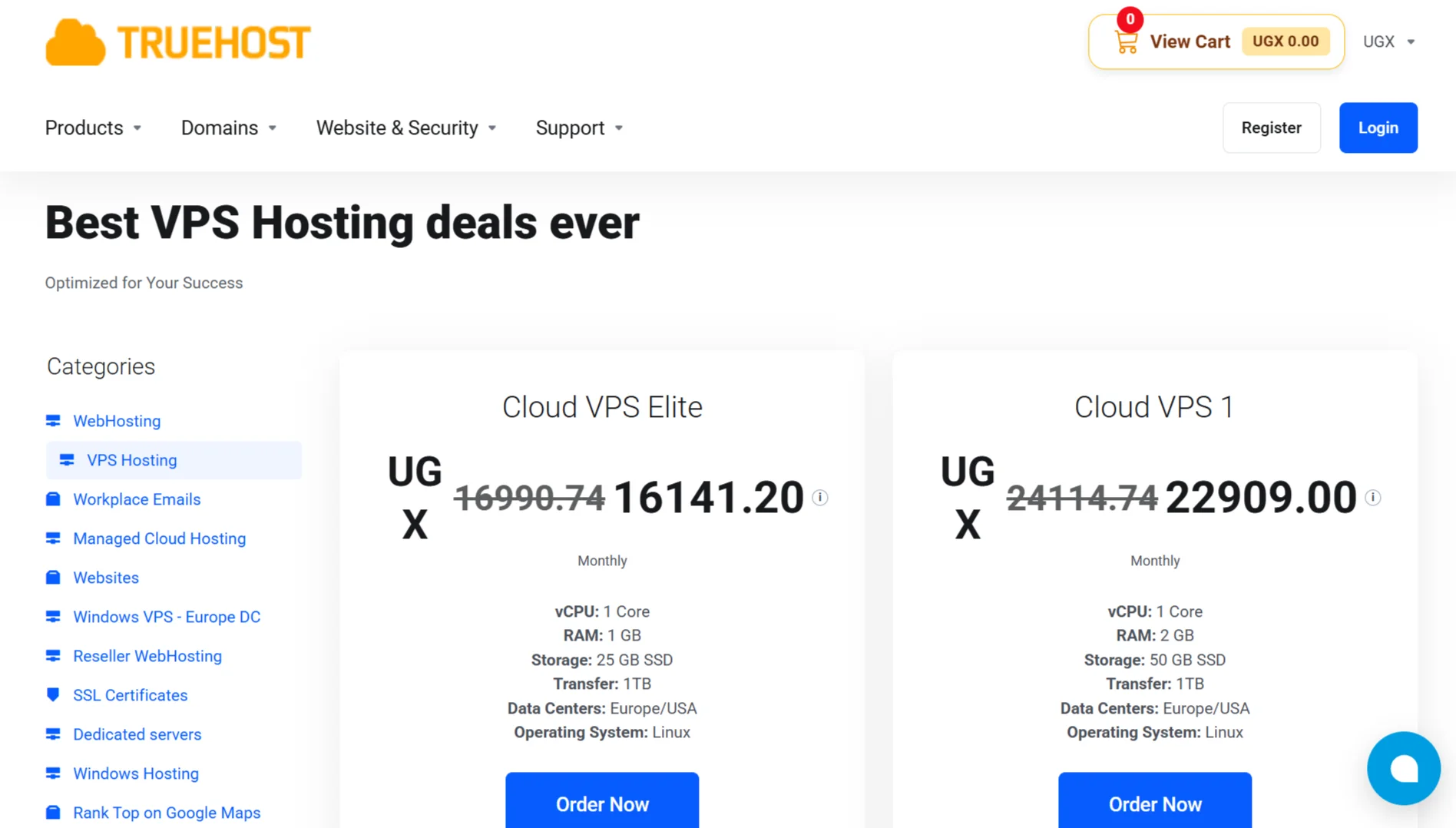
| Truehost | USh 16,257.56 | 1 vCPU, 1 GB RAM, 25 GB SSD, 1 TB transfer, Europe/USA, Linux |
| Lineserve | USh 44,700/mo | 1 vCPU, 2 GB RAM, 40 GB SSD, 1 Gbps · unlimited local traffic, 1 dedicated IPv4 |
| Webstar | 1,000,000 UGX/year | 1 CPU, 2 GB RAM, 20 GB SSD, 2 TB bandwidth |
What Determines VPS Costs?

1) CPU
The processor is your server’s brain. Both the number of cores and clock speed are important. More cores can handle more tasks at once. A plan with higher clock speed can process individual tasks faster.
You also need to know whether those cores are dedicated or shared. Dedicated cores are reserved for you alone. Shared cores are pooled with other users. Dedicated cores cost more, but the performance is more predictable.
Simply put, more cores cost more. There is no way around that.
2) RAM
RAM is your server’s short-term memory. It holds the data that your applications are actively using.
If you run out of RAM, your server starts swapping to disk, and everything slows to a crawl.
More RAM means better multitasking and better performance under load. It can also drive up the price quickly.
RAM is one of the fastest ways to increase a VPS bill because providers know memory keeps your applications running smoothly.
3) Storage
Not all storage is the same. You will see HDD, SSD, and NVMe. HDD is the old standard and the cheapest option.
SSD is much faster, and it is now the baseline for most VPS plans. NVMe is the fastest option available, and it costs the most.
Total disk space also affects the price. A plan with 200 GB of storage will always cost more than one with 25 GB, assuming everything else is equal.
4) Bandwidth & Data Transfer
Bandwidth is how much data your server can move, and data transfer is the total amount of data that moves in a month.
Most plans come with a limit, like 1 TB or 10 TB. Some plans offer unmetered transfer, but that usually comes with a fair usage policy hidden somewhere.
Higher traffic allowances cost more because the provider is paying for network capacity.
If you expect a lot of visitors or you are serving large files, you need to pay attention to this number.
Going over your limit can result in overage charges or your server being throttled.
5) Data Center Location
Local data centers often cost more than international ones. That is because local infrastructure, power, and real estate are more expensive.
But local hosting reduces latency, which means faster load times for your local audience.
The number of locations available also affects price.
A provider with data centers in Europe, the USA, and East Africa has more flexibility, and that flexibility is built into the cost structure.
6) Operating System & Licenses
Linux is usually free. Most VPS providers include popular Linux distributions at no extra cost. Windows Server is a different story.
Microsoft charges for Windows Server licenses, and they pass that cost on to you.
Control panel licenses also add to the bill. cPanel and Plesk are not free. If you want a graphical interface to manage your server, you will pay for it.
Some providers offer custom panels at no extra cost, but mainstream options come with a license fee.
7) Managed vs. Unmanaged
A managed VPS includes support and maintenance. The provider handles updates, security patches, and monitoring. You get help when something breaks. That convenience costs money.
For example, Truehost’s managed VPS entry plan costs USh 42,744.00/month.
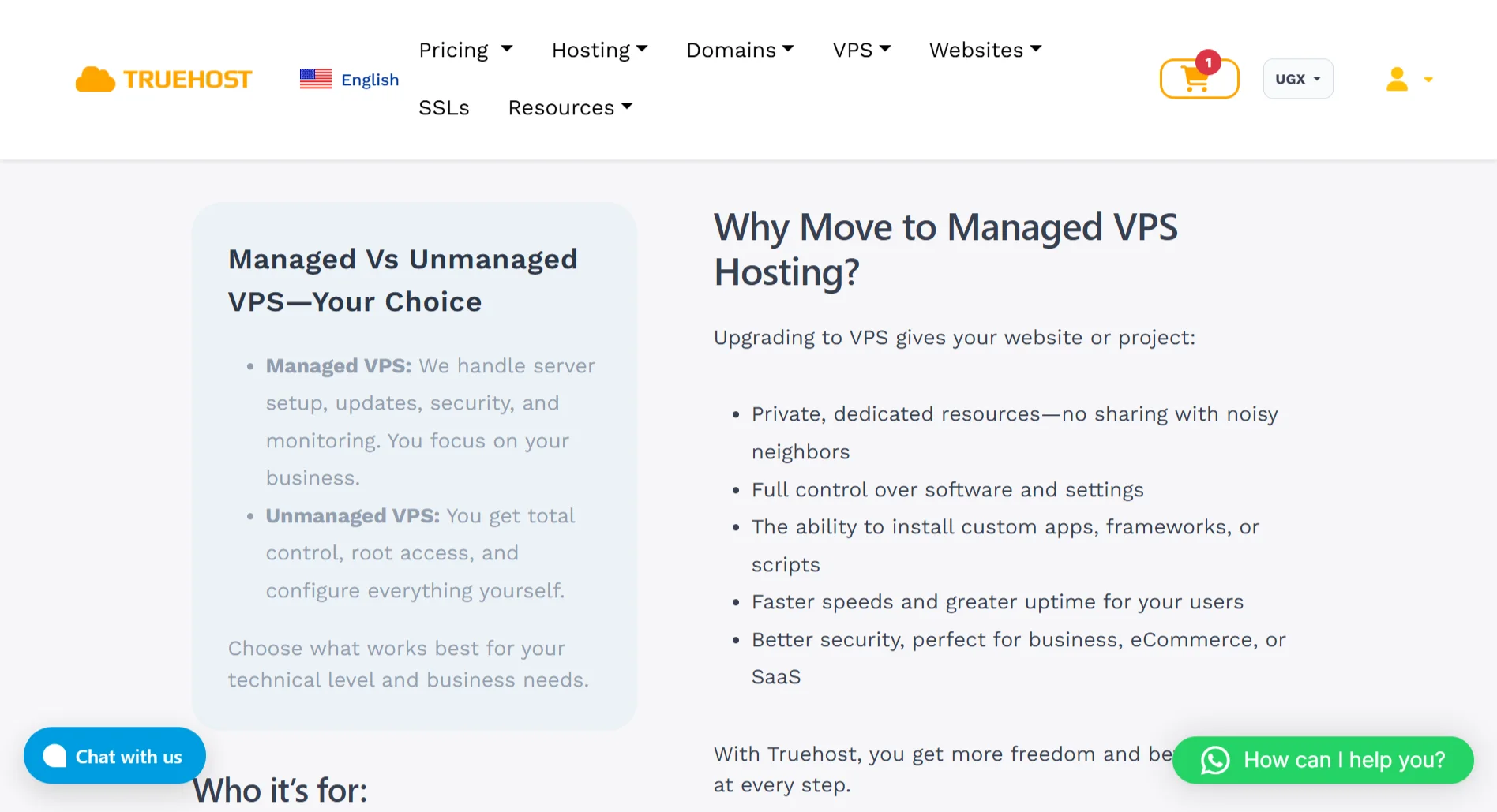
An unmanaged VPS is cheaper. You get root access and raw resources. You handle setup, security, and troubleshooting yourself.
If you know what you are doing, this is the better deal. If you do not, you will either learn fast or pay someone else to fix your mistakes.
8) Provider & Support Quality
Not all providers are equal. A host with a strong reputation for reliability charges more because they have invested in infrastructure and people.
A host with 24/7 support charges more because support staff cost money.
And a host that guarantees uptime with a real SLA charges more because they have to back that promise with redundant systems.
Cheap hosting is there, but reliable cheap hosting is rare. You are paying for the provider’s track record as much as you are paying for the server itself.
9) Add-ons & Extras
The base price is rarely the final price. Dedicated IPs, both IPv4 and IPv6, often cost extra. Backups and snapshots are frequently add-ons.
Security features like firewalls and DDoS protection may be included or may cost more depending on the provider.
These extras add up. A plan that looks affordable at first glance can get expensive once you add what you actually need to run a production server.
Factors to Consider When Determining the Budget for VPS
- Purpose/Use case: Personal projects need less. Business and e-commerce need more. Match the plan to what the server will actually do.
- Traffic volume: More visitors require more resources, which means higher cost. Estimate your traffic honestly and leave room for spikes.
- Resource needs: CPU, RAM, and storage requirements directly drive up the price. Know what your applications need before you shop.
- Growth plans: Pick a plan that can scale as you grow, or you will be migrating sooner than you expect. Upgrading in place beats rebuilding from scratch.
- Managed vs. unmanaged: Managed costs more but saves you time and effort. Unmanaged is cheaper if you have the skills to run the server yourself.
- Data center location: Local hosting may cost more, but it offers better speed for your audience. Choose based on where your visitors are.
- Support needs: 24/7 premium support usually costs extra. If downtime at any hour is unacceptable, budget for it.
- Add-ons: Extra IPs, backups, and security features add to the total. Add up everything you need before comparing prices.
- Provider reputation: Cheap is not always reliable. Balance cost against uptime and support quality.
- Hidden costs: Watch for setup fees, renewal price hikes, and overage charges. Calculate the real cost over the full term, not just the intro price.
VPS Hosting Cost FAQs
Is there free VPS hosting?
Free trials and free tiers exist, such as AWS and Google Cloud Platform, but they come with some limitations. You might get very little RAM, very little storage, or a time limit. You can’t rely on a free VPS for anything serious.
Can I self-host a VPS?
You can host a server on your own hardware, but that is not a VPS. A VPS is a virtual private server running on someone else’s infrastructure. Self-hosting means you buy the hardware, pay for the power, pay for the internet connection, and handle the maintenance.
What is the cheapest VPS hosting?
The cheapest VPS hosting depends on where you look and what you need. Entry-level unmanaged plans with minimal resources are the cheapest option. Truehost’s Cloud VPS Elite is one of the more affordable starting points and goes forUSh 16,257.56/month.
What is the disadvantage of VPS hosting?
The main disadvantage is that, with unmanaged hosting, you’re responsible for the server. You have to configure it, secure it, and fix it when it breaks. You also share physical hardware with other users, so if a neighbor is abusing resources, it can affect your performance. Unlike shared hosting, no one holds your hand unless you pay for managed support.
Deploy on Affordable VPS Hosting
By now, you probably have a rough idea of what you need. We offer VPS plans that start small and scale up as your project grows.
Our Cloud VPS Elite gives you 1 vCPU, 1 GB RAM, and 25 GB SSD storage for USh 16,257.56. That is enough for a small application, a development environment, or a low-traffic site.
Cloud VPS 1 doubles the RAM to 2 GB and the storage to 50 GB for USh 22,906.63.
Cloud VPS 2 bumps you up to 2 vCPU, 4 GB RAM, and 100 GB SSD with 10 TB of transfer for USh 41,785.23.
And Cloud VPS 3 gives you 4 vCPU, 8 GB RAM, 200 GB SSD, and 25 TB of transfer for USh 83,816.83.
You can also opt for the managed options if you would rather not handle the technical side yourself.
