Shared hosting is reasonably secure when the provider isolates accounts properly, and you keep your own site patched, but it is not risk-free. When several websites share one server, it’s natural to wonder what happens if a neighbour gets hacked, and whether someone could reach your files, passwords, or customer information.
Sharing a server means sharing resources such as CPU, RAM and storage. It does not automatically mean sharing access to each other’s files and databases. Hosting providers use account isolation, firewalls, malware scanning and regular updates to keep customers apart.
However, the level of protection also depends on how the server is managed and how well you secure your own website. This guide explains how shared hosting works, where the real risks are, what you can do about them, and how to pick a provider you can trust.
How Shared Hosting Works and Where the Security Risks Are
Shared hosting lets several websites run on the same server, sharing CPU, RAM, storage and sometimes an IP address. The provider manages the server, the control panel and security updates, while you manage your own website: its software, passwords and content.
Each hosting account has its own files and access permissions, which prevent other customers from reading your site. One caveat is easy to miss: websites inside the same hosting account share one user and one set of permissions, so they can usually reach each other’s files. An infection in one can travel to the others.
Providers use several tools to keep customer accounts apart. Each does a different job, and none is a complete answer on its own:
| Security measure | What it does | Limitation |
| File permissions | Controls who can access website files. | Wrong settings can expose files. |
| Per-user PHP settings | Limits which files website scripts can access. | Depends on server settings. |
| CageFS (CloudLinux) | Gives each customer a separate, virtual view of the server’s files, hiding other users’ data and sensitive system files. | Only works on supported CloudLinux servers. |
| LVE (CloudLinux) | Limits the CPU, memory and disk resources each account can use, so one account can’t slow down the rest. | Controls resource usage, not file access. |
| VPS hypervisor | Separates entire virtual servers from one another. | Requires proper server maintenance. |
These tools protect websites from unauthorised access and stop one customer from hogging the server. The distinction between CageFS and LVE counts: CloudLinux describes CageFS as the file-system layer that hides other users’ data, while LVE is the resource layer that caps each account’s CPU, memory and I/O. A host that only advertises “CloudLinux” may be giving you the second without the first, so it is worth asking.
Either way, their effectiveness depends on how well the provider sets up and maintains the server. Isolation that exists on paper but is misconfigured or unpatched can fail, as the next section shows.
Common Security Risks of Shared Hosting
Shared hosting places several websites on one server. If the server or one of its websites is poorly secured, other sites may also be at risk.
1) Attacks From Other Websites on the Same Server
Hackers may use one infected account to access other websites on the server.
In 2021, Wordfence found an attack that affected six websites on separate accounts. The attacker exploited a server weakness to access WordPress database passwords and take control of the sites.
Websites under the same hosting account also share file space and permissions. Malware on one site can spread to others.
2) Control Panel and Server Vulnerabilities
Control panels such as cPanel and Plesk manage hosting accounts. A security flaw in these systems can expose several websites or the entire server.
For example:
- cPanel (2026): A critical vulnerability allowed attackers to bypass login security.
- Plesk (2025–2026): Several vulnerabilities allowed attackers to gain higher access privileges, including server-level access.
Your hosting provider must install security updates because shared hosting customers cannot patch the server themselves.
3) Vulnerabilities in Your Website
Outdated WordPress versions, themes and plugins can give hackers access to your website.
Patchstack reported 11,334 new WordPress-related vulnerabilities in 2025, with 91% found in plugins.
Hackers can use these weaknesses to install malware, steal information or take control of your site. This risk affects all hosting types, not just shared hosting.
4) Shared IP Address and Resource Problems
Several websites may use the same IP address. If one sends spam, email providers may blocklist the IP, affecting emails from other websites on it.
Shared resources can also cause slowdowns. Heavy traffic or scripts on one website may affect others on the server. Some providers use CloudLinux to limit resource usage per account.
5) Limited Server Control
Shared hosting does not provide root access or full control over server settings. You depend on your provider for security updates, monitoring and server protection.
This can be limiting if your business needs custom firewall rules, advanced monitoring or specific security settings.
How to Secure Your Website on Shared Hosting
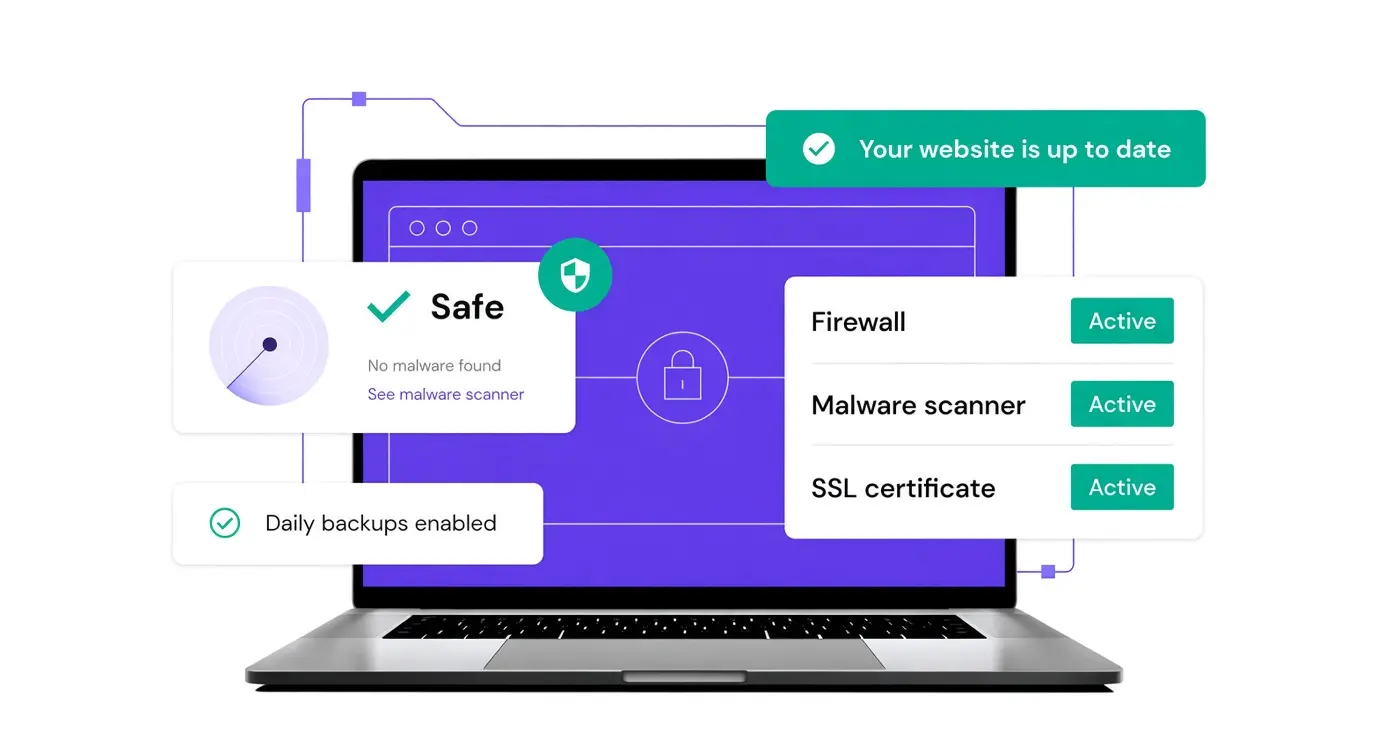
You can improve your website’s security by using strong passwords, updating software and protecting your files. These eight steps help reduce the risk of attacks.
a) Use Strong Passwords
Use long, unique passwords for your cPanel, WordPress, FTP and email accounts. Avoid reusing passwords because one leaked password can expose several accounts.
Use a password manager to create and store strong passwords.
b) Enable Two-Factor Authentication (2FA)
2FA adds another login step, such as a code from an authenticator app. This prevents someone from accessing your account with just your password.
Enable it on your hosting account and WordPress admin login. Use an authenticator app instead of SMS where possible.
c) Keep Your Website Updated
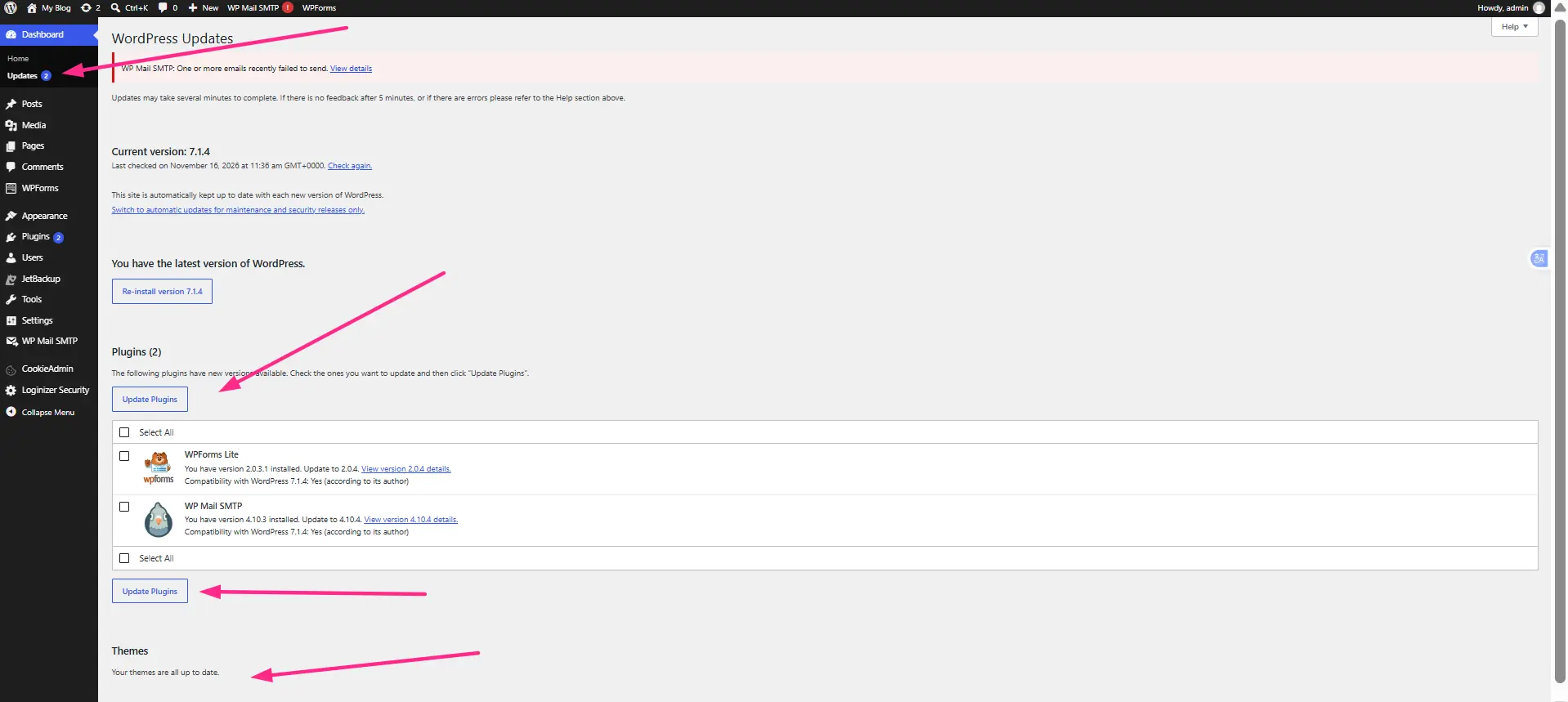
Update WordPress, themes and plugins regularly. Updates often fix security weaknesses that hackers can exploit.
Also:
- Remove plugins and themes you no longer use.
- Enable automatic updates for trusted plugins.
- Download software only from trusted sources.
- Avoid pirated plugins and themes because they may contain malware.
d) Install an SSL Certificate
An SSL certificate enables HTTPS and encrypts information sent between your website and visitors. This protects login details, contact forms and payment information while they are being sent.
Most hosting providers offer free SSL certificates. However, SSL does not protect your website files or database from hackers.
e) Use a Web Application Firewall (WAF)
A WAF checks website traffic and blocks harmful requests. It helps protect against attacks such as SQL injection and cross-site scripting.
You can use a cloud-based WAF or a security plugin. A WAF adds protection but does not replace software updates or malware removal.
f) Back Up Your Website Regularly
Back up your website files and database regularly. Store copies outside your hosting account so hackers cannot easily access or delete them.
Test your backups to make sure you can restore your website when needed.
g) Scan Your Website for Malware
Scan your website regularly to find infected files, malicious code and backdoors.
If your site is infected, remove the malware, change your passwords and update your software. Contact your hosting provider if the infection keeps returning or affects the server.
h) Set Proper File Permissions
File permissions control who can access or change your website files.
Common WordPress settings are:
- Files: 644
- Folders: 755
- wp-config.php: 400 or 440, where supported.
Check with your hosting provider before changing permissions because incorrect settings can break your website.
Proper permissions help protect your files, but they cannot prevent every attack. Your hosting provider must also isolate customer accounts properly.
How to Choose a Secure Shared Hosting Provider
Hosting providers offer different levels of security. Before buying a plan, check how the provider protects its servers, separates customer accounts and handles security problems.
i) Check the Security Features
Look for a provider that offers:
- Firewall protection
- Malware scanning
- Free SSL certificates
- DDoS protection
- Regular server updates
Also check which security tools the provider uses. For example, Imunify360 offers malware scanning, firewall protection and intrusion detection.
ii) Check Account Isolation
Choose a provider that keeps customer accounts separate. This prevents one website from accessing another customer’s files.
Ask if the provider uses CloudLinux CageFS or similar technology to isolate accounts. Also ask how it prevents attacks that target files on other accounts.
iii) Review Backup Policies
Check how often the provider backs up websites, how long backups are stored and how easy they are to restore.
Daily backups with at least two weeks of storage are a good starting point. Off-server backups are better because they remain safe if the main server is compromised.
Keep your own backups as well.
iv) Check Security Monitoring and Support
Choose a provider that monitors its servers for suspicious activity and helps customers deal with malware and hacked accounts.
Also check how quickly it installs security updates and responds to critical vulnerabilities. Good technical support is important when your website is attacked.
v) Read the Provider’s Security Policies
Read the provider’s security, privacy and backup policies. Check how it protects customer data, handles security breaches and notifies customers about incidents.
Also check its recovery terms and whether you can upgrade to VPS hosting if your website needs more control and security.
Shared Hosting Secure FAQs
Can other websites on shared hosting access my files?
No, not if the server is properly secured. Hosting providers separate customer accounts using file permissions and account isolation. However, server vulnerabilities or poor configurations can allow hackers to access other customers’ files.
Can a website get hacked because it uses shared hosting?
Yes, but shared hosting is not usually the main cause. Weak passwords, outdated software and vulnerable plugins are common causes of website attacks. Server security problems can also expose your site.
Is shared hosting safe for WordPress?
Yes. WordPress works well on shared hosting if the provider maintains its servers and you keep WordPress, themes and plugins updated. Remove unused plugins and install software only from trusted sources.
Does shared hosting protect against hackers?
Hosting providers offer security features such as firewalls, malware scanning and account isolation. These reduce the risk of attacks but cannot guarantee complete protection. You still need strong passwords, regular updates and backups.
Does SSL make shared hosting secure?
No. SSL encrypts data exchanged between your website and visitors. It protects information such as login details and payment data while being transferred, but it does not prevent malware, hacking or weak passwords.
Is shared hosting safe for an online store?
Yes, shared hosting can support a small online store. Use HTTPS, a trusted payment processor, strong passwords and regular backups. Large stores with high traffic or advanced security needs may require VPS or dedicated hosting.
Can one hacked website affect other websites on the same server?
Yes. Poor account isolation can allow malware to spread between websites. Websites under the same hosting account also share files and permissions, making it easier for an infection to spread. Keeping important websites in separate accounts helps reduce this risk.
Is VPS hosting more secure than shared hosting?
VPS hosting provides better account isolation and more server control. However, you are responsible for server updates, firewalls and security settings. A well-managed shared hosting plan can be safer than a poorly maintained VPS.
Is Shared Hosting Secure?
Yes, shared hosting is secure for most small websites, blogs, portfolios and small online stores, as long as two things are true: your host isolates accounts properly, and you look after your own site. Most hacks trace back to things you control, such as weak passwords, outdated plugins and missing backups. The risks you don’t control, like control panel flaws or a noisy neighbour, are best handled by choosing a provider that patches quickly and keeps every account separate.
If your site handles heavy traffic, sensitive customer data, or strict compliance requirements, a VPS or dedicated server gives you more control, along with more responsibility for keeping it secure.
Ready to host your website? Use the checklist in this guide to compare providers, then check secure shared hosting at Truehost and get your site online on a platform built for small businesses.
