Web hosting is the service that keeps your website online: you rent space on a server that stores your site’s files, databases, and other resources, and delivers them to anyone who types in your address. Without it, a finished website is just a folder on your computer.
The market is crowded, and the headline prices can mislead. A plan advertised at a couple of dollars a month may cost several times more once the promotional term ends, and the cheapest plan is rarely the right one for an online store or a growing business. This guide explains how hosting works, compares the six main types, breaks down what hosting costs in 2026 (including renewal prices), and walks through the steps to get a site live.
If you only need the short version: shared hosting suits most beginners, VPS or cloud hosting suits sites that outgrow it, and the renewal price counts more than the sign-up price.
How Web Hosting Works
Every website has files, images, scripts, and databases that need to be stored on a computer connected to the internet. A web hosting provider stores these files on its servers and makes them available to visitors.
Four main components make web hosting work:
- Web servers: Computers that store website files and send them to visitors when requested.
- Data centers: Buildings that house servers and provide power, cooling and security.
- Virtualization: Technology that allows one physical server to be divided into several virtual servers, each with its own resources.
- DNS (Domain Name System): Connects a domain name, such as yourbusiness.com, to the IP address of the server hosting the website.
What Happens When Someone Visits a Website?
When someone opens your website, the following steps happen:
- The visitor enters your domain name or clicks a website link.
- DNS finds the IP address connected to that domain.
- The browser sends a request to the hosting server.
- The server sends the website files to the browser.
- The browser loads and displays the website.
This process usually takes less than a second. The server’s location, speed and workload can affect how quickly your website loads.
What Does a Web Hosting Provider Do?
A hosting provider does more than store your website files. It also:
- Provides server space and resources.
- Connects your domain to the hosting server.
- Maintains servers and installs updates.
- Provides security features and backups.
- Manages storage and bandwidth.
- Fixes server problems to keep websites running.
The services you receive depend on the type of hosting plan you choose.
Types of Web Hosting
The right type depends on your website’s size, traffic, budget and how much technical work you are willing to do. The main trade-off is simple: the more resources reserved for you alone, the more control and performance you get, and the more you pay.
| Hosting type | Best for | Main advantage | Main limitation |
| Shared | Blogs, portfolios, small businesses | Affordable and easy to use | Shared resources can affect performance |
| VPS | Growing websites, online stores, developers | More control and dedicated resources | Costs more and may require technical skills |
| Cloud | Growing businesses, sites with changing traffic | Flexible and easy to scale | Costs can increase with usage |
| Dedicated | Large businesses, high-traffic websites | Full server resources and control | Expensive and requires technical knowledge |
| WordPress | WordPress blogs, business sites, online stores | Easy WordPress setup and management | May have resource and customization limits |
| Reseller | Web designers, developers, entrepreneurs | Lets you sell hosting without owning servers | You depend on the provider and must support customers |
1) Shared hosting
Several websites share one server and its resources, much like tenants in an apartment building. The provider manages the server, so you need no technical skills.
- Advantages: affordable, easy to use and beginner-friendly.
- Disadvantages: heavy traffic on one website can affect others on the same server.
- Best for: blogs, portfolios and small business websites.
2) VPS hosting
A VPS (virtual private server) is one physical server divided into several virtual servers, each with its own reserved resources. You get more control over your hosting environment, including the software you install.
- Advantages: better performance, more control and dedicated resources.
- Disadvantages: more expensive than shared hosting and may require technical skills.
- Best for: growing websites, online stores and developers.
3) Cloud hosting
Cloud hosting uses several connected servers to host websites. Resources can increase or decrease as your site’s needs change, and if one server fails, others can take over.
- Advantages: flexible, scalable and reliable.
- Disadvantages: costs can increase with resource usage.
- Best for: growing businesses, online stores and websites with changing traffic.
4) Dedicated hosting
One customer gets an entire physical server, and all of its resources are available to that customer alone.
- Advantages: high performance, full control and more customization.
- Disadvantages: expensive and requires technical skills to manage.
- Best for: large businesses and high-traffic websites.
5) WordPress hosting
Hosting designed for websites built with WordPress. Depending on the plan, it may include WordPress installation, automatic updates, backups and security features. Managed WordPress plans also take over routine maintenance.
- Advantages: easy to set up and manage.
- Disadvantages: some plans limit resources and customization.
- Best for: WordPress blogs, business websites and online stores.
6) Reseller hosting
You buy a bundle of hosting resources and sell them on to other people, creating separate hosting accounts for each customer from the resources you purchased.
- Advantages: lets you start a hosting business without owning servers.
- Disadvantages: you depend on your hosting provider and must support your customers.
- Best for: web designers, developers and entrepreneurs.
A practical path for many sites is to start on shared hosting and move to VPS or cloud hosting when traffic or performance demands it. Many providers let you upgrade within the same account.
How Much Does Web Hosting Cost?
Basic web hosting costs around $1 to $7 per month in 2026. However, the price often increases when you renew your plan. Some providers charge two to four times more after the first term.
The cost depends on the type of hosting, storage, RAM, CPU, provider and subscription period. Some providers also charge extra for add-on services.
Before buying a plan, check both the introductory and renewal prices so you know how much you will pay in the long run.
Example pricing from popular providers (2026)
| Provider | Hosting type | Plan | Introductory price (per month) |
| Truehost | Shared | WebHosting Starter | Starter: USh 106,860.00 |
| Truehost | VPS | Cloud VPS Elite | Starter: USh 195,090.74 |
| Truehost | Reseller | Silver Reseller | Starter: USh 961,740.00 |
| Hostinger | Shared | Premium | $2.99 |
| Hostinger | VPS | KVM 1 | $6.49 |
| Bluehost | WordPress | Starter | $3.99 |
| Bluehost | Cloud | Cloud 10 | $65.00 |
Factors That Affect Web Hosting Costs
Several factors determine how much you pay for web hosting:
- Type of hosting: Shared hosting is usually the cheapest option. VPS, cloud and dedicated hosting cost more because they provide more resources and control.
- Server resources: Plans with more storage, RAM, CPU power and bandwidth generally cost more. Websites with high traffic or large files may need more resources.
- Subscription period: Paying for one or more years upfront often costs less per month than paying monthly.
- Additional features: Features such as daily backups, malware protection, dedicated IP addresses and managed support can increase the total cost.
- Renewal prices: Hosting plans often have lower introductory prices that increase when you renew. Check the regular price before signing up to avoid unexpected costs.
- Taxes: Some hosting prices do not include VAT or other applicable taxes. These may be added during checkout, increasing the final amount.
Features to Look for in a Web Hosting Plan
Before buying a hosting plan, check what features it offers and whether they are included in the price or charged separately. Here are seven important features to consider.
1) Storage Space
Storage is where your website files, images and databases are kept.
- Look for SSD or NVMe storage for faster performance.
- Choose enough space for your current needs and future growth.
- Check whether email accounts also use the allocated storage.
2) Bandwidth
Bandwidth determines how much data your website can send to visitors.
- Check the monthly bandwidth limit.
- Be careful with unlimited bandwidth offers, as fair-use limits may still apply.
- Compare transfer limits across plans. For example, Truehost Linux VPS plans offer between 1 TB and 25 TB of monthly data transfer.
3) Uptime
Uptime shows how often your website stays online. Look for a provider that offers at least a 99.9% uptime guarantee. This allows about 8.8 hours of downtime per year. Check what the guarantee covers and whether compensation is offered when it is not met.
4) Security
A good hosting plan should include basic security features such as:
- Free SSL: Encrypts data between your website and visitors and enables HTTPS.
- Firewall and malware protection: Helps protect your website from attacks and malicious files. Check whether these features are included or cost extra.
- Regular backups: Allow you to restore your website if files are lost or damaged. Check how often backups are made and how long they are kept.
5) Customer Support
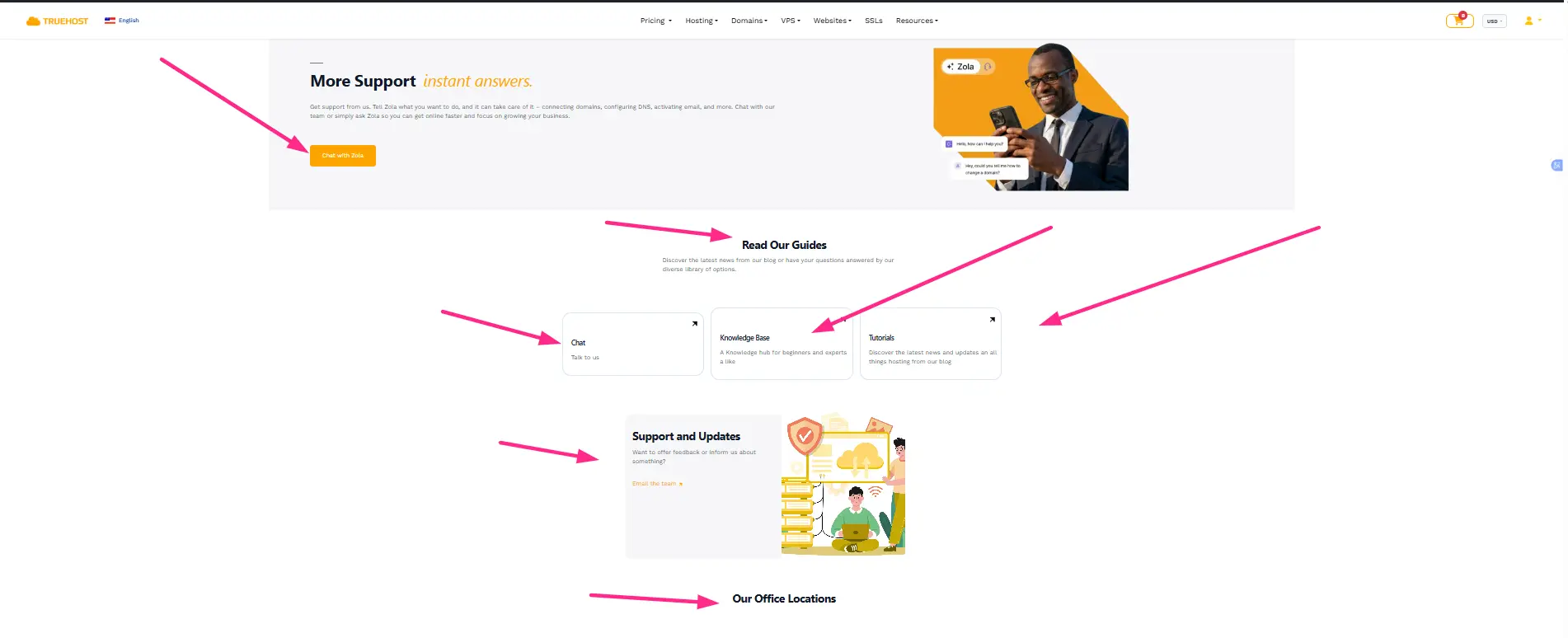
Choose a provider that offers support through live chat, email or phone. Check its support hours and response times. Reliable support is especially important when your website experiences technical problems.
6) Control Panel
A control panel helps you manage website files, email accounts, databases and other hosting settings. Look for options such as cPanel or DirectAdmin. Some providers have their own control panels, such as Hostinger’s hPanel. Check whether the panel is included in the hosting price or requires an extra fee.
7) Scalability
Your hosting needs may increase as your website grows. Choose a provider that allows you to upgrade your storage, RAM and CPU without moving to another company. Some providers, including Truehost, allow customers to upgrade from shared hosting to VPS hosting within the same account.
How Do You Choose the Right Web Hosting Provider?
Choose a web hosting provider based on your website’s needs, budget, and plans for growth. Don’t focus only on the lowest price. Consider these factors before making a decision.
i) Know what your website needs. Decide whether you are building a blog, business website, portfolio, or online store. A small portfolio can work well with shared hosting, while an online store needs more resources and better security.
ii) Set your budget. Check both the introductory price and renewal cost. Also, factor in the cost of your domain, email, and any extra security features.
iii) Compare hosting plans. Look at storage, bandwidth, CPU, RAM and the number of websites you can host. Check whether the plan can handle your expected website traffic. For example, Truehost Starter supports around 50,000 monthly visits, while Bluehost Starter lists up to 40,000 visitors.
iv) Check speed and uptime. Choose a provider with reliable servers and good loading speeds. Look for an uptime guarantee of around 99.9% and check what the provider covers if it fails to meet that promise.
v) Review security features. Make sure the plan includes free SSL, malware protection, and regular backups. Also, check how easily you can restore your website if something goes wrong.
vi) Test customer support. Choose a provider that offers reliable support through live chat, email, or phone. Contact the support team with a question before buying to see how quickly and clearly they respond.
vii) Plan for growth. Your website may attract more visitors as your business grows. Choose a provider that allows you to upgrade your hosting plan easily without moving your website or experiencing unnecessary downtime.
Check the money-back policy for exclusions and note your renewal date to avoid unexpected charges.
How to Get Started With Web Hosting
You can get a website online in eight steps, and most of the work is done in the first three. Many providers advertise setup in under an hour for a first-time site, though the domain connection can take longer.
1) Register a domain name
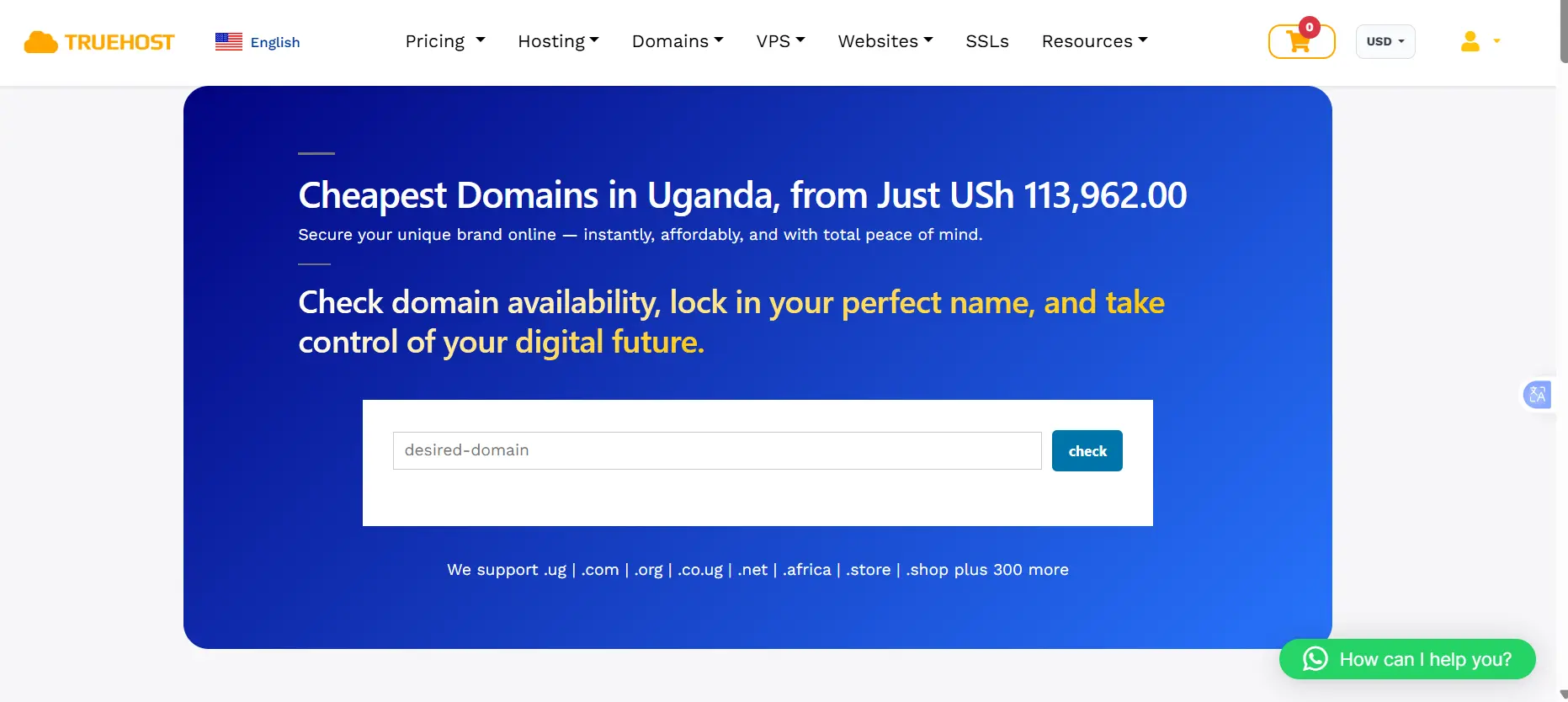
Choose a domain name that represents your website or business. Check that it is available, then register it through a domain registrar or your hosting provider. Some hosting plans include a free domain for the first year, but check the renewal price.
2) Choose a hosting plan
Pick a plan that fits your website and budget. Compare shared, VPS, cloud and dedicated hosting, and check the storage, resources, expected traffic and renewal prices.
3) Create your hosting account
Sign up with your chosen hosting provider and complete the payment. You will receive login details for your hosting dashboard and the information needed to connect your domain. Review the checkout page for pre-selected add-ons you do not need.
4) Connect your domain to your hosting
Point your domain to your hosting account using either of these methods:
- Change nameservers: replace your domain’s current nameservers with the ones provided by your host. This hands DNS management to the host.
- Update DNS records: keep your current DNS provider and add the required records, such as an A record pointing to your server’s IP address.
Follow your host’s instructions when connecting the domain. The changes may take a few hours to take effect, and occasionally up to 48 hours, because DNS updates must spread across the internet. If you use email with your domain, make sure its DNS records (such as MX records) are also set up correctly, or mail may stop arriving.
5) Install your website platform
If you use WordPress, install it through your hosting control panel. Most hosts provide a one-click installer. If you have a custom website, upload its files using the file manager or an FTP client.
6) Add your website content
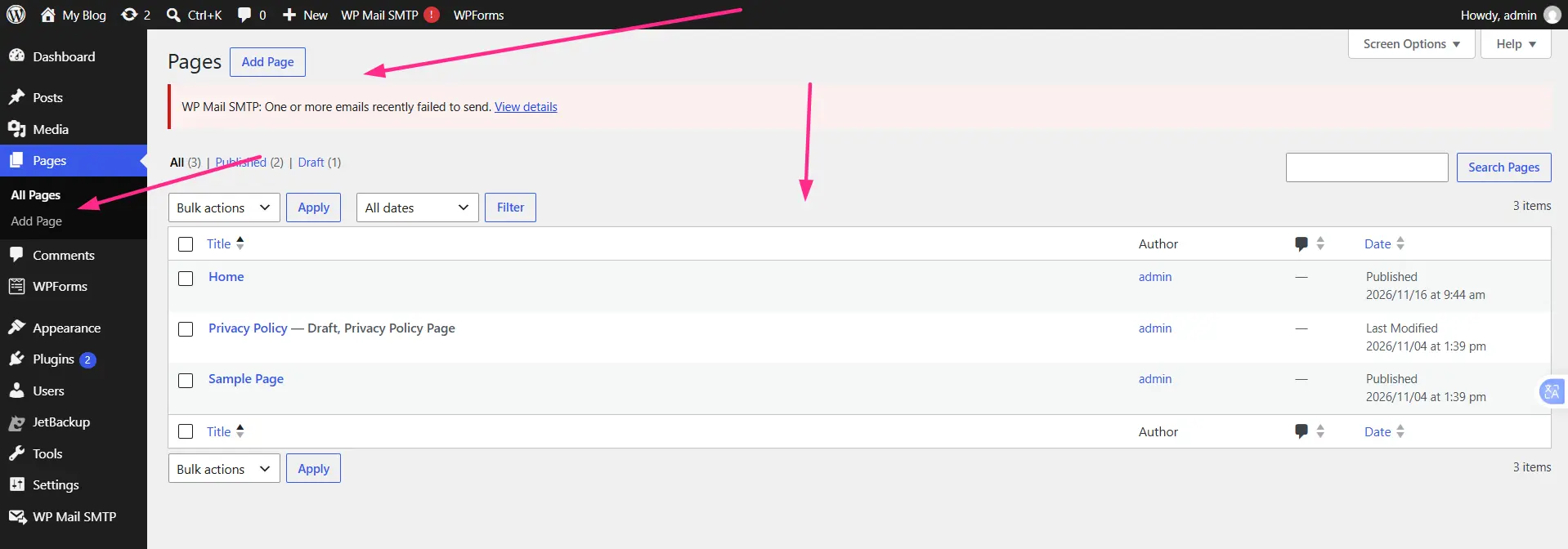
Choose a theme and add important pages such as Home, About and Contact. You can also publish blog posts, upload images and update your website settings. Keep images compressed so pages load quickly.
7) Enable HTTPS
Most hosting providers offer a free SSL certificate, which may be installed automatically once your domain points to the server. Check that the certificate is active, then enable HTTPS so visitors can access your website securely. If you use WordPress, update your website addresses to use https://.
8) Test your website
Before sharing your website, check that:
- All pages load correctly on computers and phones.
- The browser shows a secure padlock.
- Images and other website files load properly.
- Forms, menus and links work.
- Your domain opens with and without www.
Once everything works, your website is ready for visitors. If you are comparing providers, Truehost’s web hosting plans are one place to start; weigh them against the checklist above like any other.
Web Hosting FAQs
Do I need web hosting?
Yes. Hosting stores your website files and keeps your site online so visitors can access it. Some website builders include hosting in their plans.
What’s the difference between a domain and hosting?
A domain is your website’s address, such as yourbusiness.com. Hosting is where your website files are stored. You need both to run a website.
Can I host a website for free?
Yes. However, free hosting often has limited storage, speed, features, and support. It is suitable for testing or personal projects. Paid hosting is a better choice for business websites.
What happens if my hosting server goes down?
Your website becomes unavailable until the problem is fixed. This can lead to lost visitors and sales. Choose a host with reliable servers, good support, and regular backups.
Can I change my hosting provider later?
Yes. You can move your website to another hosting provider. Some providers offer free migration services. Before moving, back up your files and databases. Keep your old hosting active until your new website is working properly.
