Choosing between cPanel and CyberPanel comes down to a trade-off. cPanel offers maturity, a deep ecosystem, and simple multi-account management. CyberPanel offers speed, zero licensing cost, and a lightweight modern design. cPanel is the industry-standard commercial panel, paired with WHM for server administrators. CyberPanel is a free, open-source panel built around OpenLiteSpeed, aimed at fast, resource-efficient WordPress and PHP hosting.
Neither is the better panel in the abstract. They suit different people, and the right pick depends on who you host for, how many accounts you run, and how much server administration you want to take on yourself.
This guide compares them on cost, performance, email, usability, and security, using current pricing and documentation, so you can decide with real numbers.
The comparison at a glance
| Factor | cPanel | CyberPanel |
| Cost | Paid plans start at $29.99/month for one account | Free core panel with optional paid add-ons |
| Performance | Apache, with caching through compatible tools | OpenLiteSpeed with built-in LSCache support |
| Resources | Minimum 2 GB RAM and 20 GB disk (4 GB and 40 GB recommended) | Requirements vary by source; 2 GB RAM is a practical starting point |
| Established email management and spam filtering | Postfix and Dovecot, with optional add-ons | |
| Ease of use | Familiar dashboard, extensive documentation and support | Modern dashboard, community resources and paid support options |
| Security | ModSecurity, plus Imunify360 as a separately licensed option | ModSecurity and firewall tools, depending on configuration |
| Extra features | Reseller management through WHM, WP Toolkit included | OpenLiteSpeed, DNS, database and website management, optional premium add-ons |
| Main drawback | License costs rise as account numbers grow | Some advanced features need add-ons or extra configuration |
1) Cost and licensing
Cost is the biggest difference between the two panels. cPanel charges a monthly license fee based on how many accounts your server hosts. CyberPanel’s core is free, and you pay only if you want the premium add-ons.
cPanel
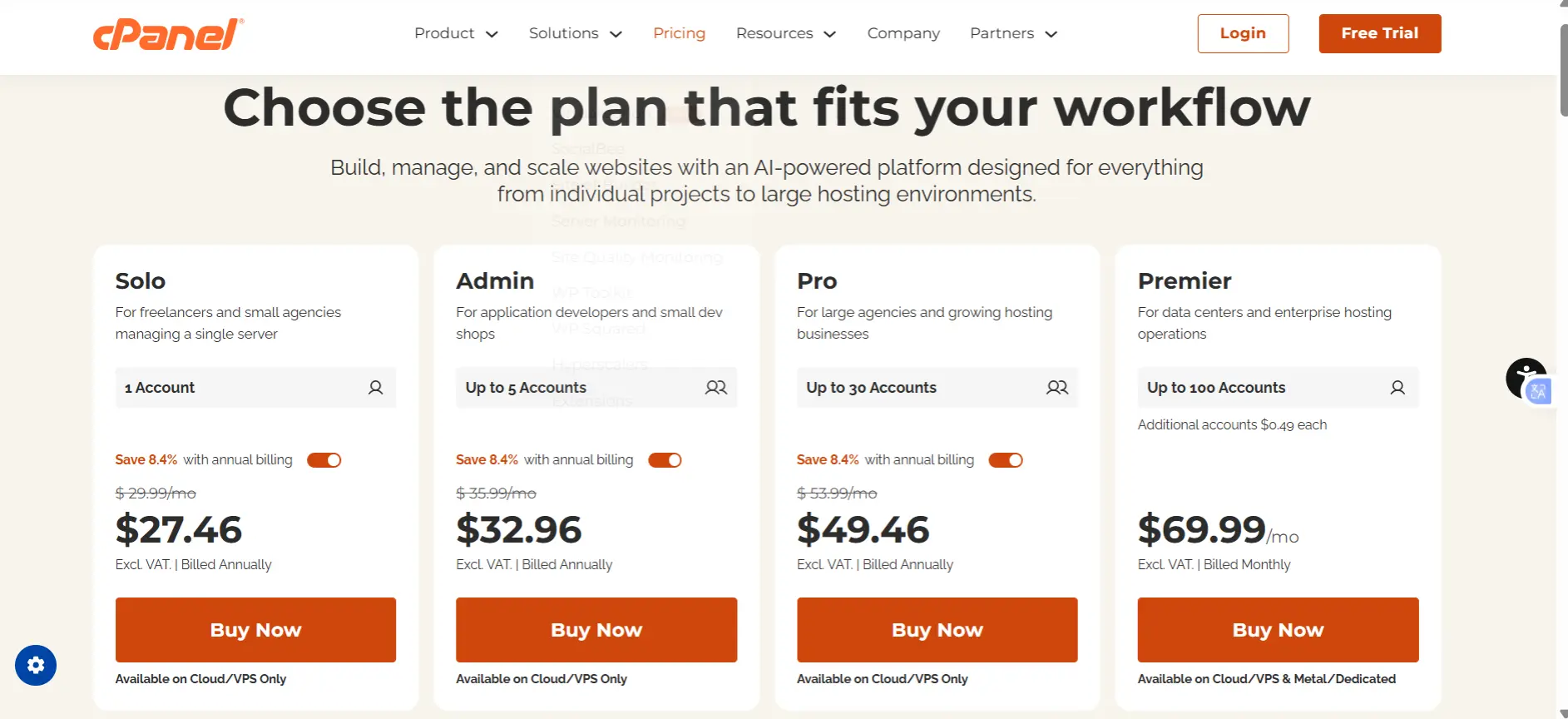
cPanel prices by account count, not by server. Every plan includes unlimited websites, SSL certificates, and email accounts, plus WP Toolkit and migration tools.
| Plan | Accounts | Monthly price | Annual billing (per month) |
| Solo | 1 | $29.99 | $27.46 |
| Admin | Up to 5 | $35.99 | $32.96 |
| Pro | Up to 30 | $53.99 | $49.46 |
| Premier | Up to 100 | $69.99 | Monthly billing only |
Above 100 accounts, Premier adds a per-account charge, which rose from $0.45 to $0.49 in 2026.
The trend counts as much as the number. cPanel has raised prices every January since it adopted per-account pricing in 2019.
Over that period, the Solo license has nearly doubled, and Premier has climbed from about $45 to nearly $70. If you plan to grow, budget for the license to keep rising.
You also need one license per server: a license cannot be shared across servers, and new installations can start with a free 15-day trial.
CyberPanel
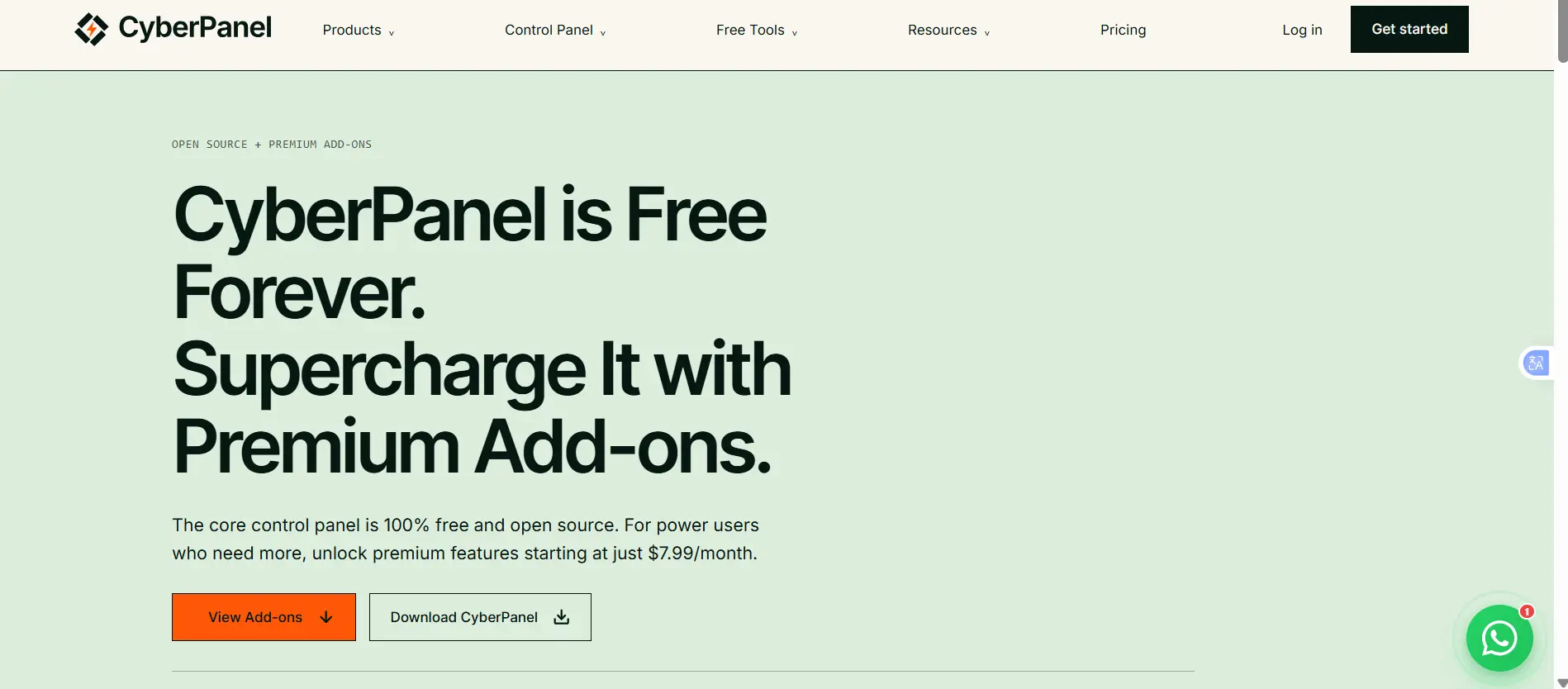
CyberPanel’s core panel is free and open source under the GPLv3, with no limit on accounts. The free core includes:
- Website, database, PHP and file management
- An email server (Postfix and Dovecot) and DNS (PowerDNS)
- Basic SSL and a basic firewall
- Docker manager, FTP and cron jobs
- The OpenLiteSpeed web server and one-click WordPress installs
Optional premium add-ons are sold per server IP:
| Option | Price |
| Add-ons package | $59/year, or a one-time lifetime license |
| .htaccess module (sold separately) | $59/year or $199 once |
| Add-ons + .htaccess bundle | $99/year |
The add-ons are:
- SSL V2: automatic issuance and renewal, including wildcard certificates.
- WordPress Manager Pro: one-click staging, cloning, migration and auto-updates.
- Backup V2: incremental backups to SFTP, S3 or Google Drive.
- Email Debugger: SMTP logs and deliverability checks.
- Root File Manager: full root file access from the browser.
- Rspamd Manager: advanced spam filtering in place of SpamAssassin.
Two caveats on these figures. CyberPanel’s own pages have listed the lifetime price of the add-ons package at both $169 and $199, so confirm the current price at checkout. The vendor’s newer listing also adds a seventh add-on, Roundcube webmail integration, available separately for $99 lifetime.
Takeaway: at one to five accounts, cPanel costs roughly $360 to $430 a year. A CyberPanel add-ons license costs $59. At 100 accounts, the gap narrows in per-account terms, since Premier works out to under $0.70 per account per month, but the absolute saving is still large.
2) Performance and resource usage
| Factor | cPanel | CyberPanel |
| Web server | Usually Apache | OpenLiteSpeed |
| Performance | Handles traffic well with the right setup | Handles many connections efficiently |
| RAM and storage | At least 2 GB RAM and 20 GB disk | Aim for at least 2 GB RAM; busy sites need more |
| Caching | Needs compatible caching tools | Supports LSCache for faster page loading |
| .htaccess changes | Usually applies changes without restarting Apache | Some changes require a server restart |
How fast are they?
CyberPanel can have a speed advantage because it uses OpenLiteSpeed and supports LSCache.
These features can reduce server workload and help WordPress pages load faster.
LiteSpeed claims its server with LSCache can make WordPress up to 84 times faster than Apache with W3 Total Cache. However, this comes from a specific test setup. An independent test found OpenLiteSpeed more than twice as fast as Apache under its test conditions.
These results don’t mean CyberPanel will always be faster. Actual performance depends on the website, caching settings, server resources, and traffic.
How much RAM and storage do you need?
cPanel: The minimum requirements are 2 GB RAM and 20 GB of disk space. It recommends 4 GB RAM and 40 GB of disk space. You also need extra storage for installation files and a fresh operating system.
CyberPanel: Published requirements vary across guides. For a live website, start with at least 2 GB RAM and allow more for busy websites or multiple accounts.
Both panels need additional resources as traffic and workloads grow.
The .htaccess limitation
cPanel generally applies .htaccess changes without restarting Apache.
OpenLiteSpeed works differently. Some changes require a server restart before they take effect, which can briefly interrupt service. It also supports only certain rewrite rules in .htaccess.
This can be inconvenient if your clients regularly change website settings or rewrite rules. LiteSpeed Enterprise, the paid version, handles these changes differently and offers more flexibility.
Main takeaway: CyberPanel can offer better performance through OpenLiteSpeed and LSCache, but the control panel alone does not determine speed.
For a fair comparison, test both on similar servers using the same website, traffic levels, and caching settings.
3) Email
cPanel includes mature email management, spam filtering, and mail delivery tools, and its email interface is familiar to most hosting customers. That maturity is a real advantage for hosts who sell email to non-technical clients.
CyberPanel supports email through Postfix and Dovecot, and what you get depends on how you configure it. The paid Email Debugger (SMTP logs and deliverability checks) and Rspamd Manager (advanced spam filtering in place of SpamAssassin) add-ons close much of the gap. Running a full mail server for many clients, though, usually takes more hands-on tuning on CyberPanel.
4) User interface and ease of use
- cPanel: an icon-based interface that many hosting users already know, backed by extensive documentation, tutorials, and support. Clients can often work without help.
- CyberPanel: a modern, simplified interface that suits people comfortable with hosting and server management. Help comes from documentation, community forums, and paid support options.
If your end users have never seen a control panel, cPanel’s familiarity reduces support requests. If you are the only user, CyberPanel’s cleaner layout is a perfectly good working environment.
5) Security
cPanel
cPanel supports ModSecurity and works with Imunify360, depending on your setup and license.
Imunify360 is a paid security tool that helps protect websites from attacks. It includes a web application firewall, malware scanning, intrusion detection, and protection against repeated login attempts. It works with WHM and is useful for shared and reseller hosting, but it adds to the cost.
CyberPanel
CyberPanel supports ModSecurity and firewall tools, depending on your configuration.
However, it has had serious security issues. In October 2024, researchers reported flaws that allowed attackers to run commands with root access. These flaws were exploited in attacks affecting thousands of exposed CyberPanel servers. CISA also added the vulnerabilities to its list of known exploited security flaws.
Patches were released, but servers that were not updated remained at risk.
CyberPanel can still be used safely with proper security measures. If you use it, keep it updated, restrict access to its admin ports (8090 and 7080), and follow security updates.
Main takeaway: Both panels need proper security settings and regular updates. cPanel offers paid security integrations such as Imunify360, while CyberPanel users need to pay close attention to updates and server protection.
When to choose cPanel
- You resell or host for clients. WHM’s reseller and account management makes handling many customers practical.
- Your clients are non-technical. A familiar interface means fewer support tickets.
- You need a full mail server. Its email tooling is more mature out of the box.
- You want a deep add-on ecosystem. Security suites, backup tools and billing integrations are widely supported.
- You manage many WordPress sites. WP Toolkit is included in every plan.
- You want help moving in. Migration tools are included, and many hosts offer assisted moves.
When to choose CyberPanel
- You want zero licensing cost. The core is free with no account limits.
- You host WordPress and want built-in caching. OpenLiteSpeed and LSCache are part of the stack.
- You’re a developer who wants containers and Git. Docker management is built in.
- You manage your own sites, not other people’s. You are comfortable administering the server, and no clients depend on a polished interface.
Which control panel should you choose?
The right panel depends on your budget and how much server management you want to handle.
Choose cPanel if you host websites for clients, manage many accounts, or want reliable support and easier account management. The license costs more, but you can include that cost in your hosting prices.
Choose CyberPanel if you run your own WordPress or PHP websites and want to save on licensing fees. It offers good performance, but you need to manage updates, firewall settings, and server security yourself.
Before deciding, test both panels using the same website. Compare loading speeds, ease of use, and how they handle updates.
You can also try Truehost, which includes cPanel with its shared hosting plans at no extra license cost. Features include one-click WordPress installation, LiteSpeed caching, free migration, and daily backups.
Start with the panel that suits your needs and move your websites with Truehost’s free migration assistance.
