If you’re deciding where your website or application should live, you’re probably weighing a VPS against a dedicated server.
A VPS splits a physical machine into multiple virtual machines using a hypervisor. Each one gets its own operating system, its own share of CPU, RAM, and storage, and full root access.
You can install and configure whatever you need without affecting anyone else on the same box. The catch is that the underlying hardware is still shared, even if you never see the other tenants.
A dedicated server doesn’t share. You get every core, every gigabyte of RAM, every drive bay. No other customer’s traffic touches your network card, and no one else’s database queries compete with yours for disk I/O.
You control the hardware down to RAID setups and firmware. It costs more because you’re paying for exclusivity, and it demands more of you because no hypervisor layer handles the physical infrastructure.
So, the right choice depends on what you’re running, how much performance you need, and how much technical work you’re willing to take on.
VPS vs Dedicated Server: Key Differences
| Difference | VPS | Dedicated Server |
| Cost | Low entry cost; USh 16,257.56 | Higher monthly cost: USh 349,432.20 |
| Performance | Shared CPU/RAM/disk; performance can dip when neighbors spike | All resources exclusive to you; consistent speed and low latency, no contention |
| Scalability | Upgrade RAM, CPU, or storage in minutes via dashboard; highly elastic | Upgrades require physical hardware changes or migration; may involve downtime |
| Security | Logical isolation via hypervisor; secure but still shares physical hardware | Physical isolation; no cross-tenant access risk; meets strict compliance needs |
| Control | Full root access to OS and software; hardware layer managed by provider | Full control over OS, software, and hardware configs (RAID, GPU, firmware) |
| Management | Easier to run; many providers offer fully managed plans | More admin responsibility; hardware monitoring and hardening on you |
| Best For | Growing apps, staging environments, SMBs, bursty traffic | High-traffic sites, large databases, game servers, strict compliance workloads |
1) Cost
A VPS is cheap to start because you pay only for a portion of the physical hardware. The provider spreads the machine’s cost across multiple customers, so you pay less.
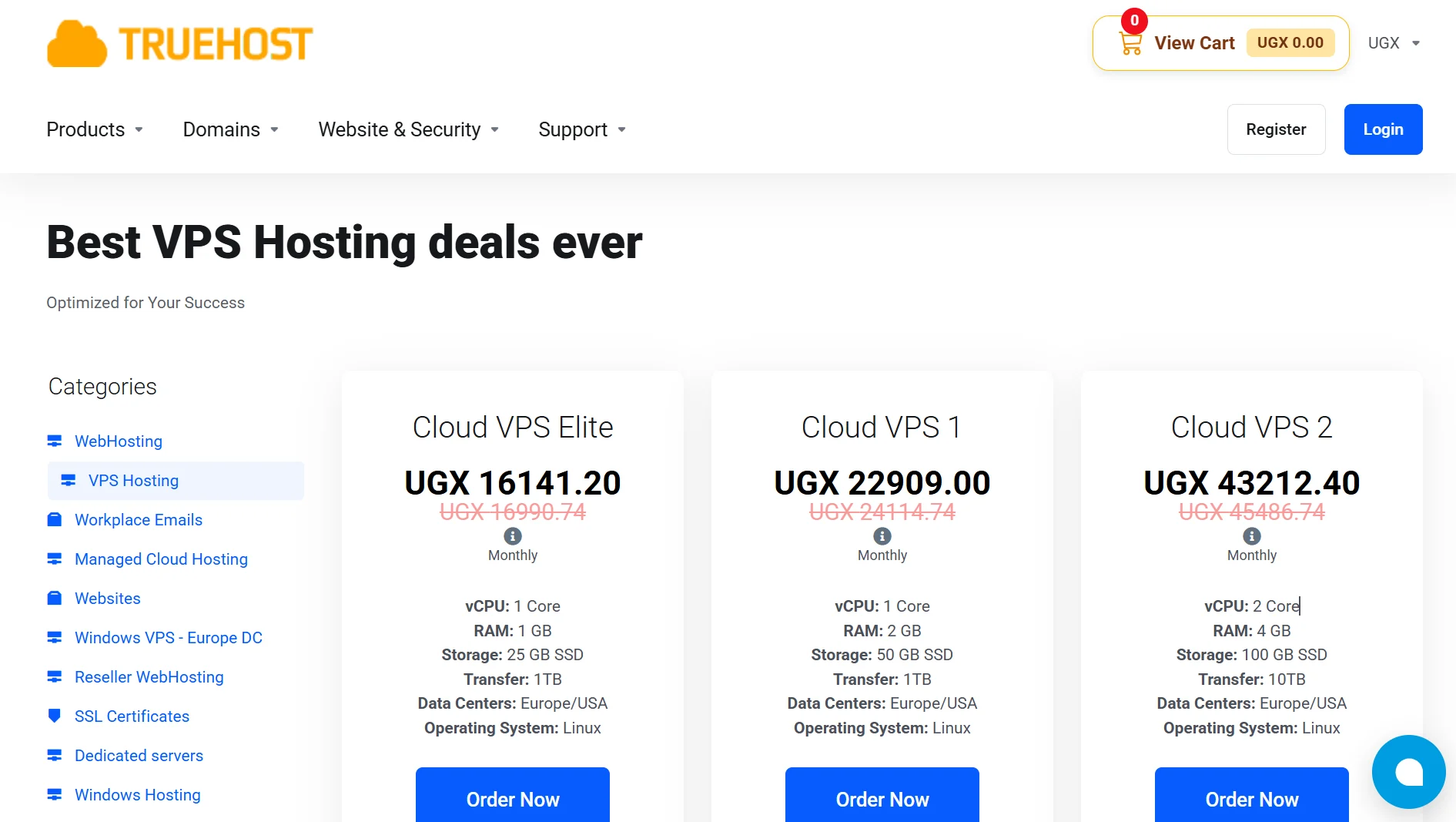
At Truehost, our Cloud VPS Elite plan starts at USh 16,257.56/month, which gets you a working server with root access, a dedicated IP, and enough resources to run a real application.
For a small business, a developer testing an idea, or anyone moving off shared hosting for the first time, that price point removes most of the risk from trying VPS hosting.
A dedicated server is more pricey. You’re renting an entire physical machine, and the provider can’t split that cost with anyone else.
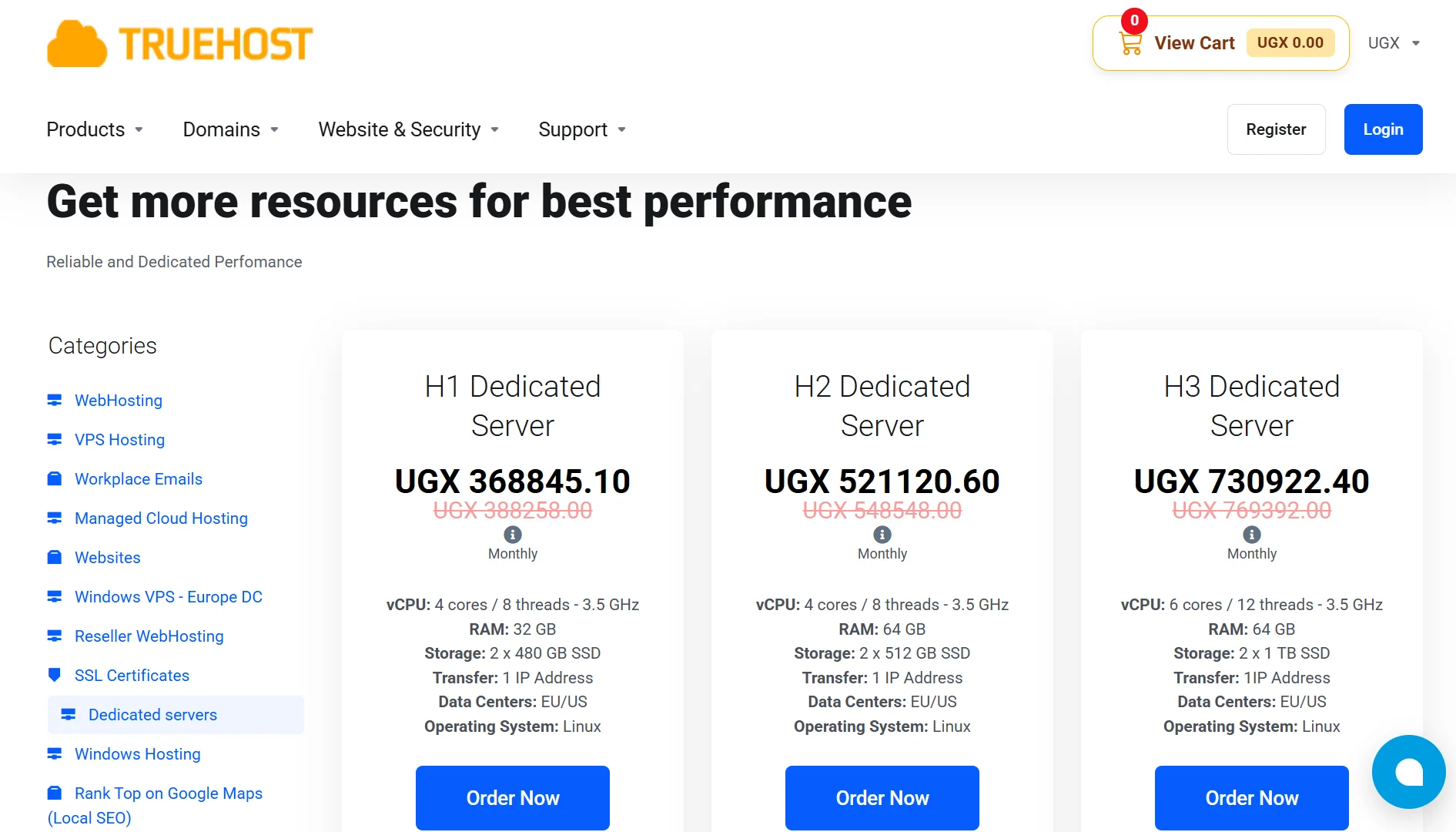
Our H1 Dedicated Server starts at USh 349,432.20, and for that you get four cores and eight threads at 3.5 GHz, 32 GB of RAM, and two 480 GB SSDs.
The hardware is genuinely powerful, and the price reflects that. But it’s also a commitment.
You’re paying for capacity whether you use it or not, which means a dedicated server only makes financial sense when you know you’ll consistently need that much machine.
The trap people fall into is assuming the cheaper option is always the smarter starting point. Sometimes it is.
But if you’re running a workload that genuinely needs exclusive hardware, a VPS that can’t keep up will cost you more in lost customers and troubleshooting hours than the dedicated server would have cost in monthly fees.
2) Resource Allocation & Performance
On a VPS, your CPU cores, RAM, and disk are allocated to you. Other customers can’t use your share. But the physical hardware underneath- the actual processor, the disk controller, the network card is still shared.
When another VPS on the same physical host starts hammering the disk with heavy read/write operations, the entire host feels it.
Your VPS might have its own allocated RAM, but the disk I/O you’re waiting on goes through a controller that’s now congested.
During peak hours, when multiple tenants are busy at once, a VPS can stutter in ways that have nothing to do with your code or traffic.
With a dedicated server, there’s no contention because no one else is. The CPU cores are yours, the RAM is yours, and the disk controller answers only to your workload.
If your database needs to write a million rows in a batch operation, it gets the hardware’s full I/O throughput. If your game server needs to process tick updates every few milliseconds, it doesn’t wait behind someone else’s cron job.
The performance is consistent in a way that shared hardware fundamentally cannot guarantee.
For applications where latency and throughput directly affect revenue or user experience, that consistency is often worth the price premium on its own.
3) Scalability
Scaling a VPS is easy; you log into your provider’s dashboard, pick a larger plan, click a button, and add resources.
Depending on the provider and the plan, the upgrade can take effect within minutes, often without a reboot.
You don’t need to migrate your data, reconfigure your IP addresses, or schedule downtime. You just have more RAM or more CPU cores than you did five minutes ago.
Dedicated servers scale differently because the hardware is physical. Adding more RAM means someone has to open the chassis and install new sticks.
Upgrading storage means adding new drives and possibly rebuilding a RAID array. Moving to a more powerful processor might mean migrating your entire setup to a different machine entirely.
Any of these changes can involve scheduled downtime, and the timeline is measured in hours or days rather than minutes.
If you choose a dedicated server, you need to size it for where your project will be in a year or two, not just where it is today, because reacting to growth after it happens is slower and more disruptive.
4) Security & Isolation
Both VPS and dedicated servers are secure. The question is what kind of security boundary you need.
A VPS uses logical isolation. The hypervisor creates a wall between your virtual machine and the others on the same host. You can’t see their files, they can’t see yours, and the provider’s management layer enforces that separation.
This is secure enough for most websites, applications, and business workloads. The hypervisor is mature and well-tested, and major providers take its security seriously.
A dedicated server uses physical isolation. There is no hypervisor between you and the hardware, and there is no other customer on the machine.
The security boundary isn’t software-enforced; it’s a matter of physical reality.
This is important for organizations with strict compliance requirements, HIPAA for healthcare data, PCI DSS for payment processing, or internal policies that mandate single-tenant infrastructure.
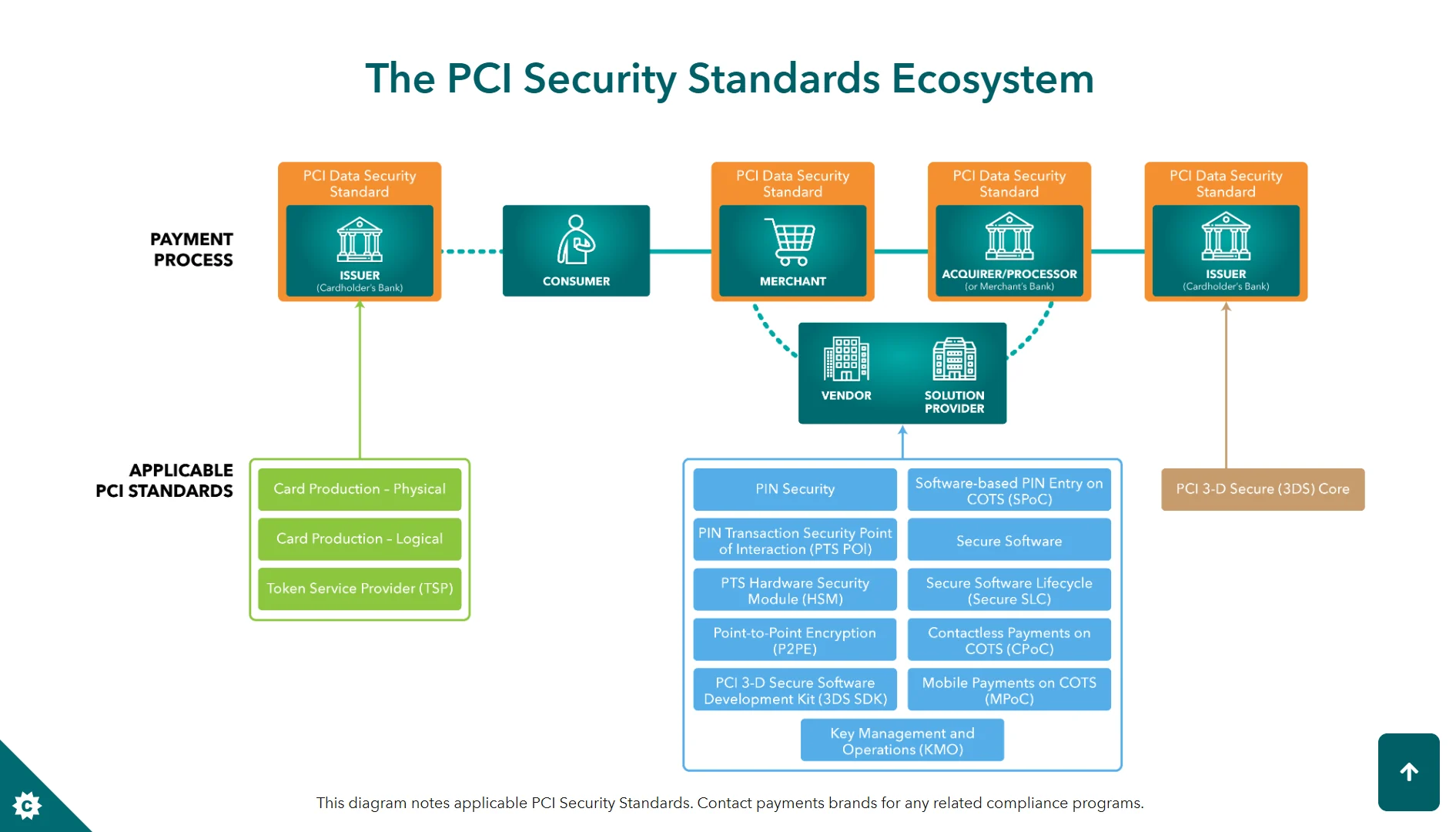
A VPS can meet many compliance standards, but some auditors and frameworks specifically require that workloads not share physical hardware with other tenants. If that’s your situation, a dedicated server becomes a requirement.
5) Customization & Control
On a VPS, you get root access to the operating system. You can install any software, compile custom kernels, configure firewalls, and tune the OS however you like.
You can’t touch the hardware layer. The provider manages the physical machine, the hypervisor, and the network infrastructure.
Also, you can’t choose the disk controller, adjust the RAID configuration, or install a GPU. For most applications, that’s fine; you don’t need hardware-level control to run a web application or a database.
A dedicated server gives you the whole stack. You can configure RAID arrays, swap out network cards, install GPUs for machine learning or rendering workloads, and update firmware.
If your application has specific hardware requirements or you need to squeeze every last bit of performance out of the machine through low-level tuning, a dedicated server is the only option that lets you do it.
This level of control also means you’re responsible for more. A misconfigured RAID array or outdated firmware can cause problems a VPS provider would have handled for you.
6) Management & Operational Burden
A VPS is easier to run. The provider handles the physical hardware, the hypervisor, and the underlying infrastructure.
If a drive fails in the host machine, they replace it. If the network needs maintenance, they handle it.
You’re responsible for your operating system, your applications, and your data, but the foundation is someone else’s problem.
Many providers also offer fully managed VPS plans that handle OS updates, security patches, and monitoring, making VPS hosting accessible even if you don’t have deep sysadmin experience.
A dedicated server puts more on your plate. Even with a managed plan, you still have to monitor the physical hardware.
You need to monitor drive health, memory errors, and RAID status. You’re responsible for firmware updates, hardware-level security hardening, and planning for failover if a component fails.
If you don’t have in-house admin skills, this can be a significant burden, one that often justifies hiring someone or paying for a higher tier of managed support.
7) Best Use Cases
If you’re a startup or small business with a growing website, a VPS gives you the control and performance you need without the cost of dedicated hardware.
If your traffic is bursty, quiet most of the time but spiking during sales or launches, a VPS lets you scale up when you need to and scale back down when you don’t.
For those running staging or test environments, a VPS is cheap enough to spin up multiple instances without thinking about it.
And if you’re migrating off shared hosting because your site has outgrown it, a VPS is the natural next step.
A dedicated server makes sense when the workload demands it. High-traffic websites and large databases that need consistent, around-the-clock performance belong on dedicated hardware.
Game servers, real-time applications, and anything where latency directly affects the user experience benefit from no contention.
Organizations with strict compliance requirements- healthcare, finance, government- also might need the physical isolation that only a dedicated server provides.
And if you need custom hardware configurations like GPUs or specialized RAID setups, dedicated is the only way to get them.
Which One Is Best For You?
When to Get VPS:
- Budget is limited
- Traffic is moderate or bursty
- You need quick scaling
- You’re a startup or SMB
- Running staging/test environments
When to Get Dedicated Server:
- Performance must be consistent
- High traffic or heavy databases
- Strict compliance required (HIPAA, PCI)
- You need custom hardware (GPU, RAID)
- Running game or real-time servers
- You have in-house admin skills
Truehost Has Got You Covered with Unbeatable VPS Deals
If you’ve realized a VPS is the right starting point for your project, we’ve made it easy to get going without overthinking the decision.
Our Cloud VPS plans are for people who need real server resources without the complexity or cost of dedicated hardware, and our pricing reflects that.
The Cloud VPS Elite plan starts at USh 16,257.56/month. That gets you a vCPU core, 1 GB of RAM, 25 GB of SSD storage, and 1 TB of transfer.
It’s a genuine server, root access, Linux, the whole thing, and it’s priced so you can actually try it without rearranging your budget.
You can also get Cloud VPS 1 for USh 22,906.63/month for 2 GB of RAM and 50 GB of SSD storage.
Or Cloud VPS 2 steps up to USh 41,785.23/month with 2 CPU cores, 4 GB of RAM, 100 GB of SSD storage, and 10 TB of transfer.
Every plan includes root access, a dedicated IPv4 address, and a 99.9% uptime SLA. You choose your Linux distribution, install what you need, and manage it the way you want.
And if you outgrow your plan, upgrading takes minutes from the dashboard.
A VPS lets you build from there without betting on hardware you might not need yet.
