Managed hosting is a setup where the hosting company owns and takes care of the servers, and you rent the service from them.
Here, you are not buying hardware; you are not racking machines in a data center; you are paying someone else to handle that entire layer so you can focus on what you signed up to do.
Managed hosting is ideal for business owners who need a reliable website but have no interest in learning server administration.
It’s also good for developers who want the power of a dedicated environment without the maintenance chores, agencies managing multiple client sites, and anyone running an online store where downtime directly translates to lost sales.
If you would rather spend your afternoon on product updates or customer emails than on SSH logs and kernel patches, managed hosting is built for you.
With managed hosting, the provider handles the hardware, operating system, security layers, updates, and monitoring.
You get a working environment and a control panel to manage your own files, databases, and applications. It is not just a server. It is a server plus the team that keeps it running.
How Managed Hosting Works
With managed hosting, the provider owns and manages the physical servers, and the client rents hosting services on top of that infrastructure.
You are not responsible for the machine itself; you are responsible for what you put on it.
Managed hosting covers the server and the infrastructure under your website, but it doesn’t cover every task on your website.
The provider will not write your blog posts, fix a broken plugin conflict you caused, or design your landing pages.
The provider handles hardware, software, security, and updates. When a hard drive begins to fail, they replace it. When a security patch is released for the operating system, they apply it.
When the server needs a reboot for maintenance, they schedule it. You do not get a ticket asking you to do any of this.
You select a plan, and the provider sets up and configures the environment. You receive access once it is ready.
Once you are live, the provider monitors performance, patches systems, and handles backups. They watch for unusual activity, resource spikes, and failing services.

They run scheduled backups so that, if something goes wrong, you have a restore point.
Technical support is included around the clock, though the exact scope varies by plan. Some providers offer basic support for infrastructure issues.
Others include more hands-on help with application-level problems. You should check what your specific plan covers, but the baseline promise is that someone is available when the server misbehaves.
You still get a control panel or dashboard for managing your hosted assets. You can create email accounts, manage databases, upload files, or check basic statistics.
The control panel is your window into the hosting environment, but it is not a server administration tool.
Types of Managed Hosting
| Type | Description | Best For |
| VPS Managed Hosting | Virtual private server with dedicated resources; provider manages infrastructure | Growing sites needing more control |
| Dedicated Managed Hosting | Entire physical server for one client; fully managed by provider | High-traffic sites, resource-intensive apps |
| Managed Cloud Hosting | Scalable resources across multiple servers; provider manages the cloud environment | Variable traffic, scalability needs |
| Managed WordPress Hosting | Specialized hosting optimized for WordPress; provider handles WP-specific updates/security | WordPress sites, bloggers, businesses |
How Much Does Managed Hosting Cost?
Managed Cloud Hosting:
| Provider | Plan | Starting Price |
| Truehost | Cloud Starter | USh 42,744.00 |
| Truehost | Cloud Pro | USh 64,116.00 |
| Truehost | Cloud Business | USh 121,108.00 |
| Hostinger | Cloud Startup | $7.99/month |
| ScalaHosting | Entry Build | $22.46/month |
Managed WordPress Hosting:
| Provider | Plan | Starting Price |
| GoDaddy | Basic | $6.99/month |
| Momentum Hosting | Entry WP Plan | UGX 14,000/month |
| Salama Hosting | Entry Plan | UGX 21,500/month |
Managed Dedicated Hosting
| Provider | Plan | Starting Price |
| Namecheap | Base Dedicated | $37.66/month + $50 for full management |
| Liquid Web | Entry Configuration | $163.25/month |
| Truehost | H1 Dedicated Server | USh 349,432.20 |
Managed VPS Hosting
| Provider | Plan | Starting Price |
| GoDaddy | Entry Configuration | $98.99/month |
| Truehost | Cloud Starter | USh 42,744.00 |
| ChemiCloud | Entry Cloud VPS | $32.95/month |
Features of Managed Hosting
1) 24/7 Monitoring & Support
Your provider watches the servers around the clock. This is not a passive arrangement where they wait for you to report a problem.
Monitoring tools continuously check resource usage, service availability, and response times.
When something crosses a threshold or a service goes down, the technical team is alerted and acts. Many issues get resolved before you even notice them.
2) Automatic Backups
The provider schedules regular backups. They decide the frequency, the retention period, and the storage location. You do not need to remember to run a backup before making changes.
If a plugin update breaks your site or a file gets deleted accidentally, you can ask support to restore from a recent backup.
The exact restore process varies by provider, but the safety net exists without you having to maintain it.
3) Security Management

The provider handles firewalls, malware scans, SSL certificate management, and security patches.
They block malicious traffic at the network level, scan for known malware signatures, and keep the server software current with security fixes. SSL certificates are typically included and renewed automatically.
You are not responsible for configuring ModSecurity rules or monitoring failed login attempts across the server.
4) Software Updates & Patching
The provider keeps the operating system, server software like web servers and database engines, and, in some cases, application-level software updated.
They test patches and apply them during maintenance windows.
For managed WordPress hosting, this extends to WordPress core updates. You do not need to watch for security advisories or schedule downtime for kernel updates.
5) Server Maintenance
The provider handles hardware checks, repairs, and replacements. If a drive fails, they swap it. If memory goes bad, they replace it. If a network card starts dropping packets, they fix it.
You do not buy spare parts or coordinate with a data center technician. The physical layer is entirely off your plate.
6) Performance Optimization
The provider tunes the server environment for speed and reliability. This includes configuring caching layers, adjusting resource limits, optimizing database settings, and ensuring a clean network path.
They monitor performance metrics and make adjustments when something drifts. You are not expected to know which Apache or Nginx settings to tweak for your workload.
7) Scalability
You can upgrade resources as your needs grow. On a managed VPS or cloud plan, adding more RAM, CPU, or storage is usually as simple as requesting the upgrade or doing it through your dashboard. The provider handles the backend work.
You do not need to migrate to a new server or reinstall everything from scratch. Scaling down is also possible on many plans if traffic drops.
8) Control Panel / Dashboard
You get a user-friendly interface to manage your hosted assets. Depending on the provider, this might be cPanel, Plesk, a custom panel, or a proprietary dashboard.
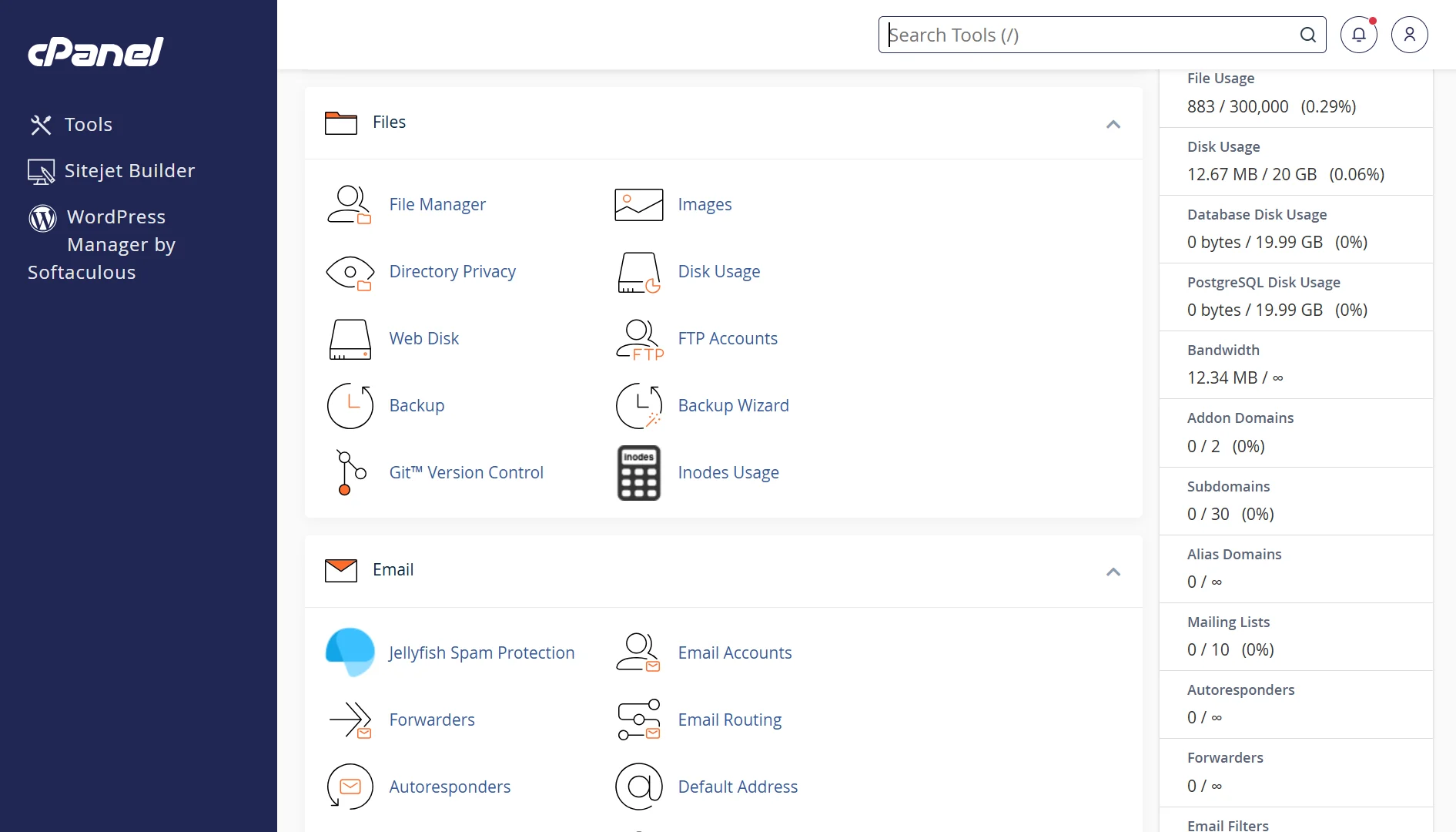
You use it to manage files, create email accounts, handle databases, install applications, and check basic statistics.
The control panel is designed for website management, not server administration, which keeps the interface approachable.
9) Uptime Guarantee (SLA)
The provider commits to a certain level of reliability, usually expressed as a percentage like 99.9% or 99.99%.
If they fail to meet that guarantee, the SLA typically outlines compensation in the form of service credits or refunds.
Read what counts as downtime, how you need to claim the credit, and what the remedy is. A strong SLA signals that the provider takes reliability seriously.
10) Expert Technical Support
You get access to skilled staff for troubleshooting without hiring an in-house system administrator.
The support team knows the infrastructure and can investigate issues that are beyond your control panel. Response times and channels vary. Some providers offer chat, phone, and ticket support.
Others limit phone support to certain plans. The value is having someone who understands the server environment available when something goes wrong that you cannot fix yourself.
Benefits of Managed Hosting
- Lower total cost of ownership: You don’t buy hardware, pay for a data center rack, or hire a system administrator. The monthly fee bundles infrastructure, maintenance, and support into one predictable cost.
- Frees up your team’s time: Every hour spent on server maintenance is an hour not spent on your business. Managed hosting moves that work to people who do it full-time.
- Access to expert skills on demand: You get the benefit of experienced system administrators without putting them on your payroll. When you need help, they are there.
- Reduced risk of downtime and errors: Provider monitoring catches problems early. Their maintenance procedures are tested and repeatable. Human error from inexperience is less likely when professionals handle the infrastructure.
- Stronger security posture: Firewalls, malware scanning, patching, and SSL management are handled systematically. You are not relying on someone remembering to run updates.
- Effortless growth: When your site grows, you upgrade the plan. The provider handles the technical work of adding resources. You do not need to plan a server migration.
- Peace of mind, around the clock: You can sleep knowing that someone is watching the server.
- Faster recovery from incidents: When something breaks, the provider has procedures and backups ready. Recovery starts immediately rather than waiting for you to diagnose the problem from scratch.
How to Choose Managed Hosting for Your Business
a) Assess Your Needs
Start with concrete numbers. How much traffic does your site get now, and what do you expect in six months? How much storage do you actually use?
What kind of application are you running: a simple WordPress site, a custom web app, an online store with heavy database queries?
Write down what you need today and what you might need a year from now. This prevents overbuying and underbuying.
b) Match Hosting Type to Requirements
Shared hosting is not managed hosting in the sense discussed here, so skip it if you want the provider to handle the server.
VPS managed hosting fits growing sites that need dedicated resources and more control. Dedicated managed hosting suits high-traffic or resource-intensive applications.
Managed cloud hosting works well for variable traffic and scalability needs. Managed WordPress hosting is the obvious choice if WordPress is your platform.
Do not buy more server than you need, but do not undershoot either.
c) Check Uptime & SLA
Look for guarantees of 99.9% or higher. More importantly, read the terms. What counts as downtime? How do you claim compensation? Is it automatic, or do you have to file a ticket?
A provider that offers 99.99% but makes claims difficult is worse than one offering 99.9% with straightforward terms.
d) Evaluate Security Measures
Ask what is included. Ask about firewalls, malware scanning, SSL, backups, and compliance support.
If you handle customer data, ask about the provider’s data protection practices. Do not assume every managed host includes the same security baseline.
e) Review Support Quality
Check availability, response times, and channels. 24/7 chat sounds good, but is it real people or a bot? Can you call someone?
How long do tickets take to get a first response? Look for reviews that mention support experiences specifically.
f) Consider Scalability
How easy is it to add resources? Can you upgrade RAM or storage without migrating? Is there a limit to how far you can scale on the same plan structure?
If your site might grow significantly, you want a path that does not require a painful move later.
g) Compare Pricing & Value
Watch for hidden fees. Some providers charge extra for migrations, backups, or certain support channels.
Compare what is included in the base price. A cheaper plan that lacks backups or charges for restores may cost more in practice.
h) Check Reputation & Reviews
Look at uptime history, customer feedback, and case studies. Search for reviews from users with similar needs to yours.
A provider that works well for a small blog might not be the best fit for a high-traffic ecommerce site.
i) Test Ease of Use
Look at screenshots or demos of the control panel. Is it intuitive? Can you find what you need without a manual?
If you will be managing email accounts or installing applications regularly, the panel experience is important.
j) Confirm Migration & Onboarding Support
Does the provider help move your existing site? Is there a cost? How long does it take?
Some managed hosts include free migration, which saves you significant time and reduces the risk of a botched move.
k) Review Contract Terms
Understand the cancellation policy, refund window, and lock-in periods. Some providers offer prorated refunds; others do not.
Longer billing terms often come with discounts but lock you in. Make sure you are comfortable with the commitment.
Get Started with Managed Hosting
At Truehost, we built our managed hosting around a simple idea: you should be able to run a fast, secure, reliable website without becoming a server administrator.
Our managed VPS hosting in Uganda is designed for businesses ready to scale but not want to hire a tech team to keep the lights on.
You get blazing-fast speeds, robust security, and 24/7 expert support. We support .ug, .com, .org, .co.ug, .net, .africa, .store, .shop, and over 300 other domain extensions.
What you get with our managed VPS:
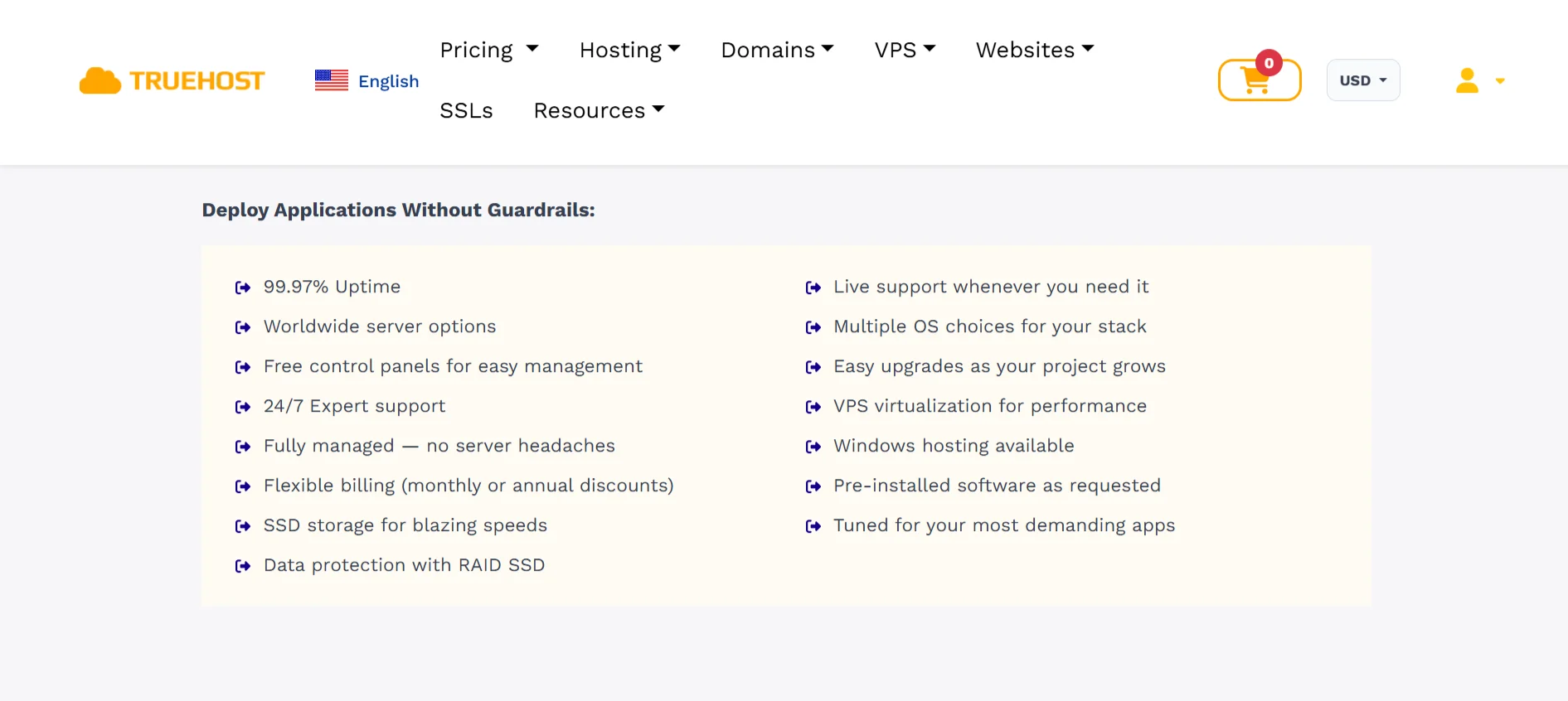
- 99.97% uptime
- Worldwide server options
- Free control panels
- 24/7 expert support through chat, phone, and tickets
- Fully managed service
- Flexible billing with monthly or annual discounts
- SSD storage and RAID SSD data protection
- Multiple OS choices and Windows hosting on request
- Easy upgrades as your project grows
- Pre-installed software on request
Our managed VPS pricing starts with Cloud Starter: 1 vCPU core, 2 GB RAM, 50 GB SSD storage, 1 TB transfer, unlimited sites, unlimited emails, a dedicated IP, and a custom control panel for USh 42,744.00/month.
Cloud Pro steps up to 2 vCPU cores, 4 GB RAM, 100 GB SSD storage, and 10 TB transfer for USh 64,116.00/month.
Cloud Business gives you 4 vCPU cores, 8 GB RAM, 200 GB SSD storage, and 25 TB transfer USh 42,744.00/month.
With Truehost Managed VPS, you get your own server without the headaches. We set up and maintain your OS, firewall, and security. We run regular backups and monitor 24/7.
In addition, we handle software updates, tune your resources for performance, and offer real human support.
And, upgrades to RAM, storage, or CPU happen without moving your sites.
We also support Ubuntu, AlmaLinux, Rocky Linux, Debian, and Oracle. Windows is available on request.
