Building a website has always meant a lot of setup. You choose a template, write every page, and stare at a blank editor.
An AI website builder removes that blank page.
So, what is an AI website builder? It is a tool that uses AI to generate a site’s layout, copy, images and basic SEO from your answers or prompts. You then edit the draft and publish it.
Drag-and-drop builders made websites easy years ago. AI goes one step further. It does the setup and the first draft for you.
Here is what you will find below:
- How an AI website builder works
- What it can do
- Where it falls short
- Who it is for
What an AI Website Builder Does
You share a few details about your business. The tool hands back a working site. But remember Ai Website builder is different from a website builder.
Here is what it usually produces:
- Page structure and menus
- Colours and fonts
- Written copy for each page
- Images
- A mobile layout
- SEO basics, such as page titles and meta descriptions
Take a bakery owner in Kampala. She types one sentence about her shop. She gets a homepage, a menu page and a contact form.
What it is not
This is not a template with your logo dropped in. The AI builds the pages around what you tell it.
Nor does it fully replace a developer. Complex builds still need one.
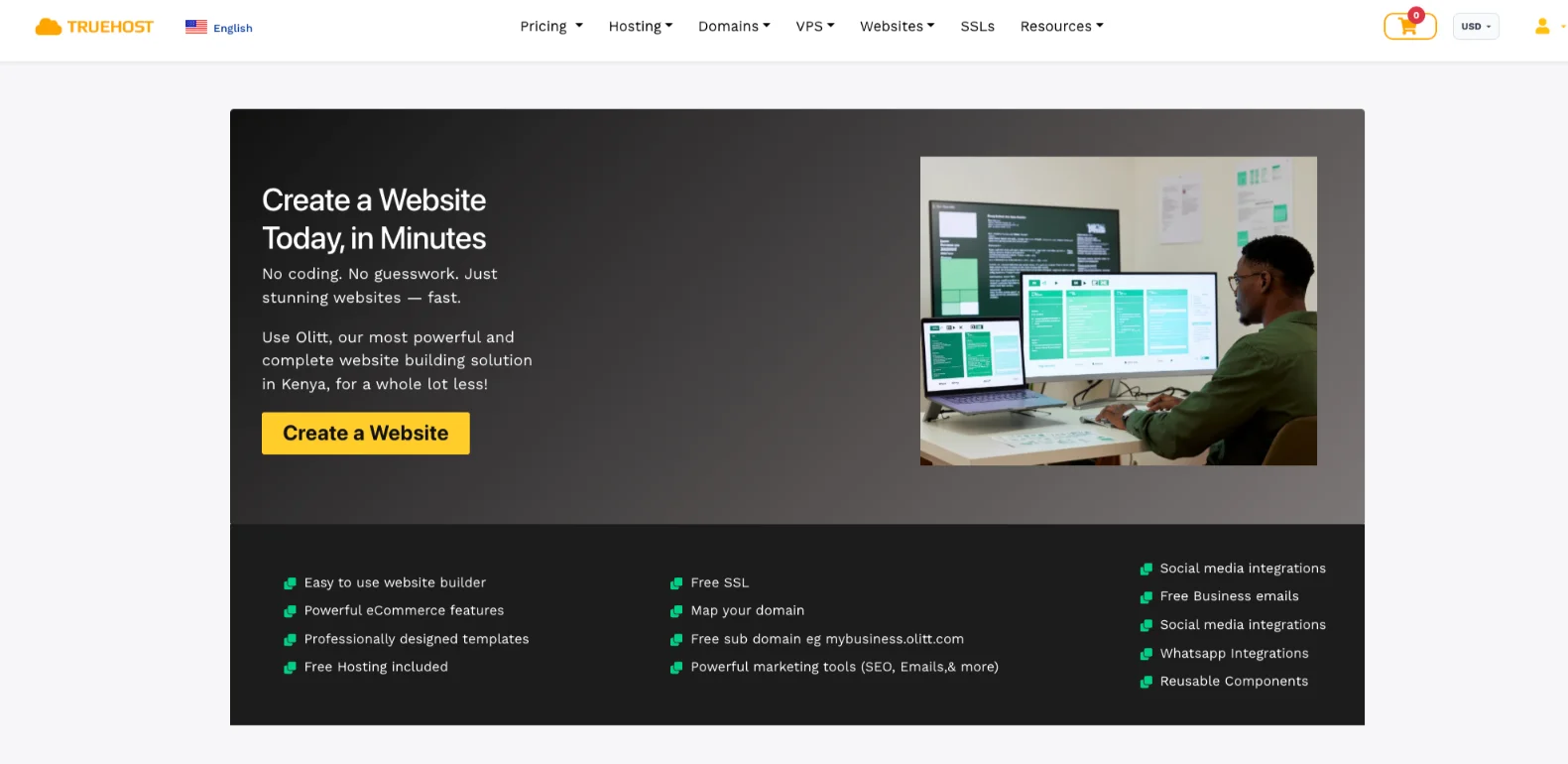
Ready to see a first draft of your own? Try the Truehost AI website builder.
How Does an AI Website Builder Work?
The process has three steps. After that, we look under the hood.
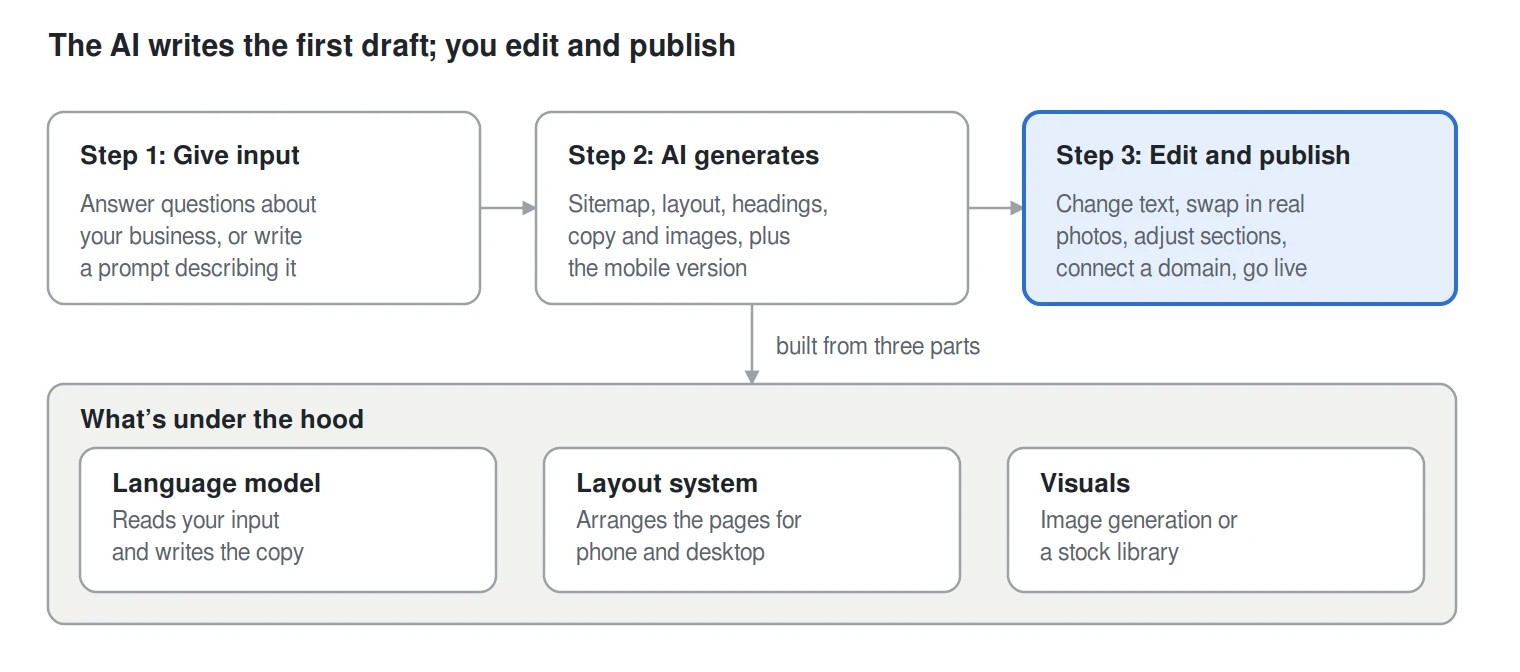
Step 1: You give input
You can do this in two ways:
- Answer questions about your business type, goals and style.
- Write a prompt that describes the site you want.
Step 2: The AI generates the site
The AI builds the sitemap, layout, headings, copy and images. It also sets up the mobile version.
You now have a full first draft.
Step 3: You edit and publish
This is where the site becomes yours.
- Change the text.
- Swap in real photos.
- Adjust the sections.
- Connect a domain, such as a .com, .ug or .co.ug.
- Go live.
What’s under the hood
Most tools typically combine three parts:
- A language model that reads your input and writes the copy.
- A layout system that arranges the pages for phone and desktop.
- Image generation or a stock library for visuals, depending on the platform.
Do AI builders write code?
It depends on the platform.
Some tools assemble pre-built components. You get tested blocks that fit together in a set way.
Others generate HTML and CSS. You get more freedom, but you have more output to review.
Both approaches can produce a good site. The better fit depends on how much control you want.
Types of AI Website Builders
These are approaches, not strict categories. Many tools blend two or more.
1) Questionnaire-based
You pick from guided options. This works well if you have no clear vision yet.
2) Prompt or chat-based
You describe the site in your own words. This suits you if you know what you want.
3) WordPress-based
AI is built into a WordPress editor or plugin. It is a good choice if you want more control.
WordPress runs about 40% of all websites, according to W3Techs in October 2026. That gives you a large ecosystem to work with.
Ownership depends on where the site is hosted. Self-hosted WordPress gives you full ownership. WordPress hosted by a platform may come with limits.
4) Agentic builders
You tell an AI agent what to change, and it edits the site for you. This is good for fast, repeated edits. You may also hear it called vibe coding.
This is the more technical end of the spectrum. Tools like Lovable, Bolt and v0 generate real app code. They suit developers and technical founders more than a typical small business owner.
You also need somewhere to run what you build. We at Truehost offer VPS hosting, OpenClaw hosting and n8n hosting.
Key Features of AI Website Builders
Most builders share a core set of features. Here is what to look for.
- Personalised layouts: Pages and menus are built around your business type and goals.
- AI-written copy: Headlines, service descriptions, About text and calls-to-action are drafted for you.
- AI image generation: You get custom visuals instead of stock photos.
- Automatic SEO and mobile optimisation: The builder sets up meta tags, headings, alt text and responsive layouts for you. Uganda had 11.4 million internet users in October 2025, up 5.4% in a year, according to DataReportal. Many of those visitors will browse on a phone, so a good phone layout is not optional.
- Built-in business tools: Some builders include an online store, booking and email marketing.
- Instant redesigns: Regenerate the layout or try new styles in seconds.
Benefits of Using an AI Website Builder
More Ugandans come online each year. A website puts your business in front of them.
AI builders lower the effort needed to get started.
a) Speed
You can launch in minutes or hours instead of days or weeks.
That lets you test an idea. It also lets you catch a time-sensitive chance, like a seasonal sale or an event.
b) Lower cost
You pay no developer or designer fee. Free plans or entry-level pricing let you start small.
c) No blank-page problem
You get a finished draft to refine instead of starting from nothing. Your role shifts from builder to editor.
d) No coding or design skills needed
You can build from plain language alone.
e) Built-in content help
The AI drafts copy for people who struggle to write about their own business.
f) Built-in SEO and mobile basics
Most DIY sites skip these. The AI sets them up by default.
g) Easy to scale and redesign
Add pages, products or a blog later. You can regenerate the design without starting over.
Ready to get your first draft? Start with our AI website builder.
Limitations to Know About
AI builders save time, but they are not perfect. Here are the trade-offs and risks.
a) Generic results
Lazy prompts and no customisation produce sites that look like everyone else’s. Add your own photos, details and voice.
b) Limited design control
You can’t always adjust fine details.
c) Less reliable for complex features
Custom databases, marketplaces and advanced ecommerce logic can be harder to get right. More technical agentic tools are closing this gap.
d) Output depends on your input
Vague prompts give vague sites. Name your services, your location and your customers.
e) Lock-in
Many platforms don’t let you export your site or switch templates. Ask before you build.
f) Pricing tiers
The best AI features often sit behind higher plans. Check which plan includes what you need.
g) Domain and hosting
You still need both. Some builders bundle them, so check what’s included.
We at Truehost sell domains and hosting plans if you prefer to buy them separately.
Who Should (and Shouldn’t) Use an AI Website Builder
Now that you know what an AI website builder is, you can judge if it fits you. Here is a quick guide.
a) Small business owners
You need a professional site fast, on a limited budget.
b) Freelancers and creatives
You can build a portfolio without hiring a designer.
c) Bloggers and content creators
You can start publishing right away.
d) Small online sellers
You can set up a store with a small product range.
e) Agencies and marketers
You can produce landing pages quickly.
f) Who should look elsewhere
Look at other options for custom apps, complex ecommerce with inventory logic, or brands that need pixel-perfect control.
Those projects often call for a developer and a VPS or dedicated server. We at Truehost offer both.
How to Choose the Right AI Website Builder
Use this checklist before you commit to any platform.
- Check the AI is real: Some tools only add AI text writing and leave the layout to you. Ask if the AI builds the layout too.
- Ownership and export: Can you move your site later? Get the answer before you start.
- Pricing: Check what each plan includes. Check the renewal cost too. Also check whether you pay in UGX or in dollars.
- Mobile quality: Preview the phone version before launch.
- SEO tools: Look for meta tags, sitemaps and analytics support.
- Ecommerce and payments: Does it support the payment methods your customers use, such as MTN Mobile Money, Airtel Money or cards?
- Hosting, domain and support: Check what’s bundled. Check how quickly you can reach a person.
- Try it first: Use a free plan or trial before paying.
Want to test one right now? Open our Truehost AI website builder and see your first draft.
Get an AI Website Builder with Truehost
Recap
- AI website builders turn a few answers or a prompt into a ready-to-edit site.
- They save time and money, but work best when you pick a platform that gives you ownership, support and room to grow.
Why Truehost is the best option
We at Truehost built our builder to get you online without the hard parts. Here is what you get:
- Design your website in minutes
- Use prebuilt, customizable templates
- Launch with free SSL and hosting
- Get found on Google with built-in SEO tools
- Edit anytime from any device
Your site can also grow with you. Our plans include VPS, dedicated servers, OpenClaw hosting, n8n hosting and AI Workers for when you need more.
Here is your next step. Describe your business, review the draft, add your real photos, and publish. Then keep improving it.
Open a site with us today on the Truehost AI website builder page.
What Is an AI Website Builder FAQs
Do I need coding skills to use an AI website builder?
No. You can build from plain language alone.
How long does it take to build a website with AI?
Most first drafts appear in minutes. Adding your own text and photos can take a few hours.
Will an AI-built website rank on Google?
It can. Google’s guidance tells you to focus on accuracy, quality and relevance.
It warns against mass-producing pages that add no value. Google also stresses fact-checking AI content by hand before you publish.
So edit the draft and add real details about your business.
Do I own a website built with an AI builder?
It depends on the platform and where the site is hosted. Self-hosted WordPress gives you full ownership.
On other platforms, read the terms and ask about export.
How much does an AI website builder cost?
Prices vary. Many platforms offer free plans or entry-level pricing.
The best AI features often cost more, so check what each plan includes and what renewal costs. Also check whether you pay in UGX or in dollars.
Can I build an online store with an AI website builder?
Yes, on many platforms. It works best for a small product range.
Complex inventory logic is harder to get right. Check that MTN Mobile Money, Airtel Money and card payments are supported.
Can I use my own domain?
Usually, yes. You can connect a .com, a .ug, a .co.ug or another domain.
Some builders also bundle a domain, so check what’s included.
Can I just use ChatGPT instead of an AI website builder?
ChatGPT can write your copy and suggest a page structure. That is useful.
But it will not give you a published site with a mobile layout, a domain and hosting. You would still need to build, host and maintain those parts yourself.
