One person tells you that you can build a website for less than $100. Another quotes you thousands of dollars for what seems like the same thing. So, how much should you actually budget for a WordPress website?
The answer depends on what you want to build. A personal blog has different requirements from a business website or an online store. You could create a simple website yourself using affordable hosting and a free theme, or invest more in professional design, premium tools, and custom features.
This article breaks down the cost of a WordPress website, including hosting, domain registration, development, and ongoing maintenance, so you can plan your budget before getting started.
The WordPress website cost you end up with is made of two parts. Initial costs are the one-time expenses of getting online, such as design and development work. Recurring costs continue after launch and include hosting, domain renewals, premium tools, and maintenance. Looking at both gives you a more realistic picture than looking at the launch price alone. This guide is written with readers in Uganda in mind, but the figures are general estimates, so treat them as a starting point for your own research.
Ready to compare WordPress hosting options? See Hosting Plans from Truehost Uganda
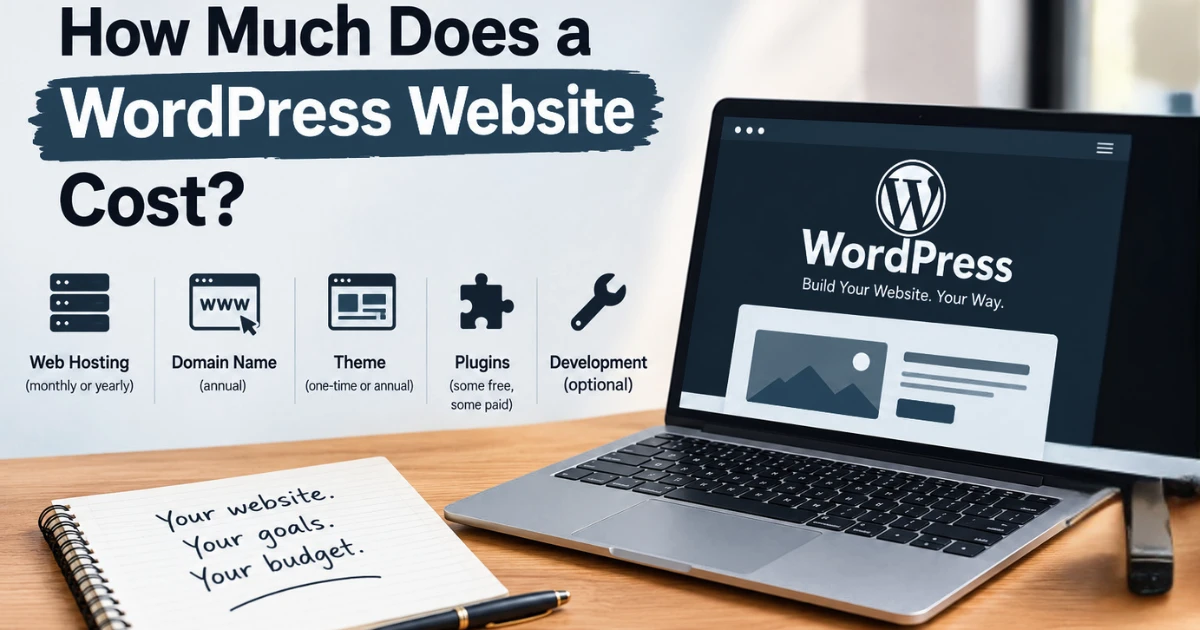
How Much Does a WordPress Website Cost at a Glance?
The cost of a WordPress website depends on its purpose, complexity, and how you choose to build it. Here are some general estimates to help you plan.
| Website type | Estimated cost | Typical requirements |
|---|---|---|
| Personal blog or portfolio | $50–$300 per year | Domain, hosting, theme, essential plugins |
| Small business website | $300–$1,500 | Business pages, contact forms, professional design |
| Custom business website | $1,500–$5,000+ | Custom layouts, integrations, specialised features |
| Ecommerce website | $500–$10,000+ | Product pages, checkout, payment integrations |
These figures are indicative estimates, not fixed prices for the Ugandan market. Your final cost will depend on your requirements, the developer you hire, your hosting plan, and the tools you use. Providers may also charge in Ugandan shillings or another currency.
How Much Does WordPress Hosting Cost?
Your website needs a server to store its files and make them accessible online. A hosting provider supplies that space and the resources needed to keep your website running.
Hosting prices vary depending on the server resources, level of management, and amount of control you need.
| Hosting type | Indicative cost | Suitable for |
|---|---|---|
| Shared hosting | $2–$15 per month | Blogs and small business websites |
| Managed WordPress hosting | $10–$50+ per month | Website owners who want WordPress-focused management |
| VPS hosting | $10–$100+ per month | Growing websites that need more control and resources |
| Dedicated hosting | $50–$600+ per month | High-traffic or resource-intensive websites |
These are broad international estimates. Before choosing a plan, compare its billing period, renewal price, storage, bandwidth, support, and included features. A low introductory price may not reflect what you’ll pay when the plan renews.
Each hosting type suits a different stage of a website. Shared hosting places your website on a server alongside others, which keeps the WordPress hosting cost low but limits resources.
Managed WordPress hosting adds WordPress-focused management, which can save time. VPS hosting gives you a dedicated share of a server’s resources and more control, and dedicated hosting gives you an entire physical server.
Most new websites start at the lower end and upgrade only when traffic or functionality requires it. Exact prices differ between providers and may be billed monthly or yearly, so confirm the current price and the renewal price on the provider’s website. WordPress.org lists the hosting requirements a host should meet.
How Much Does It Cost to Build a WordPress Website?
Hosting is only one part of your budget. You also need to decide whether you’ll build the website yourself or hire a professional.
| Development method | Estimated cost | Best for |
|---|---|---|
| DIY website | $50–$300 per year for a basic setup | Beginners and budget-conscious website owners |
| Freelancer | $200–$2,000+ | Small businesses needing professional help |
| Web design agency | $1,000–$10,000+ | Businesses seeking a more comprehensive service |
| Custom development | $3,000–$20,000+ | Complex projects with specialised requirements |
These estimates can overlap depending on the project’s scope and local rates. A straightforward website with a few pages generally requires less time and money than a customised online store or platform.
The website development cost reflects labour and expertise. The more people and specialist skills a project needs, the higher the price tends to be. Local rates in Uganda may differ from international rates, so request quotes from providers in your area and compare them with these estimates.
1) Building the Website Yourself
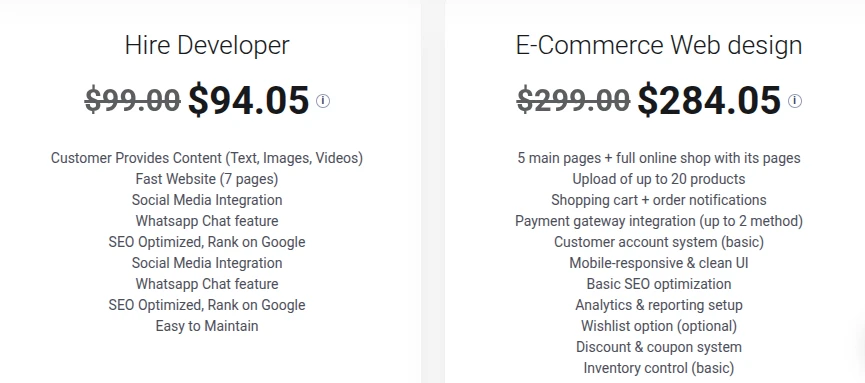
If you are willing to learn as you go, you can build a WordPress website without hiring a developer. You’ll choose a theme, create your pages, customise the design, and install the plugins you need.
Your main expenses will usually be hosting, a domain name, and any optional premium tools. The biggest trade-off is time because you’ll be responsible for learning how to set up, troubleshoot, and maintain the website.
A DIY approach suits simple websites such as a blog, a portfolio, or a small business site with a few pages. It gives you full control and keeps the cost of building a WordPress website low, but a mistake in setup or security becomes your responsibility to fix.
2) Hiring a Freelancer
A freelancer can help with design, page layouts, plugin configuration, and technical setup. This option can work well if you want a professional-looking website without paying for a full agency team.
Before accepting a quote, clarify what’s included, how many revisions are allowed, when the website will be delivered, and whether support after launch costs extra.
Freelancers often work alone, so communication is usually direct, but you rely on one person’s availability and skills. Ask to see previous work and confirm who will own the website files and accounts when the project ends.
3) Hiring a Web Design Agency
An agency may handle planning, branding, design, development, testing, and post-launch support. This can be useful if your project requires several specialists or involves more complex functionality.
The higher price may cover services beyond website development, so compare the deliverables and support included rather than choosing based on the quote alone.
An agency spreads the work across a team, which can help with larger projects and tighter timelines. The trade-off is a higher price and, sometimes, less direct contact with the people doing the work. Ask what happens after launch and what support is included.
WordPress.com vs WordPress.org: Which Is More Affordable?
Although their names are similar, WordPress.com and WordPress.org offer different ways to create a website.
- WordPress.com: A hosted platform with plans that bundle hosting and provide different features depending on the subscription.
- WordPress.org: Free, open-source WordPress software that you install on a hosting account. You arrange hosting separately and generally have more flexibility over your website’s setup.
With WordPress.org, the software itself is free, but you will usually need to pay for hosting and a domain. Premium themes, plugins, and professional development may add to the cost.
Neither option is automatically cheaper for everyone. Compare the features included, the flexibility you need, and the total cost over time before deciding.
WordPress.com works on a subscription model, where the plan you choose determines the features and any limits on customisation. Hosting and maintenance are handled for you, which is convenient but can limit flexibility.
WordPress.org gives you more freedom to choose your hosting, themes, and plugins, but you manage hosting, updates, and backups yourself, or pay for help. Plans and prices on WordPress.com change over time, so check its current plans before you decide. If you choose WordPress.org, you can compare WordPress hosting plans for running it.
How Does Website Type Affect Your Budget?
Your website’s purpose determines which features you’ll need and where your money is best spent.
- Personal blog: Budget for hosting, a domain, a readable theme, and essential content tools.
- Portfolio: Consider project pages, image galleries, and contact forms to showcase your work.
- Small business website: Allow for service pages, enquiry forms, business email, and basic SEO.
- Membership website: Budget for user accounts, restricted content, and membership management tools.
- Online store: Account for product management, payment integration, checkout, and order management.
- Large business website: You may need custom integrations, performance improvements, and ongoing technical support.
You can add features as your needs change. Starting with a clear purpose and a manageable number of pages is often more practical than paying for functionality you may not use.
The budgets differ because each type needs different work. A blog mostly needs hosting and a clean theme. A portfolio adds image handling, which can call for more storage. A business website adds pages, forms, and business email.
A membership site must manage user accounts and protect restricted content, which needs extra tools and testing. An online store has the most moving parts, including products, payments, and orders, and mistakes here affect revenue. A large business website may add integrations with other systems and ongoing technical support, which raises both the build cost and the running cost.
What Other Costs Should You Budget For?
The initial cost of building your website isn’t the whole picture. You’ll also need to account for expenses that may continue after launch.
- Domain renewals: Your domain name generally needs to be renewed periodically.
- Hosting renewals: Check how much your hosting plan costs after any introductory offer expires.
- Premium plugin and theme licences: Some tools require annual payments to maintain access to updates and support.
- Business email: Professional email accounts may be included with hosting or charged separately.
- Website maintenance: Updates, backups, security checks, and troubleshooting can require time or paid support.
- Content creation and SEO: You may spend money on writing, photography, keyword research, or search optimisation.
- Additional development: New features, redesigns, and integrations can create extra costs as your website grows.
Some hosting plans include services such as SSL certificates, email, backups, or migration support. Check what’s covered so you don’t budget for the same service twice.
These are recurring costs, so they add up each year. For example, you may pay for a domain and hosting every year and for a premium plugin licence on top. WordPress maintenance cost depends on how much you do yourself. If you handle updates and backups, it costs mainly your time. If you hire someone, it becomes a regular fee. Building a small yearly allowance into your plan keeps these items from becoming surprises. Google Search Central also offers free SEO guidance, which can reduce what you need to pay for basic optimisation.
What Factors Affect WordPress Website Costs?
Several factors determine how much you’ll spend on a WordPress website:
- Website size: More pages and content can require additional design and development work.
- Design requirements: A ready-made theme generally costs less to customise than a completely bespoke design.
- Features and integrations: Ecommerce, booking systems, membership tools, and third-party integrations can increase development costs.
- Hosting resources: Websites with higher traffic or demanding functionality may need more storage, processing power, or bandwidth.
- Development approach: Building the website yourself can reduce professional fees, while hiring a freelancer or agency adds labour costs.
- Maintenance and support: Ongoing updates, security, troubleshooting, and improvements can affect your long-term budget.
Understanding these factors helps you prioritise essential features and avoid spending money on things your website doesn’t yet need.
As an example, a ten-page business site on a ready-made theme needs far less work than a store with hundreds of products and several payment options. The store also needs stronger hosting, such as VPS hosting, to handle shoppers, and it needs more care to keep running. Deciding which features are essential at launch is the most effective way to control your WordPress website pricing.
Mistakes to Avoid When Budgeting for a WordPress Website
A website can become more expensive than expected when you overlook ongoing costs or pay for features you don’t need. Avoid these common mistakes:
- Choosing hosting based on price alone: Compare performance, customer support, resources, included features, and renewal rates.
- Ignoring renewal charges: Check the long-term cost of your domain, hosting, themes, and plugins before committing.
- Paying for unnecessary plugins: Start with essential functionality and add paid tools only when they offer clear value.
- Underestimating maintenance costs: Set aside money for updates, backups, security, and troubleshooting.
- Hiring a developer without agreeing on the scope: Confirm deliverables, timelines, revisions, ownership, and post-launch support before work begins.
- Trying to build everything at once: Launch with the essential pages and features, then expand as your needs and budget allow.
Planning for these expenses early makes it easier to manage your budget and maintain your website over time.
A cheap first-year hosting price, for instance, can be followed by a higher renewal price. Plugins that look free may offer paid upgrades you end up needing. Putting scope, deliverables, and ownership in writing before a developer starts work avoids disagreements about cost later.
FAQs
Can I build a WordPress website without buying a domain?
In some cases, yes. A hosted platform may give you a free subdomain, and some hosting providers give you a temporary address while you build. For a business, a custom domain looks more professional and is easier for customers to remember, so most websites eventually register one. You can handle domain registration alongside your hosting.
Do I have to pay for WordPress every month?
The WordPress.org software itself is free. What you pay for is hosting, which is billed monthly or yearly depending on the provider, plus a domain and any premium themes or plugins. If you use WordPress.com instead, you pay a subscription for the plan you choose.
Can I change my hosting provider without rebuilding my website?
Yes. You can move your files and database to a new host, update your domain’s DNS settings, and test the website before switching over. Keep your old hosting active until you have confirmed that everything works. Some providers offer migration help, but this varies by provider and plan.
How long does it take to build a WordPress website?
It depends on the size and complexity of the project. A simple blog can be set up quickly, while a business website with custom design, content, and integrations takes longer. Delays often come from preparing content and approving revisions, not from the technical setup itself.
Can I earn money from a WordPress website?
Yes, it is possible through methods such as advertising, affiliate links, selling products or services, or memberships. There is no guarantee of income, and it usually takes time to build an audience. Consider your website’s running costs against the income you realistically expect.
Ready to Get Your WordPress Website Online?
You don’t need a huge budget to take your business online. Start by identifying the pages and features you need, choose hosting that suits your requirements, and set aside money for renewals and future improvements.
If you are launching a blog, portfolio, or business website in Uganda, explore Truehost uganda’s hosting plans to compare the available options for running WordPress. Check the plan features and renewal terms, choose what fits your current needs, and build from there.
Planning your WordPress website cost around both launch expenses and recurring costs helps you spend only on what your website needs now. You can add features and upgrade your hosting as your website grows
