Choosing between business email and Gmail comes down to whether you prioritize zero cost and instant setup (free Gmail) or credibility, ownership, and team features (business email on your own domain).
Free Gmail is a polished, no-cost inbox, but every message comes from @gmail.com, a domain Google owns and you don’t. Business email puts your brand in the address ([email protected] ) and starts as low as $1 per user per month with Zoho Mail Lite, while Google Workspace Business Starter costs $7 per user per month on annual billing.
The two overlap more than most people realize, because Google Workspace is simply Gmail running on your own domain. This guide compares them on trust, ownership, deliverability, sending limits, and cost, so you can tell when free is enough and when it’s time to upgrade.
Free Gmail vs. Business Email: Core Comparison
| Feature | Free Gmail | Custom Business Email |
| Email address | [email protected] | [email protected] |
| Cost per user / month | $0 | About USh 8,905.00 for most small teams, plus a domain |
| Storage | 15 GB, shared across Gmail, Drive and Photos | 30 GB+ (Google Workspace) or 50 GB dedicated mailbox (Microsoft 365) |
| Daily sending limit | Up to 500 emails/day | Up to 2,000 emails/day on Google Workspace (varies by platform) |
| Domain ownership | Owned by Google; you can’t take it with you | 100% owned by you; portable across providers |
| Team and admin controls | None (individual account) | Central admin, shared inboxes (info@), instant access revocation when staff leave |
| Email authentication | Can’t configure domain-level security | Full support for SPF, DKIM and DMARC |
| Advertising | Ad-supported | Ad-free on business plans |
| Setup time | About 2 minutes | About 1 hour (domain purchase + DNS records) |
1) Compare Pricing per User
Free Gmail
Free Gmail costs $0, but the savings come with trade-offs.
- Trust: Customers often read a custom-domain address as a sign of a real, established business. An
@gmail.comaddress says nothing about who is behind it. - Email delivery: Mail sent through third-party tools (invoicing apps, newsletter platforms, CRMs) using a free Gmail address can fail authentication and land in spam. We explain why in section 5.
- Storage: The free 15 GB is shared across Gmail, Drive and Photos. More space requires a paid Google One plan.
Hosting-based business email
Hosting-based email is often the cheapest way to get professional addresses.
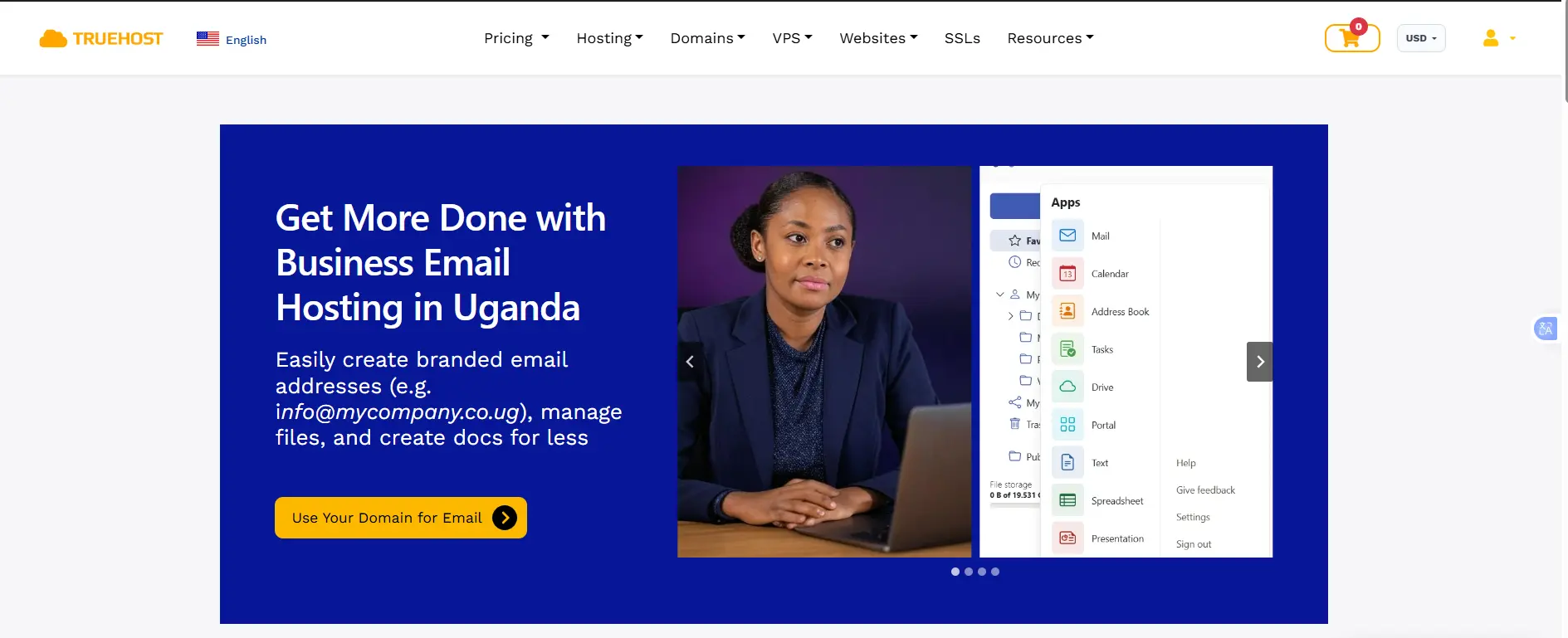
- Truehost Workplace: Plans run from USh 8,905.00 to USh 26,121.33. They are billed annually as flat bundles rather than per seat. For reference, the Starter tier (one 3 GB mailbox) is listed at USh 8,905.00 per year, and the five tiers scale up to 20 mailboxes and 200 GB of total storage on Enterprise.
- Extra tools: Workplace includes documents, spreadsheets, presentations, a calendar and cloud storage.
- Bundled hosting: Some providers include email accounts with web hosting, so you pay for your website and email together. Just remember that hosting limits also govern email resources.
Business email plans start at around $1 per user per month, depending on the provider and features.
- Zoho Mail Lite: $1 per user per month (annual billing) for 5 GB, or $1.25 for 10 GB. It includes custom-domain email, a calendar and IMAP/POP/SMTP access. Mail Premium is $4 per user for 50 GB, and the Workplace bundle starts around $3 per user.
Google Workspace
Google Workspace costs more but includes professional email and a full set of business tools.
| Plan | Annual billing (per user/month) | Main features |
| Business Starter | USh 28,199.17 (list price $7) | Custom-domain Gmail, 30 GB pooled storage, video meetings for up to 100 people |
| Business Standard | USh 63,819.17 (list price $14) | 2 TB storage, meeting recording, up to 150 participants |
| Business Plus | USh 89,050.00 (list price $22) | 5 TB storage, enhanced security, up to 500 participants |
Microsoft 365
Microsoft 365 Business Basic includes a 50 GB Exchange mailbox, 1 TB of OneDrive and Teams, at roughly $6 per user per month on annual billing (regional pricing and resellers vary). Desktop Office apps need Business Standard at $12.50 per user per month.
2) Compare Storage and Sending Limits
Storage and daily sending limits vary by provider and plan.
| Provider | Storage | Daily sending limits | Best for |
| Free Gmail | 15 GB shared across Google services | Up to 500 emails | Personal use and freelancers |
| Google Workspace | 30 GB to 5 TB, depending on plan | Up to 2,000 messages per user | Teams using Google’s tools |
| Microsoft 365 | 50 GB mailbox and 1 TB OneDrive on Business Basic | Up to 10,000 recipients per day | Businesses using Outlook and Office |
| Zoho Mail | 5 GB to 50 GB, depending on plan | Varies by plan | Small businesses on a budget |
| Truehost Workplace | 3 GB per mailbox on Starter; larger plans available | Depends on the hosting plan | Small businesses needing affordable email |
Limits and storage depend on the plan and may change. Check each provider’s official documentation for current details.
What to Know About Sending Limits
- Daily limits: Some providers use rolling 24-hour periods rather than resetting limits at midnight.
- Marketing emails: Newsletters and bulk campaigns may have separate limits. Use an email marketing service for large campaigns.
- Cold emails: Increase sending gradually when using a new account and follow anti-spam rules.
- Free trials: Google Workspace trial accounts may have lower sending limits than paid accounts.
- Zoho features: IMAP and POP access may require a paid plan, depending on the subscription.
For most small businesses, the daily sending limits of regular email plans are enough. If you need to send thousands of marketing emails, a dedicated email marketing platform is a better option.
3) Branding, Credibility and Professional Image
- Free Gmail: An
@gmail.comaddress can look less professional when you contact new clients or send quotes and invoices. It also gives you no way to reinforce your brand every time you send a message. - Business email: Uses your own domain, such as
[email protected], so every email reinforces your brand and matches your website. - Role-based addresses: Addresses like info@, sales@ and support@ help organize incoming mail. Some providers let teams share them without sharing passwords, and the address stays with the business when staff change.
- Customer trust: A custom-domain address helps create a professional image, but it doesn’t guarantee trust. Scammers can buy domains too. Credibility still comes from a consistent website, clear contact details and good service.
4) Ownership, Control and Continuity
- Free Gmail: The account is typically managed by a single person. If they leave, forget the password or lose access, the business may struggle to recover emails, contacts and files. The address itself belongs to Google’s domain, not to you.
- Business email: Administrators can create and manage employee accounts, revoke access immediately when someone leaves, and keep control of business communication, including a departing employee’s mailbox.
- Changing providers: Owning your domain makes it much easier to switch email providers later. You update your DNS records and keep the same address, so customers never notice. Switching away from
@gmail.commeans a new address and telling everyone.
5) Security and Email Delivery
- Free Gmail: Includes strong spam filtering and security features, but you can’t configure email authentication for the shared gmail.com domain. Only Google controls those records.
- Business email: Supports SPF, DKIM and DMARC for your own domain. SPF lists the servers allowed to send for you, DKIM signs your messages, and DMARC tells receivers what to do with mail that fails those checks. Together they verify legitimate messages and reduce spoofing.
- Why this matters for deliverability: Since 2024, Google and Yahoo have enforced authentication rules. Anyone sending 5,000 or more messages a day to personal Gmail or Yahoo accounts is a “bulk sender” and must authenticate with SPF, DKIM and DMARC, offer one-click unsubscribe in marketing mail, and keep spam complaints low (Google names 0.3% as the ceiling). Even below that threshold, Google asks all senders to authenticate. Because Google publishes a DMARC policy on gmail.com, mail sent as
@gmail.comfrom a third-party platform often fails alignment and may be quarantined or sent to spam. Sending from your own authenticated domain avoids that problem. - Admin controls: Depending on the provider and plan, businesses may get enforced two-step verification, access controls, audit logs and email retention.
- Ads and scanning: Personal Gmail may display ads, and Google uses automated scanning for spam, malware and security. Google Workspace business plans are ad-free.
6) Setup and Ease of Use
- Free Gmail: Easy to create and use with no technical setup. You can be sending in about two minutes.
- Business email: Usually requires a domain and DNS configuration, including MX records to route incoming mail and records for email authentication. Plan about an hour for a first-time setup. Most providers publish step-by-step guides, and many will do it for you.
- Familiar interface: Google Workspace gives you the Gmail interface you already know, with a custom domain.
- Choosing a provider: Google Workspace suits teams that already live in Google tools. Microsoft 365 suits teams built around Outlook and Office applications. Zoho Mail or hosting-based email may suit businesses looking for the lowest cost.
- Support: Free Gmail users generally rely on self-service help. Paid Workspace plans include phone and email support, and other providers vary by plan.
Which Should You Choose?
Free Gmail is enough for students, hobbyists, and freelancers who don’t send many emails to clients. But if you send quotes and invoices, share email duties with a team, or use your email for business, a professional address on your own domain is a better option.
Choose a provider based on your needs. Google Workspace (about $7 per user per month) is ideal for teams that use Gmail, Drive, and Meet. Microsoft 365 suits businesses that rely on Outlook, Excel, and Teams. Zoho Mail and hosting-based email services like Truehost Workplace are more affordable options if you mainly need a professional email address.
If you’re unsure, start with an affordable plan that lets you use your own domain. You can upgrade later without changing your email address.
Ready to replace your @gmail.com address with a professional one? Get your business email with Truehost and set up your first inbox in about an hour.
Business Email vs Gmail FAQs
Is business email more secure?
It can be, depending on the provider and plan. Business email lets you set up extra security features, manage staff access, and control who can use company accounts. Free Gmail also has strong security, but it offers fewer tools for managing a business team. Both need strong passwords and two-step verification.
Do I need a website to have a business email?
No. You only need a domain name. You can use it for email without building a website and create a website later using the same domain.
What happens if I forget to renew my domain?
Your email may stop working when your domain expires. If you don’t renew it within the allowed period, someone else could register it and use the domain. Turn on auto-renewal, keep your payment details up to date, and check renewal reminders.
Is it unprofessional to use Gmail for business?
No. Free Gmail is fine for freelancers and new businesses. However, an address like [email protected] looks more professional, builds your brand, and lets you create separate email accounts for staff.
Can I legally use free Gmail for business?
Generally, yes. However, you should follow Google’s terms, protect customer information, and meet any privacy laws or client requirements that apply to your business. Seek legal advice if you’re unsure about your obligations.
Does business email improve email deliverability?
It can, if you set it up correctly. Records such as SPF, DKIM, and DMARC help receiving servers verify that your emails are genuine. However, they don’t guarantee that your messages will reach the inbox. Your email content, sending habits, and contact list also affect deliverability.
