Both dedicated and cloud servers offer serious computing power, but they work very differently, and neither is automatically better.
It comes down to what you’re running, how much traffic you expect, how tight your security needs are, and how predictable your budget has to be.
A dedicated server is an entire physical machine allocated to one customer. You don’t share the processor, memory, or storage with anyone else.
The provider provisions the hardware, configures the server, installs the operating system, and sets up networking, which usually takes a few minutes to a few hours.
Once it’s ready, you get full root access and can tweak the OS down to the kernel level, adjust firmware, and configure the hardware to match your workload.
A cloud server is a virtual machine running on top of a pool of physical hardware. The provider owns the physical servers, and a hypervisor divides those resources into virtual instances, so you’re renting a portion of a shared pool.
You control the operating system and everything above it, but the provider manages the hardware layer. Cloud servers are multi-tenant, which makes them flexible and quick to deploy, but it also introduces trade-offs.
Dedicated Server vs Cloud Server Compared
| Comparison Factor | Dedicated Server | Cloud Server |
| Pricing | Fixed monthly cost – predictable and consistent | Pay-as-you-go – you pay only for what you use |
| Starting Price | From USh 349,432.20 | From UGX 16,000/month |
| Deployment | Takes minutes to hours; physical hardware must be provisioned and configured | Nearly instant; deployed from templates in seconds to minutes |
| Control | Full root access; control over hardware, firmware, and OS | Control over OS and above; hardware layer is managed by the provider |
| Customization | Maximum – choose CPU model, RAM, GPU, storage type, custom kernels | Usually restricted to mainstream OS and predefined instance types |
| Scalability | Mainly vertical scaling; limited by physical hardware ceiling; upgrades may require downtime | Both vertical and horizontal scaling; real-time adjustments with no downtime |
| Security | Physical isolation; single-tenant hardware | Logical isolation (hypervisor level); multi-tenant shared hardware |
| Compliance | Easier to meet strict requirements like HIPAA, PCI-DSS, and GDPR | Can be compliant but requires careful configuration; depends on provider certifications and shared responsibility model |
| Hardware | Entire physical machine dedicated to you; no virtualization overhead | Resources allocated from a shared virtualized pool; minor virtualization overhead |
| Performance | Stable and consistent performance | May fluctuate |
1) Pricing
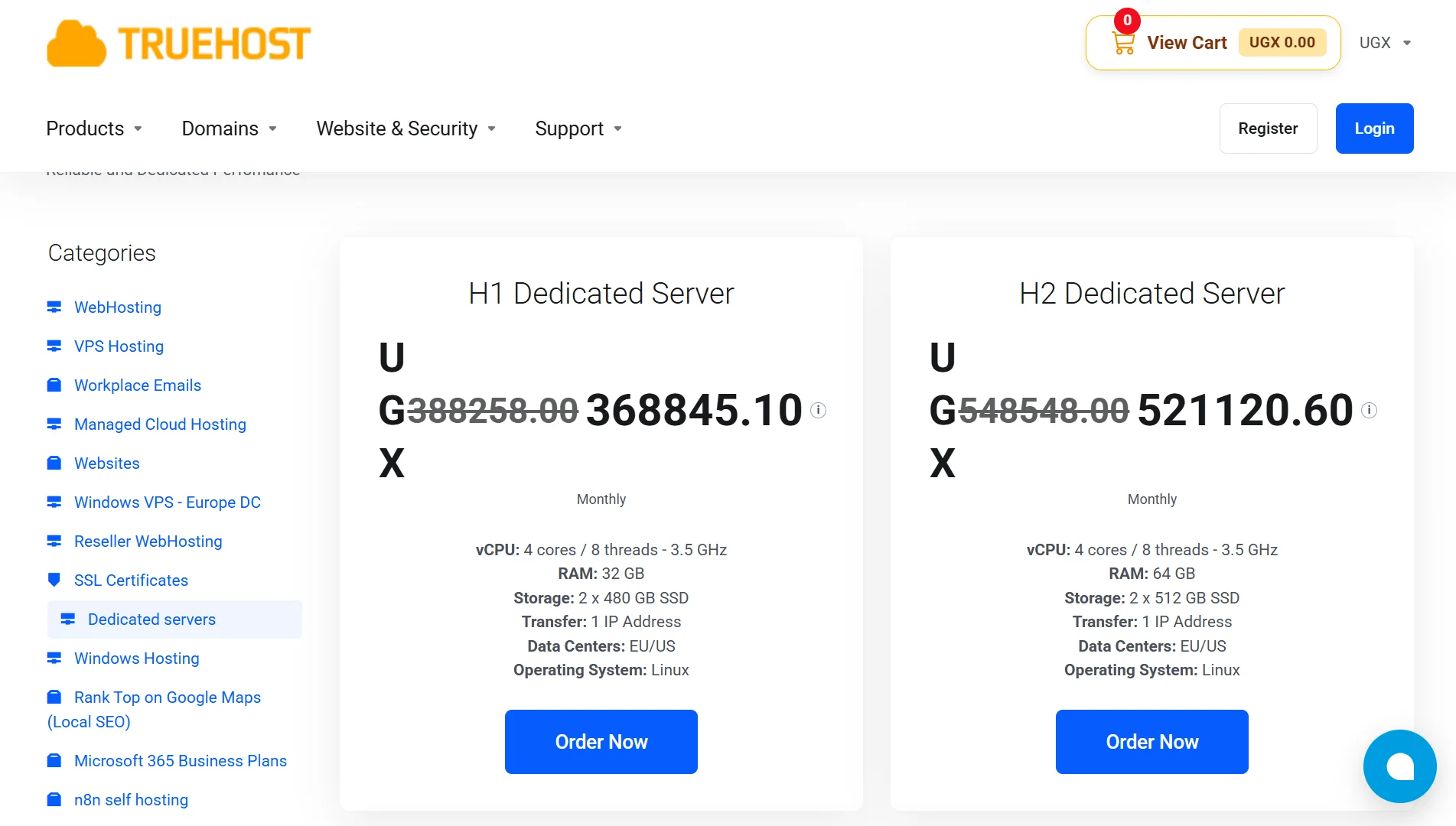
Dedicated servers come with a fixed monthly cost. You know exactly what you’re paying every month, and that number doesn’t change based on traffic or how many resources you consume.
The starting price for our H1 Dedicated Server is USh 349,432.20/month, and that covers the whole machine.
For businesses that need to budget carefully, this predictability is a big deal. You’re not going to get a surprise bill at the end of the month because your application had a traffic spike.
Cloud servers work on a pay-as-you-go model, or you can choose a fixed plan. Entry costs are lower, starting from UGX 16,000 per month, which makes cloud attractive if you’re just getting started or running something small.
But as your usage grows, so does the cost. You pay for the compute, memory, and storage you consume.
If your application scales up fast, your bill scales up with it. That’s fine for some businesses, but it makes forecasting harder.
The trade-off?
Dedicated gives you a flat, predictable expense. Cloud gives you a low entry point that flexes with your usage. Which one is better depends on whether you value predictability or flexibility more.
2) Deployment
With a dedicated server, deployment takes minutes to hours. The provider has to physically provision the hardware, configure it to your specifications, install the operating system, and set up networking.
If you’ve ordered custom components or a specific configuration, that adds time. It’s not instant, but it’s also not something you do every day.
Once the server is running, it’s yours for the long haul.
Cloud servers deploy almost instantly. You select an instance type and an OS template, click deploy, and the server is up in seconds to minutes. This speed is one of cloud’s biggest advantages.
If you need to spin up a test environment, launch a new application, or scale out quickly, cloud gets you there fast.
3) Control
On a dedicated server, you have full root access and control over everything. That includes the operating system, firmware, hardware configuration, and network settings.
You can update the BIOS, change RAID configurations, install custom kernels, and do pretty much anything else you’d do on a physical machine you own.
If you need to run specialized software that requires direct hardware access or a non-standard kernel, a dedicated server lets you do that.
On a cloud server, your control stops at the operating system.
You manage everything from the OS upward: applications, services, users, security configurations, but the hardware layer and the hypervisor are managed by the provider.
You can’t change firmware settings, and you can’t access the physical machine. For most applications, this is fine.
But if you need deep hardware-level control, the cloud won’t give it to you.
4) Customization
Dedicated servers offer maximum customization. You can choose the CPU model, RAM amount, and storage type (SSD, NVMe, HDD).
If your workload has unusual requirements, say, a database that performs best with a particular CPU architecture, or an application that needs a custom kernel module, a dedicated server lets you build the exact machine you need.
Cloud servers are more restricted. You choose from predefined instance types, and the available operating systems are usually limited to mainstream options.
You can’t specify the exact CPU model or tweak the hardware configuration. For most standard workloads, the available options are more than enough.
But if you need something specialized, the cloud’s predefined nature can get in the way.
5) Scalability
Dedicated servers scale mainly vertically. That means you add more RAM, more storage, or a faster CPU to the same machine.
But there’s a ceiling; the physical hardware can only hold so much.
Once you’ve maxed out the machine, you have to move to a bigger one, and that upgrade may require downtime while you swap or reconfigure the hardware.
Vertical scaling on dedicated hardware is powerful, but it’s not instant, and it’s not infinite.
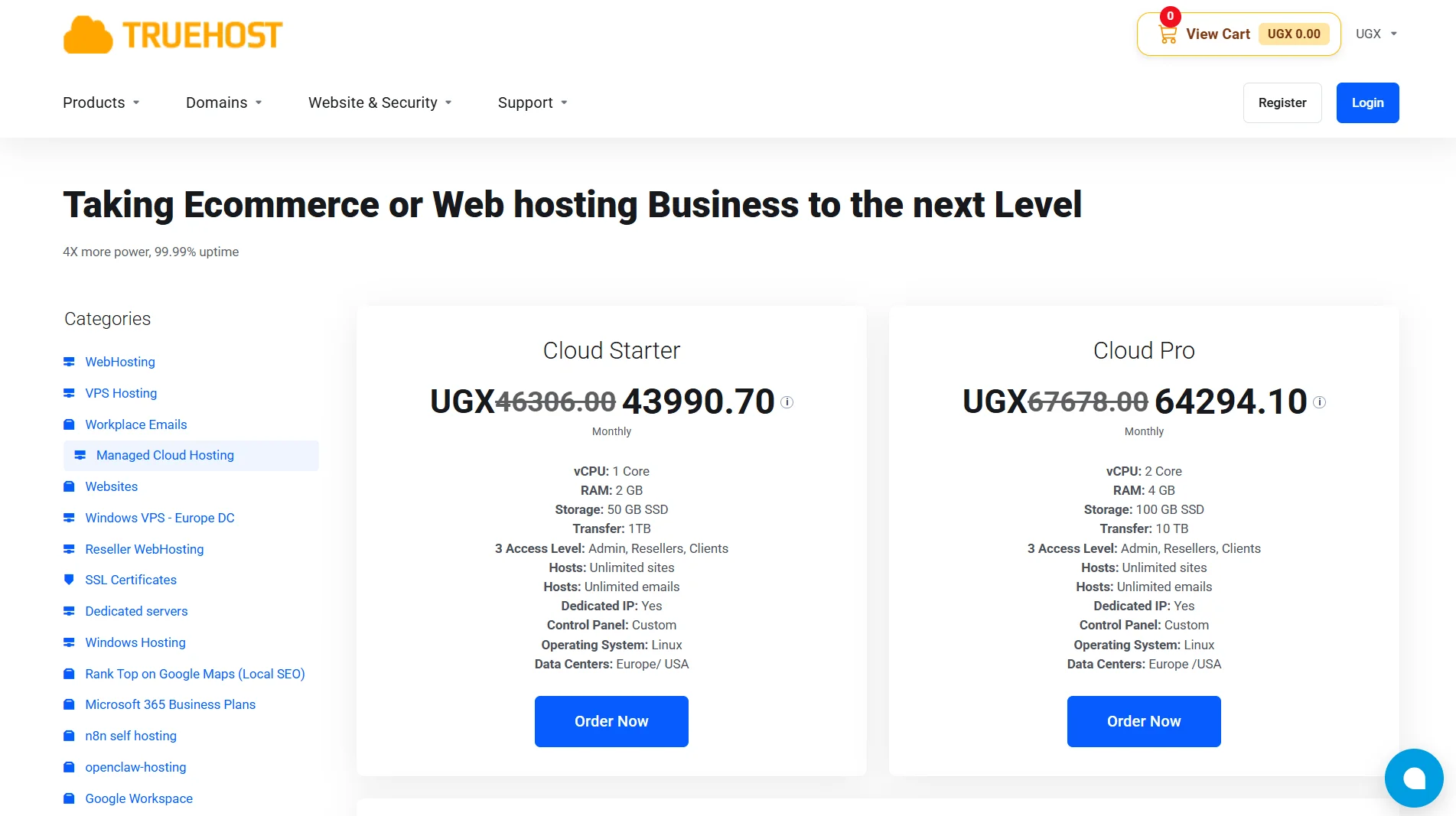
Cloud servers scale both vertically and horizontally. You can add more resources to an existing instance, or you can spin up additional instances and distribute the load across them.
And you can do this in real time, often with no downtime.
If your application suddenly gets a surge of traffic, you can scale up in minutes and scale back down when the surge passes.
6) Security
Dedicated servers provide physical isolation. The entire machine is yours, and nobody else’s data or processes run on it.
This makes security easier to manage because you don’t rely on a hypervisor to keep you separated from other customers.
If you handle sensitive data- patient records, financial information, government data- physical isolation can simplify compliance and reduce your attack surface.
Cloud servers rely on logical isolation at the hypervisor level. Multiple customers share the same physical hardware, but the hypervisor keeps each instance separated.
This is generally secure, and reputable providers invest heavily in hypervisor security. But it’s still a shared environment, and that means you’re trusting the provider’s isolation mechanisms.
For many businesses, that’s perfectly acceptable. For others, especially those with strict regulatory requirements, the cloud’s shared nature can be a hurdle.
When you’re evaluating security, think about data sensitivity and isolation requirements. If you need the strongest possible separation, dedicated is the safer choice.
If logical isolation meets your needs and your provider has solid certifications, cloud can work well.
7) Hardware
A dedicated server gives you the entire physical machine. No virtualization layer sits between your operating system and the hardware, so there’s no virtualization overhead.
Your applications get direct access to the CPU, memory, and storage.
That can translate to better performance for workloads that are sensitive to latency or that need every ounce of computing power.
Cloud servers allocate resources from a shared virtualized pool. There’s a minor virtualization overhead because your instance is running on top of a hypervisor.
For most applications, this overhead is negligible. But for highly demanding workloads like real-time analytics or high-frequency trading, even small overhead can matter.
8) Performance
Dedicated servers deliver stable and consistent performance.
Because the entire machine is yours and there’s no contention with other customers, your performance doesn’t fluctuate based on what someone else is doing.
If your application needs predictable throughput and low latency, dedicated hardware gives you that consistency.
Cloud servers can see performance fluctuations. Because the underlying hardware is shared, your instance may occasionally compete for resources with other tenants.
Reputable providers design their infrastructure to minimize this, but it can still happen. For many workloads, the fluctuations are small enough to ignore.
For others, especially those with strict performance requirements, the variability can be a problem.
Which One Should You Choose?
Choose Dedicated Server If:
- You run stable, high-load workloads like databases, game servers, or analytics platforms that need consistent performance.
- You have strict compliance or security needs; healthcare, finance, or government work often falls into this category.
- You need highly customized hardware, whether that’s a specific CPU, GPU, or storage configuration.
- You prefer predictable budgeting and want a fixed monthly cost you can plan around.
Choose Cloud Server If:
- Your traffic is unpredictable or spiky, and you need to scale up and down quickly.
- You need fast deployment and elasticity, spinning up new environments in minutes rather than hours.
- You have a limited starting budget and want to keep entry costs low.
- You prefer managed services and don’t want to deal with hardware-level administration.
Get a Reliable Dedicated Server
At Truehost, we offer dedicated servers built for performance and reliability. Our H1 Dedicated Server starts at USh 349,432.20/month and gives you 4 cores and 8 threads at 3.5 GHz, 32 GB of RAM, and 2 x 480 GB SSD storage.
Our H2 Dedicated Server at USh 349,432.20/month doubles the RAM to 64 GB and bumps storage to 2 x 512 GB SSD.
And for demanding workloads, our H3 Dedicated Server at USh 349,432.20 gives you 6 cores and 12 threads, 64 GB of RAM, and 2 x 1 TB SSD storage.
All our dedicated servers include 1 IP address, EU and US data center options, and Linux as the operating system.
You get full root access, so you can configure the machine however you need.
And because it’s a dedicated server, you’re not sharing resources with anyone else, your performance stays consistent, and your data stays isolated.
If you’re ready to get started or you have questions about which plan fits your needs, reach out to us. We’ll help you pick the right dedicated server for your workload.
