You have products to sell, but how much money do you need to start selling them online? Should you save for a few months, hire a developer, or start with a simple website and build from there?
The cost of an online store in Uganda depends on what you’re selling, how you build your website, and the tools you need to manage orders and payments. A small business selling clothes from home will have different needs from a retailer managing hundreds of products across the country.
This article breaks down the main setup costs, ongoing expenses, and common mistakes to avoid so you can plan a budget that works for your business.
When people ask how much an online store costs, they usually mean one number. In practice there are three kinds of cost. Setup costs are one-time or yearly expenses to get the store online. Operating costs, such as hosting renewals and software subscriptions, repeat on a schedule. Order-based costs, such as delivery and payment charges, rise and fall with your sales.
Keeping these apart makes your budget much easier to plan. If you want to see what a ready-made option looks like, you can explore the Truehost Uganda Store Builder.
A Breakdown of Online Store Startup Costs
| Type of online store | Estimated setup cost | Best suited for |
|---|---|---|
| Basic DIY store | UGX 300,000–1,000,000 | Individuals and small startups |
| Small business store | UGX 1,000,000–3,000,000 | Growing businesses with established products |
| Professionally developed store | UGX 3,000,000–8,000,000+ | Businesses needing custom design and features |
These figures are indicative estimates, not guaranteed prices. Your actual online store setup cost in Uganda will depend on the platform you choose, the number of products, the design you want, the providers you work with, and the exchange rate if any services are priced in US dollars. Use the table to judge which category fits your plans, then request current quotations before committing money.
What Are the Main Costs of Starting an Online Store?
1) Domain Name and Hosting
A domain name gives customers an address they can use to find your store, while web hosting stores your website’s files and makes them accessible online.
The main expenses include:
- Domain registration and renewal fees
- Website hosting charges
- SSL certificates or security features, depending on the hosting package
- Possible email hosting costs
Think of the domain as your shop’s street address and hosting as the building that holds your stock. Domain registration is usually charged per year, and the renewal price can differ from the first-year price, so check both before you buy. Web hosting is also billed on a recurring basis, and plans differ in storage, traffic limits, and performance. A store with a few dozen products and modest traffic needs far less than one with a large catalogue.
An SSL certificate encrypts the connection between your store and its visitors. It is the reason a secure site shows a padlock in the browser, and customers expect it when they enter personal or payment details. Some hosting packages include SSL, while others charge for it, so confirm what is covered.
Business email, such as [email protected], looks more professional than a free email address and helps customers trust you. It may be included in some packages and billed separately in others. Do not assume that every provider includes the same features, and compare what each plan actually offers.
2) Website Design and Development
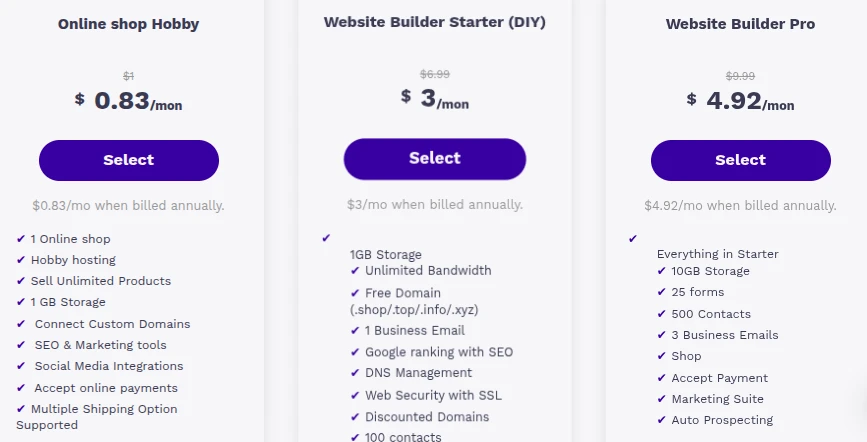
Building an online store independently using an established ecommerce platform and a ready-made theme can cost less than hiring a freelancer or web design agency. Professional development may cost more, but it can be worthwhile if your business needs a customised design, specialised features, or technical assistance.
There are four common routes, each with a different cost and level of effort:
- DIY with a platform: You build the store yourself using an ecommerce platform, such as WooCommerce, which adds shop features to WordPress. This has the lowest cost but takes your time, and you handle problems yourself.
- Ready-made theme: A theme is a pre-designed layout you fill with your products and branding. It speeds up the process and keeps design costs down.
- Freelance developer: A freelancer can customise a theme or build specific features. Costs are usually lower than an agency, but quality and availability vary, so check previous work and agree on deliverables in writing.
- Professional agency: An agency offers a team covering design, development, and support. This costs the most and suits businesses with complex needs. If you want this route, take a look at Truehost’s web design service.
The main factors affecting development costs include:
- Number of website pages and product listings
- Design and branding requirements
- Mobile responsiveness
- Custom features and integrations
- Developer fees and ongoing maintenance
The scope of the project is the biggest driver of price. A store with ten products and a standard layout is a very different job from one with hundreds of products, custom filters, and special checkout rules. Mobile responsiveness matters in Uganda because many customers browse on their phones, so make sure any design you choose works well on a small screen.
Deciding which features are essential before requesting quotations helps you compare proposals fairly and avoid paying for services you don’t need.
3) Ecommerce Features and Payment Integration
An online store needs more than attractive product pages. Customers must be able to browse products, place orders, and pay through methods your business supports.
Essential features include:
- Product pages with descriptions, images, and prices
- Shopping cart and checkout
- Order confirmation and management
- Mobile money or card payments, where supported
- Inventory tracking
Product pages are where customers decide whether to buy, so clear photos, accurate descriptions, and visible prices matter. The shopping cart and checkout let customers collect items and pay. Order confirmation and management help you see new orders, notify customers, and track what has been fulfilled. Inventory tracking keeps stock counts accurate so you do not sell something you no longer have.
Some platforms include basic ecommerce tools, while other features may require paid plugins, extensions, or professional setup. Payment providers may also charge transaction fees or other service charges.
Mobile money and card payments deserve special attention in Uganda. Many customers prefer to pay by mobile money, so a store that offers methods your customers actually use is likely to lose fewer sales at checkout. However, support for a particular payment method depends on the platform and the payment provider you connect. Do not assume it is available. Ask directly which methods are supported.
Before integrating a payment provider, confirm that it supports your business, check the applicable fees, and understand how payments are settled. Settlement is the process and timing by which money from customer payments reaches your account. A small percentage fee on each sale may look minor, but it adds up as your order volume grows, so factor it into your prices.
4) Product Preparation and Delivery
Preparing products for sale and delivering them to customers can add to your initial budget.
These costs may include:
- Product photography
- Product descriptions and catalogue preparation
- Packaging materials
- Courier and delivery services
- Returns and exchanges
Good photography helps customers judge products they cannot touch. For a clothing seller, that may mean clear photos from several angles. For someone selling handmade crafts, close-ups of the materials and finish can build confidence. A smartphone with good lighting is enough to start, and you can invest in professional photos later. Writing accurate descriptions, including sizes, colours, and materials, also takes time and may take money if you hire help.
Packaging protects products and shapes the customer’s first impression. A seller of phone accessories needs different materials from a seller of food or fragile items. Courier and delivery services bring the order to the customer, and charges depend on distance, parcel size, and the provider. Get quotes from the delivery options you plan to use instead of assuming a figure.
Returns and exchanges are easy to overlook. Decide in advance what you will accept, who pays for return delivery, and how refunds or replacements will work. A clear policy prevents disputes and builds trust.
Costs vary depending on the products being sold and where customers live. Fragile goods may require extra packaging, while businesses delivering orders outside Kampala need to consider courier coverage and charges.
Delivery fees can be charged separately, offered free above a certain order value, or included in the product price if the numbers make sense.
What Will Your Online Store Cost to Maintain?
Launching a website is not the end of the spending. Business owners need to plan for expenses that continue as the store operates.
Common ongoing costs include:
- Domain and hosting renewals: Recurring fees to keep the website online.
- Payment processing: Charges that may apply to completed transactions.
- Premium plugins and software: Subscriptions for additional store features.
- Website updates and security: Maintenance, backups, and technical support.
- Marketing and advertising: Spending on social media promotions, search visibility, or paid campaigns.
- Packaging, delivery, and returns: Costs associated with fulfilling customer orders.
Some expenses are fixed, such as annual domain renewal, while others are variable, such as delivery charges that increase with the number of orders.
Fixed costs are predictable, so you can set money aside for them in advance. Hosting, domain renewals, and software subscriptions fall into this group. Variable costs move with your sales. If you receive twenty orders in a month instead of five, your packaging, delivery, and payment charges rise, so price your products with these in mind. Marketing sits somewhere between the two. You can set a fixed monthly amount, or increase spending when a campaign is working.
Keeping a portion of your business budget available for ongoing costs helps you avoid spending everything on the website launch.
How Can You Start an Online Store on a Small Budget?
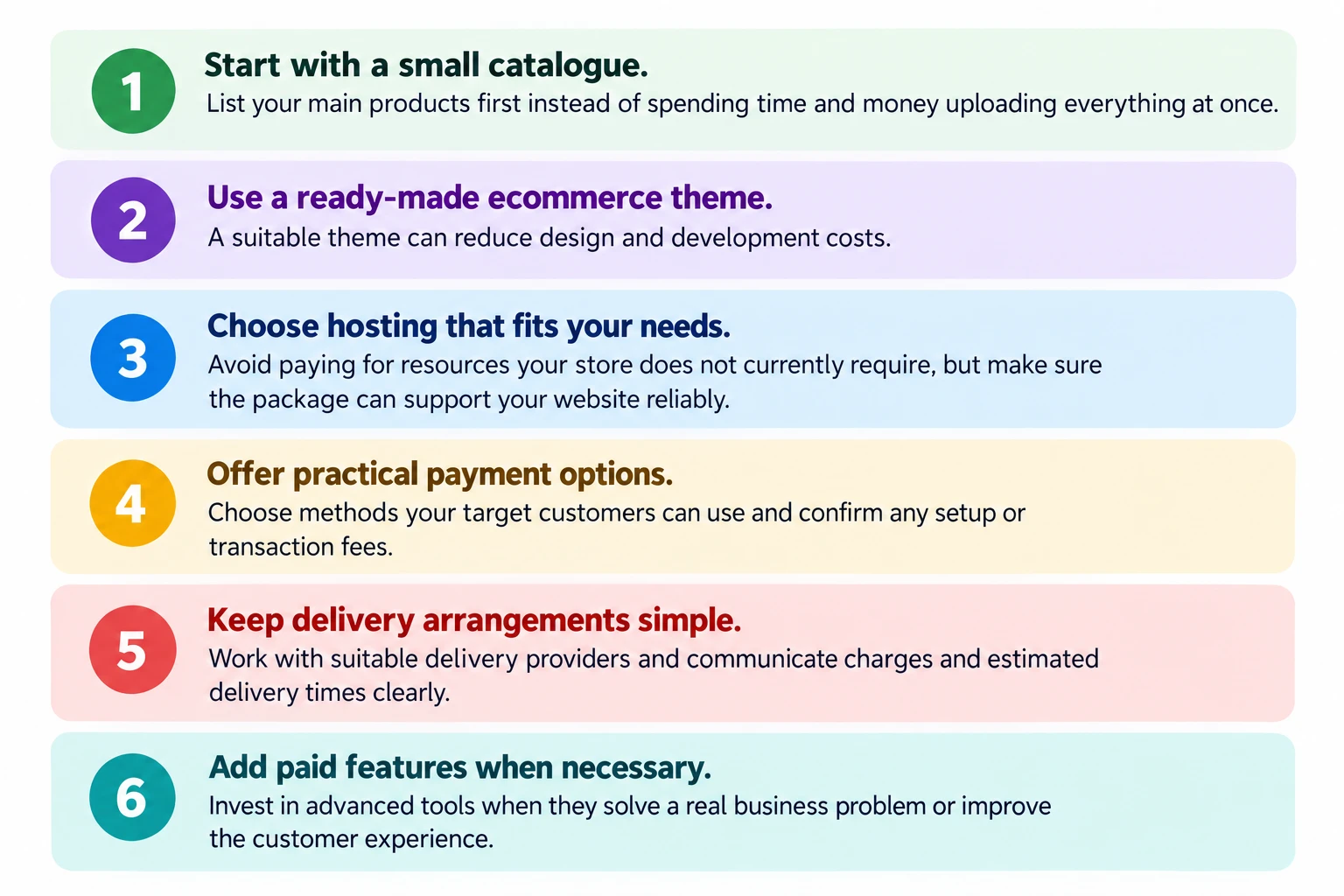
You don’t need to build an elaborate store before making your first sale. Starting with the essentials allows you to improve the website as your business grows.
- Start with a small catalogue. List your main products first instead of spending time and money uploading everything at once.
- Use a ready-made ecommerce theme. A suitable theme can reduce design and development costs.
- Choose hosting that fits your needs. Avoid paying for resources your store does not currently require, but make sure the package can support your website reliably.
- Offer practical payment options. Choose methods your target customers can use and confirm any setup or transaction fees.
- Keep delivery arrangements simple. Work with suitable delivery providers and communicate charges and estimated delivery times clearly.
- Add paid features when necessary. Invest in advanced tools when they solve a real business problem or improve the customer experience.
The goal is to launch a reliable, easy-to-use store, not to spend the most money on a website.
A useful way to prioritise is to separate what customers need to buy from what is merely nice to have. They need to see your products, trust your store, pay in a way they are comfortable with, and receive their order. Fancy animations, extra plugins, and large catalogues can wait. Once you have real orders, you will see which improvements matter. You might add more payment options because customers ask for them, or upgrade your hosting because traffic has grown. Improving the store gradually keeps your spending tied to actual results. If you plan to use WordPress, a WordPress hosting plan can be a sensible, low-cost place to begin.
What Common Mistakes Should You Avoid When Starting an Online Store?
1) Focusing Only on the Website Setup Cost
The website is only one part of the budget. Stock, packaging, delivery, marketing, and payment charges all need money too. A store that spends its whole budget on design may have nothing left to promote the products or fulfil orders.
2) Choosing Hosting Based on Price Alone
The cheapest plan may not handle your traffic or product catalogue well, and a slow or unreliable store can cost you sales. Compare storage, performance, support, and security features, not just the headline price, and pick a plan that fits your needs now with room to upgrade.
3) Ignoring Renewal Fees and Other Charges
An introductory price may not be the price you pay in the second year. Check what domains, hosting, and any paid tools cost at renewal, and note the dates so your store does not go offline because a payment was missed.
4) Paying for Features They Don’t Need
It is easy to be sold advanced tools you will not use. A small store with a few products rarely needs complicated custom features at launch. List what your customers need first, and add other features when they solve a real problem.
5) Making Checkout Difficult for Customers
Long forms, forced account creation, and limited payment methods push customers to abandon their carts. Keep the process short, show delivery costs early, and offer payment methods your customers use. Test the checkout on a mobile phone, since many shoppers will use one.
6) Forgetting to Budget for Marketing
A new store does not attract customers on its own. Set aside money and time for promotion, whether through social media, WhatsApp sharing, search visibility, or paid adverts. Even a small monthly marketing budget is better than none.
7) Launching Without Testing the Store
Before launch, place test orders from start to finish. Check that product pages display correctly, the cart works, payments go through, confirmation messages arrive, and the store loads properly on different phones. Ask a friend to try it as well, because they may notice problems you miss.
FAQs
Can I start an online store in Uganda with UGX 500,000?
Yes, it is possible, because this amount falls within the estimated range for a basic DIY store. You would need to keep things simple. Start with a small catalogue, use a ready-made theme, choose an affordable hosting plan, and do the setup yourself. Remember to keep some money aside for packaging, delivery, and marketing, because the website is not the only expense.
Do I need a registered business to sell online in Uganda?
Requirements depend on your business activities and how you operate. Many sellers start small, but registration and tax obligations can apply as a business grows, and registration may also be needed for certain payment services or partnerships. Check current requirements with the relevant Ugandan authorities, such as the Uganda Registration Services Bureau (URSB) for business registration and the Uganda Revenue Authority (URA) for tax matters, or speak to a qualified adviser. This article is not legal or tax advice.
Can customers pay using mobile money on my online store?
It depends on the platform and the payment provider you use. Mobile money is widely used in Uganda, so it is worth offering if you can, but support is not automatic. Ask your platform and payment provider whether mobile money is available, what the fees are, and how settlement works. Test the payment process before launch.
Can I sell online without holding stock?
Yes, some businesses do this by buying products from a supplier only after a customer orders, or by taking pre-orders. This lowers the upfront cost but comes with risks. You depend on your supplier’s availability, prices, and delivery times, and customers may be unhappy if orders are delayed. Be clear about delivery times, confirm availability with suppliers, and test the process with a few orders before scaling.
How do I deliver products to customers outside Kampala?
You can use courier companies, parcel services, or other delivery providers that serve the customer’s area. Coverage and charges differ, so ask providers which locations they serve, how long delivery takes, and how they handle damaged or lost parcels. Tell customers the delivery charge and expected timeframe before they pay, and package items carefully for longer journeys.
How can I attract customers to my online store?
Start where your customers already spend time. Share your products on social media and WhatsApp, post clear photos, and respond quickly to enquiries. Make sure your store can be found in search by using clear product names and descriptions. Encourage satisfied customers to recommend you, and consider paid adverts once you understand which products sell best. Consistency matters more than spending a lot at the start.
Ready to Take Your Business Online?
Starting an online store requires more than paying for a website. You need to plan for products, payments, delivery, marketing, and the expenses involved in keeping the business running.
Start by working out your essential costs, choosing features that fit your current needs, and leaving enough money to operate after launch. Avoid spending on extras before you understand what your customers need.
If you are planning to build your store with WordPress, explore Truehost Uganda’s hosting plans and compare the available options before choosing a package.
