Wikipedia.org, WordPress.org, NTP.org, nginx.org, and Mozilla.org are the first five public websites in this filtered .org ranking.
I used Tranco list N2Q8W, dated August 28, 2026, and checked the selected destinations on August 29.
The list is global, but the lessons travel well.
A Ugandan NGO can study Wikipedia’s search-first design.
A professional association can study IEEE’s audience routes.
An open project can study Python’s split between downloads, documentation, and community.
How I built the list
Tranco combines browser, DNS, and link signals over a 30-day window. A raw .org filter includes infrastructure, advertising systems, reserved domains, and other entries that do not operate as normal public websites.
I kept a domain only when it ended in .org, offered a useful human-facing site, remained a distinct .org destination after redirects, and did not primarily serve adult content. The first column shows the site’s position after that filter, not its raw Tranco rank.
Popularity does not prove accuracy, nonprofit status, security, or public benefit. It tells you that a domain appears strongly across the ranking’s source signals.
The 75 websites
# | Website | Operating model | What a Ugandan site can borrow |
|---|---|---|---|
1 | Knowledge service | Put search first when the archive is large | |
2 | Open project | Separate software, learning, and community routes | |
3 | Technical utility | Let specialists reach documentation immediately | |
4 | [nginx](https://nginx.org/) | Open project | Keep release and reference links compact |
5 | Mission-led platform | Connect the mission to concrete products | |
6 | Project foundation | Make a large project family searchable | |
7 | Digital library | Lead with collection discovery | |
8 | Standards body | Organize complex material by topic and task | |
9 | Public resource | Guide people toward the right license | |
10 | Communication service | Present platform downloads without detours | |
11 | Project network | Show how related initiatives connect | |
12 | Open project | Display the current stable release clearly | |
13 | Advocacy project | Give ideas and practical tools separate paths | |
14 | Global institution | Support languages and issue-based entry points | |
15 | Reference tool | Turn specialist data into direct lookup | |
16 | Standards community | Distinguish reading, working, and participating | |
17 | Research library | Pair search with subject filters | |
18 | Public media | Make reading and listening equally obvious | |
19 | Member institution | Create gateways for each major audience | |
20 | Global institution | Use a stable issue taxonomy | |
21 | Publishing institution | Split distinct business areas early | |
22 | Standards body | Make the standards catalog easy to search | |
23 | Collaborative tool | Let the core product dominate the page | |
24 | Open project | Surface download, docs, and learning routes | |
25 | Education publisher | Build navigation around reader questions | |
26 | Specialist publisher | Use hierarchy to separate timely and evergreen work | |
27 | Health institution | Separate information from care services | |
28 | Research publisher | Let disciplines drive discovery | |
29 | Global institution | Offer data, countries, and projects as direct routes | |
30 | Industry association | Put consumer choices beside policy material | |
31 | Campaign platform | Balance joining an action with starting one | |
32 | Policy forum | Organize publishing around public issues | |
33 | Community archive | Invest in tags when members create the collection | |
34 | Search service | Make the product itself the first interaction | |
35 | Public media | Group content by viewing and learning needs | |
36 | Local marketplace | Ask for location before showing local listings | |
37 | Software service | Adapt the main action to the visitor’s browser | |
38 | Policy institution | Let countries and topics share the navigation | |
39 | Security utility | Bring reputation checks to the front | |
40 | Professional body | Route members, researchers, and the public separately | |
41 | Specialist media | Design dense information around live priorities | |
42 | Public utility | Turn a technical service into a documented path | |
43 | Learning platform | Let people search by skill and outcome | |
44 | Faith publisher | Treat language choice as a primary feature | |
45 | Member service | Offer the main activity immediately | |
46 | Research publisher | Explain how the journal family fits together | |
47 | Technical utility | Put current versions ahead of promotion | |
48 | Open project | Organize the homepage around common tasks | |
49 | Research library | Give the archive one dominant search field | |
50 | Hosting service | Make account creation serve a clear outcome | |
51 | Knowledge service | Support multilingual discovery from the start | |
52 | Data service | Prioritize fresh figures over introductory copy | |
53 | Trust directory | Center the business lookup task | |
54 | Internet institution | Group resources by operational function | |
55 | Open project | Explain editions before asking for a download | |
56 | Advocacy organization | Connect each issue to a practical action | |
57 | Community publisher | Use rankings to help readers discover member work | |
58 | Professional body | Link research, careers, and membership without mixing them | |
59 | Global institution | Combine topics with country and data routes | |
60 | Professional body | Give learners, professionals, and institutions distinct paths | |
61 | Open platform | Separate the product from its contributor community | |
62 | Research institute | Show methods and fresh findings together | |
63 | Community database | Pair structured search with popular entries | |
64 | Health institution | Keep health research and appointments distinct | |
65 | Research utility | Make registration and account access unmistakable | |
66 | Research institution | Explain broad work through mission areas | |
67 | Research publisher | Give journals and news their own routes | |
68 | Research publisher | Support browsing across disciplines | |
69 | Open project | Put downloads, docs, and security notices together | |
70 | Open project | State version choices before download | |
71 | Open community | Connect products to the people who build them | |
72 | Research tool | Reduce a complex service to one clear query | |
73 | Communication service | Match installation routes to each device | |
74 | Governance institution | Give newcomers and participants different starts | |
75 | Publishing service | Place the creation action beside the service promise |
Five operating models behind the list
1) Searchable knowledge services
Wikipedia, Archive.org, arXiv, JSTOR, Wiktionary, and Semantic Scholar hold more material than a normal menu can expose. Search is not decoration on these sites; it is the shortest route to value.
If your organization publishes reports, training material, laws, datasets, sermons, or research, plan the collection before adding more homepage sections. Use consistent titles, dates, topics, and document types so people can retrieve the work later.
2) Open project hubs
WordPress, Apache, Debian, Python, PostgreSQL, Fedora, FreeBSD, Node.js, and KDE must serve users and contributors at once. They separate downloads and documentation from community, governance, releases, and security information.
A Ugandan open-source or civic-tech project can use the same split. Give users a stable product route and give contributors a visible route into code, documentation, meetings, or issue reporting.
3) Institutional gateways
The UN, UNESCO, IEEE, ISO, the World Bank, OECD, FAO, ICANN, and professional bodies contain many programs. Their strongest navigation follows the visitor’s topic or role, not the institution’s internal organogram.
An association with chapters, committees, and projects should test its labels with an outsider. “Training,” “Membership,” and “Publications” usually communicate more than an unexplained department name.
4) Active communities
Change.org, AO3, Lichess, Syosetu, Wikimedia, and Moodle depend on participation. Their sites make current activity visible and give members a specific way to join, create, play, publish, or contribute.
Do not reduce community to a gallery of old event photos. Show the current schedule, open task, active discussion, new publication, or next meeting that lets someone participate now.
5) Public-facing services
Telegram, Ecosia, Craigslist, Adblock Plus, Coursera, Aternos, ORCID, Signal, and Altervista use .org while delivering a product or service. Their presence is a useful correction to the idea that every .org belongs to a charity.
The extension cannot explain the business model for you. If you sell, host, or operate a platform, state the service, ownership, costs, policies, and support route clearly.
From mission to web address in Uganda
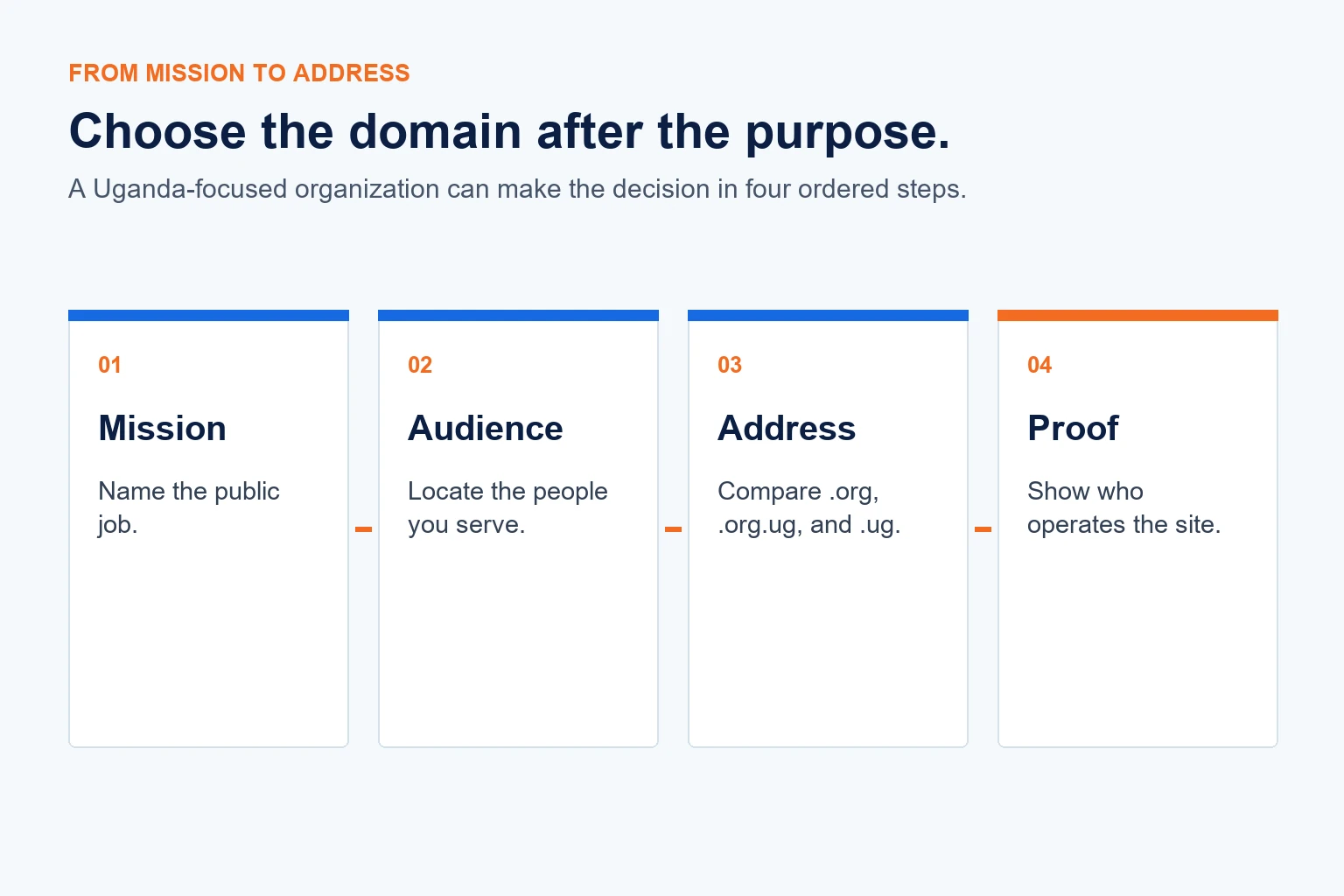
Choose the address after you define the mission and audience, not before.
1) Write the mission plainly
Describe the public job in one sentence: publish health guidance, coordinate members, fund scholarships, document research, or run a community service. That sentence should guide both the name and the homepage.
2) Locate the audience
A global .org gives no country signal. That may suit an organization working across East Africa or serving an international professional community. A Uganda-focused organization may prefer an address that carries .ug visibly.
3) Compare the available addresses
Global .org remains open to anyone. The UG Registry currently lists .org.ug alongside direct .ug and other Uganda addresses. Its public catalog does not explain every eligibility or documentation rule, so confirm the current requirement when you search or contact support.
Our UG guide explains how the main Uganda namespace choices differ. Compare the complete name, not only the ending. A short, pronounceable address usually beats a long name chosen only to secure a preferred extension.
4) Prove the organization
The website must carry the evidence that the domain cannot: legal name, leaders, contacts, location, policies, current work, finances where relevant, and clear ownership of published claims.
Choose the name you can sustain
Before registration, read the full address aloud and test it in a message. Ask whether a first-time visitor can spell it, recognize the organization, and understand its geographic reach.
Then use our domain search to compare the available .org, .org.ug, and .ug options.
When you register with us, you can manage the domain and connect it to the website that turns the mission into something people can verify and use.
