Your Google Business Profile has been suspended, and suddenly, customers may struggle to find your business on Google Search and Maps. Your business information, opening hours, contact details, and directions may no longer appear as expected. If you rely on local searches to attract customers, this can affect your visibility and lead to missed business opportunities.
Google may suspend a Business Profile when it identifies a potential violation of its guidelines or has concerns about the accuracy or eligibility of the business information. Although a suspension can be frustrating, you may be able to recover your profile by identifying the problem, correcting any policy violations, and submitting an appeal with the appropriate supporting evidence.
This article explains how to recover a suspended Google Business Profile step by step, which documents you may need, what to do if your appeal is rejected, and how to reduce the risk of future suspensions.
Need a website that matches your business listing? Explore WordPress Hosting from Truehost Uganda
Why Was Your Google Business Profile Suspended?
Before you appeal a suspension, it is important to understand what may have caused it. Google does not suspend every profile for the same reason, so reviewing your business information and the applicable guidelines is a useful first step.
Common reasons for suspension include:
- Incorrect business information: Your business name, address, phone number, or other details may be inaccurate or inconsistent with your real-world business.
- Violations of Google’s guidelines: Your profile may contain information or content that does not comply with Google Business Profile policies.
- Ineligible business locations: Your business may not meet Google’s eligibility requirements, particularly if it operates exclusively online without qualifying in-person customer contact.
- Incorrect address settings: Using a virtual office, an ineligible coworking space, or a residential address incorrectly may lead to problems.
- Keyword stuffing: Adding promotional phrases, locations, or keywords to your business name when they are not part of its real-world name can violate Google’s rules.
- Duplicate profiles: Multiple profiles for the same business and location may create eligibility or policy concerns.
- Unusual account activity: Significant changes to business details or other activity may prompt additional checks.
- Verification issues: Google may be unable to confirm that your business is legitimate or that you are authorised to manage the profile.
Start by checking any suspension notification and reviewing Google’s current guidelines. Avoid making random changes before understanding what might be wrong.
What Should You Do Before Appealing a Suspended Google Business Profile?
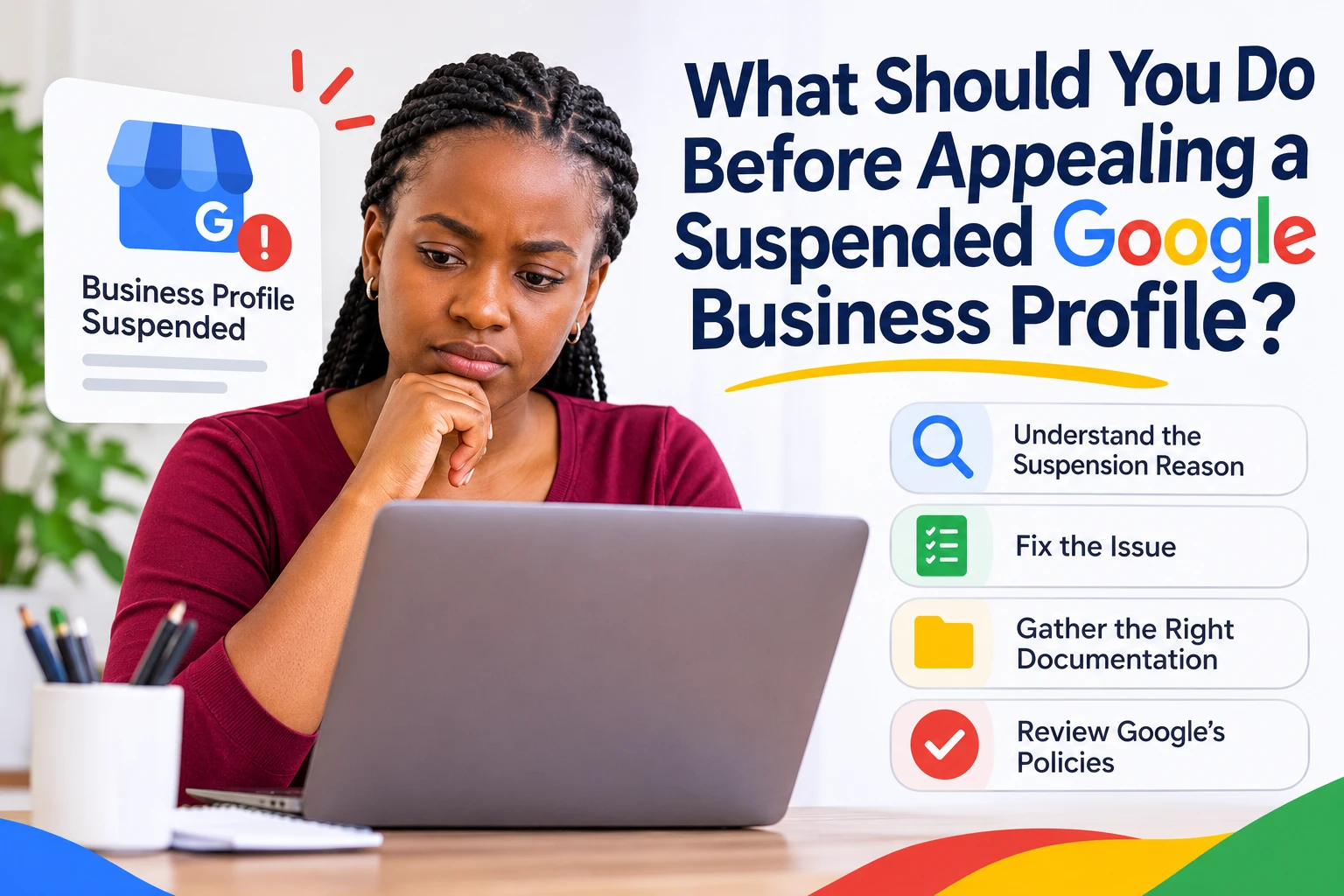
Preparing your profile and supporting documents before submitting an appeal can help you present a clearer case.
- Check the suspension notification: Review your Google Business Profile dashboard and associated email for instructions or an explanation.
- Review Google’s guidelines: Compare your business details, address settings, and profile setup with the current requirements.
- Verify your business information: Make sure your business name, address, phone number, website, and category are accurate.
- Gather supporting documents: Collect relevant business registration records, licences, utility bills, or other evidence of your business’s legitimacy.
- Review recent changes: Check whether changes to your business name, address, ownership, or other details may be relevant.
- Save screenshots and records: Keep copies of the suspension notice, profile information, and any previous communications with Google.
- Avoid creating another profile: A replacement profile created to bypass a suspension may complicate the recovery process.
Your evidence should be genuine, relevant, and consistent with the information on your profile. Only provide sensitive information when it is necessary and requested through an appropriate official process.
How to Recover a Suspended Google Business Profile Step by Step
Step 1: Confirm That Your Profile Has Actually Been Suspended
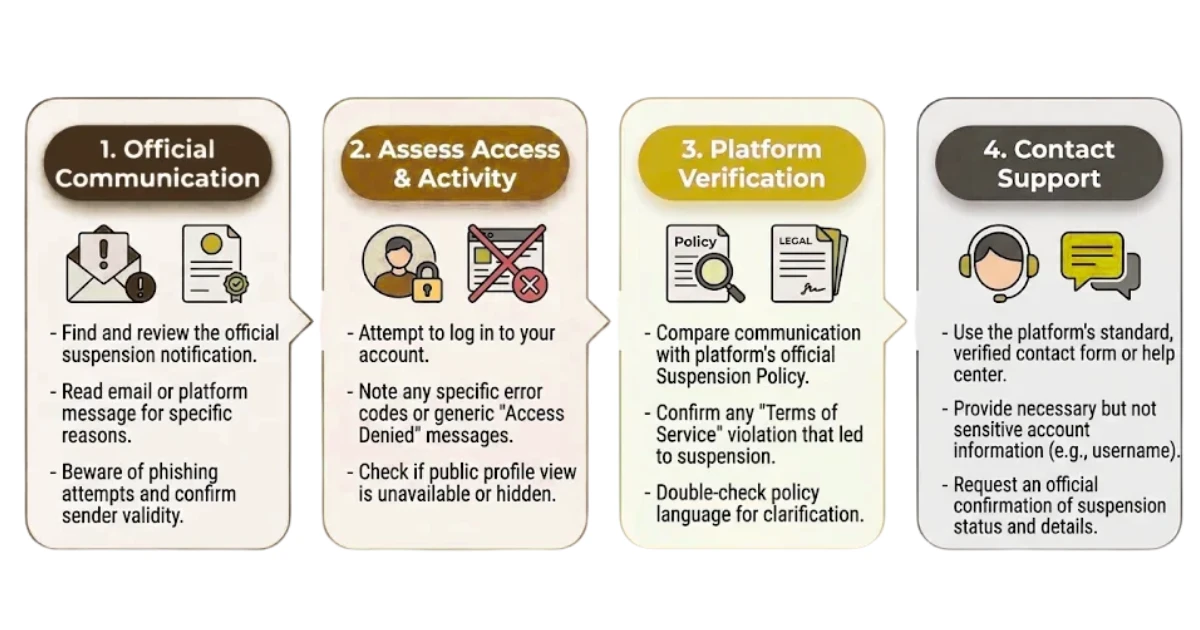
First, establish whether your profile is suspended, disabled, unverified, or simply not appearing prominently in search results.
To check your profile:
- Sign in to the Google account that manages your business.
- Open the Google Business Profile management interface.
- Look for suspension notices, restrictions, or verification requests.
- Check your email for notifications from Google.
- Review the instructions or options displayed in your account.
A profile that has stopped ranking well in local search is not necessarily suspended. Confirming the actual issue helps you choose the correct recovery process.
Step 2: Review Google’s Business Profile Guidelines
Once you confirm the suspension, review Google’s Business Profile guidelines to identify any possible violations.
Pay particular attention to:
- Whether your business name matches your real-world branding.
- Whether your business qualifies for a Google Business Profile.
- Whether your address and service-area settings reflect how you operate.
- Whether you have created duplicate listings.
- Whether your primary business category accurately describes your services.
- Whether your profile contains misleading or inaccurate information.
Focus on identifiable issues rather than guessing what might have triggered the suspension.
Read Google’s guidelines for representing your business on Google and compare them with your profile, field by field. For example, a plumber who travels to customers and does not serve them at a shop usually needs to handle address visibility differently from a restaurant with a dining room. Reading the actual rules is more reliable than relying on summaries from other websites.
Step 3: Correct Any Policy Violations
After identifying a potential problem, make the necessary changes to bring your profile into compliance.
Depending on the issue, you may need to:
- Remove unnecessary keywords or promotional phrases from your business name.
- Correct inaccurate contact information or business details.
- Update your business category to reflect your actual activities.
- Resolve duplicate profiles through the appropriate process.
- Correct your address visibility and service-area settings.
- Ensure your business meets Google’s eligibility requirements.
Make only accurate changes. Do not use a different address, business name, or category simply to make the profile appear eligible if doing so would misrepresent your business.
Once you have corrected the relevant issues, gather evidence to support your appeal.
Your business name on the profile should match what appears on your signage, website, and documents. If your trading name does not match your website address, a matching domain registration can help keep your online identity consistent. Fix one issue at a time and note what you changed and when, so you can describe your corrections accurately in the appeal.
Step 4: Gather Documents to Prove Your Business Is Legitimate
Google may ask for evidence to verify that your business exists, operates as described, and is eligible for a Business Profile. The documents required depend on your circumstances and the reason for the suspension.
Potential supporting evidence includes:
- Business registration documents: Certificates, licences, or other official records that establish your business.
- Proof of address: Relevant utility bills or other documents supporting an eligible business location.
- Photographs of your premises: Images showing permanent signage, the entrance, equipment, or other relevant business features.
- Evidence of operations: Invoices, receipts, or other records demonstrating genuine business activity.
- Proof of authorisation: Documents establishing that you are authorised to manage the business, if required.
Check that the business name and address on your documents are consistent with your profile wherever applicable. If Google requests specific documents, prioritise those requirements rather than submitting unrelated files.
Never submit fabricated documents or alter evidence to make your business appear compliant.
Step 5: Submit an Appeal Through Google’s Official Process
After correcting the relevant issues and preparing your evidence, submit your appeal through Google’s official Business Profile appeals process.
Follow these steps:
- Sign in to the Google account associated with your suspended profile.
- Open the Google Business Profile appeals tool.
- Select the affected business profile and follow the instructions provided.
- Review the policy issue or restriction identified in the process.
- Provide the requested information and supporting documentation.
- Submit your appeal and save any confirmation or reference details.
The options available may depend on your account and the type of restriction. Follow the instructions displayed in the official tool, and avoid submitting repeated appeals through unrelated support channels.
Use Google’s official guide to fixing suspended or disabled profiles, which describes the current appeal tool.
Step 6: Write a Clear and Evidence-Based Appeal
Your appeal should explain why your profile deserves another review and how you have addressed the relevant concerns.
Include the following information:
- Business details: Identify your business and the suspended profile.
- Explanation of the issue: Describe your understanding of the suspension, if the reason is known.
- Corrective actions: Explain the specific changes you made to address any policy violations.
- Supporting evidence: Identify the documents that demonstrate your business is legitimate and eligible.
- Request for review: Politely ask Google to review the profile and consider reinstating it.
Keep your appeal professional, factual, and concise. If you believe the suspension was a mistake, explain why your business complies with the relevant guidelines and support your explanation with evidence.
Avoid emotional arguments, unsupported claims, or long explanations that do not address the policy concern.
Step 7: Wait for Google’s Decision
After submitting your appeal, monitor your account and wait for Google to review the information.
During this period:
- Check the email address associated with your Business Profile.
- Monitor the appeals tool for status updates.
- Respond promptly if Google requests additional evidence.
- Keep copies of your appeal and supporting documents.
- Avoid submitting the same appeal repeatedly without new information.
Review times can vary depending on the case. There is no guaranteed reinstatement timeline, and submitting an appeal does not automatically mean your profile will be restored.
If Google provides a specific request or next step, follow it carefully.
Check your spam folder as well as your inbox, because the decision arrives by email. Resist the urge to change the profile while the appeal is pending unless Google asks for it, since new edits can complicate the review.
Step 8: Respond if Your Appeal Is Rejected
A rejected appeal can be discouraging, but you should first determine whether Google has provided another review option.
If your appeal is unsuccessful:
- Read the decision carefully and identify any outstanding concerns.
- Review your profile again against Google’s current guidelines.
- Check whether your documents adequately support your business details and eligibility.
- Gather additional or clearer evidence if it addresses the issue.
- Use an additional review or follow-up option if Google makes one available.
Avoid sending the same appeal and evidence repeatedly without addressing the reason for rejection. If you are unsure what went wrong, consult Google’s official support resources for guidance on the next available step.
Do not create a new profile simply to get around the suspension.
Ask what has changed since the first appeal. If the decision named a policy, check that part of your profile again. If your documents were blurry, inconsistent, or did not match your profile, replace them with clearer versions. Google’s appeal page for profile restrictions explains related appeal routes, including that a restricted Google Account or profile must be reinstated before you can appeal content decisions. Keep the record of everything you submit.
How Long Does It Take to Recover a Suspended Google Business Profile?
There is no universal timeline for recovering a suspended Google Business Profile. The time required depends on the nature of the suspension, the completeness of your evidence, and whether Google needs further information.
The recovery process may involve:
- Identifying and correcting policy violations.
- Gathering the required business documents.
- Waiting for the initial appeal decision.
- Responding to requests for additional information.
- Completing another review, if available.
Providing accurate information and complete, relevant evidence from the beginning can help you avoid unnecessary delays. Be cautious of anyone who guarantees reinstatement within a specific number of hours or days.
Some steps are in your control, such as fixing the profile and preparing evidence, while others depend on Google’s review. Plan for the possibility that recovery takes longer than expected, and consider other ways customers can reach you, such as your website and social media, while you wait.
Common Mistakes to Avoid When Recovering a Suspended Google Business Profile
Trying to recover a profile too quickly can lead to additional problems. Avoid these common mistakes:
- Creating a new profile: This may complicate the recovery process instead of resolving the suspension.
- Appealing before fixing violations: Known policy issues should be addressed before you request a review.
- Submitting inconsistent documents: Evidence that conflicts with your business details may make verification more difficult.
- Using fabricated evidence: False documents can undermine your appeal and create further policy problems.
- Making unnecessary profile changes: Changing accurate details without a clear reason may create additional concerns.
- Submitting repeated appeals: Repeating the same request without addressing the issue is unlikely to help.
- Ignoring Google’s instructions: Missing a request for additional evidence can delay the process.
- Trusting guaranteed recovery services: Be cautious of third parties promising guaranteed reinstatement or asking for unnecessary account access.
- Confusing suspension with low rankings: A decline in local search visibility does not automatically mean your profile has been suspended.
A careful, evidence-based approach is more useful than rushing through the appeal process.
Each mistake costs time in a different way. A new profile may be treated as a duplicate and can reduce your chances of restoring the original. Appealing before you fix a known violation means the same problem is found again, and mismatched or fabricated documents damage your credibility. To avoid these problems, gather genuine records, keep names and addresses consistent, and change only what is actually wrong. Check your email for Google’s instructions, and read any message asking for more information carefully.
No one outside Google can reinstate a profile, so promises of guaranteed recovery are a warning sign. Never share your account password or hand over ownership of your profile to a stranger. If you do hire help, ask what they will do, keep control of your own account, and use only the official appeal process.
How to Prevent Your Google Business Profile From Being Suspended Again
Once Google reinstates your profile, keep it accurate and compliant to reduce the risk of future problems.
- Use your real-world business name without unnecessary keywords.
- Keep your address, phone number, website, and opening hours accurate.
- Maintain only eligible profiles for your business locations.
- Follow Google’s rules for service-area businesses and physical premises.
- Choose categories that accurately represent your business.
- Avoid misleading descriptions, false claims, or inaccurate information.
- Give profile access only to trusted people who need it.
- Keep relevant business registration and address documents available.
- Review Google’s guidelines before making significant changes to your profile.
Regularly checking your business information can help you identify problems early and maintain a reliable presence on Google Search and Maps.
FAQs
Can I Recover a Suspended Google Business Profile?
Often, yes, but there is no guarantee. Recovery usually involves finding the guideline issue, correcting it, and submitting an appeal with relevant evidence through Google’s official process. The outcome depends on your situation and Google’s review.
Why Did Google Suspend My Business Profile Without Warning?
Google may suspend a profile when it detects a possible guideline issue, and a notice may not explain every detail. Check your email and the profile dashboard for a message, then compare your profile with Google’s guidelines. Do not assume a cause without checking.
Can I Create a New Google Business Profile After a Suspension?
It is not recommended as a way to get around a suspension, because it can complicate recovery and may create duplicate-listing concerns. Focus on fixing and appealing the original profile. If your business is genuinely eligible for a separate profile, such as a new location, follow Google’s guidelines for creating one.
What Documents Do I Need to Appeal a Google Business Profile Suspension?
It depends on your business and the reason for the suspension. Google’s current help page lists examples such as official business registration, a business licence, and tax certificates, and other evidence may include proof of address, photos of your premises, or proof of authorisation. Submit what Google asks for in the tool. A professional website on hosting that shows your address and services can also help show that the business is real, but it does not replace requested documents.
How Long Does Google Take to Review a Business Profile Appeal?
There is no set time. Review time varies depending on your case, the quality of your evidence, and whether Google needs more information. Google sends its decision by email, so keep an eye on your inbox, including the spam folder, and answer any request quickly.
What Should I Do if Google Rejects My Appeal?
Read the decision, check your profile against the guidelines again, and improve your evidence if it was unclear or inconsistent. Use any additional review option Google offers, and check its official support pages for the next step. Do not send identical appeals repeatedly.
Will My Business Lose Its Reviews After a Suspension?
Not necessarily, but it is not guaranteed either. Reviews may return if the profile is reinstated, but you should not assume they will. After reinstatement, check that your reviews and details are present, and contact Google’s support through official channels if something is missing.
Ready to Recover Your Suspended Google Business Profile?
A suspended Google Business Profile can affect how customers discover your business, contact you, and find your location. The best way to approach recovery is to identify the possible policy issue, correct any violations, gather genuine supporting evidence, and submit an appeal through Google’s official process.
Start by checking your suspension notice and reviewing your business details against Google’s guidelines. Make the necessary corrections before appealing, and ensure that the documents you submit support the information on your profile.
If your first appeal is rejected, review Google’s decision and address any outstanding concerns before pursuing another available review option. Once your profile is restored, keep your business information accurate and follow the guidelines to reduce the risk of future suspensions.
A compliant, well-maintained Business Profile can help customers find reliable information about your business and support your long-term local search visibility.
While you work on your profile, make sure customers can also find you through a website you control. Build Your Online Presence with Truehost Uganda.
